 DeezerLinux
vs
TidalWindows
DeezerLinux
vs
TidalWindows
Deezer als Linux-Alternative zu Tidal
Aktualisiert am
Unser Fazit
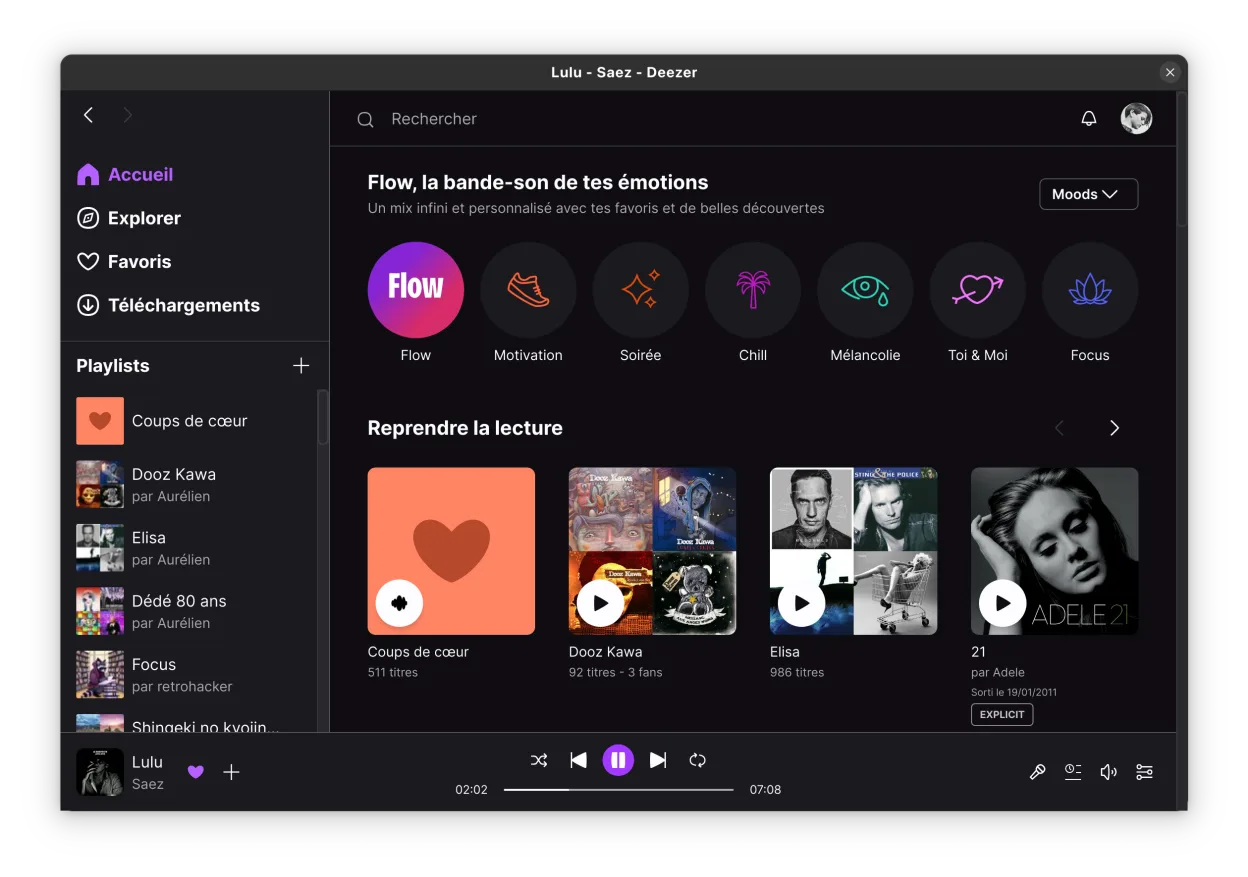
Deezer is a solid alternative for Tidal users who prioritize native Linux support over exclusive content. It runs via Flatpak, offering a stable desktop experience with media key integration and offline downloads. However, you lose Tidal’s unique high-resolution audio tiers and specific artist exclusives. If your main goal is reliable, high-quality streaming with a proper desktop app on Linux, Deezer works well. But if you rely on Tidal’s specific catalog or lossless formats, you will notice the gap. It is best for users who value system integration and stability over niche audio fidelity.
- Lizenz
- LicenseRef-proprietary=https://www.deeze…
- Preis
- paid
- Aktuelle Version
- 8.0.10 (27. Oktober 2026)
- Bewertung
- —
Was gleich funktioniert
- Native Linux desktop application via Flatpak
- Support for offline listening and track downloads
- Access to a large music catalog and playlists
- Standard media key and system integration
- Cross-platform account synchronization
Was anders ist
- Lack of Tidal’s specific high-resolution audio tiers (HiFi/Max)
- Different music catalog and artist exclusives
- Unofficial port status may imply slightly different update cadence
- No access to Tidal’s specific video content or editorial features
Ihre Tidal-Dateien öffnen
There is no direct file compatibility between Tidal and Deezer as both are streaming services that do not export standard audio files from their libraries. You cannot open Tidal-specific metadata or playlists in Deezer. If you have local files downloaded from Tidal, Deezer can play them if they are in supported formats, but the service itself does not import Tidal’s proprietary data structures.
Von Tidal zu Deezer wechseln – Schritt für Schritt
- Install the Deezer Flatpak from Flathub.
- Create a Deezer account if you do not have one.
- Log in to the Deezer desktop application.
- Rebuild your playlists by searching for your favorite tracks.
- Download essential tracks for offline listening.
- Configure media keys to control the Deezer player.
Wichtige Funktionen von Deezer
- Musik in hoher Qualität streamen
- Tracks für das Offline-Hören herunterladen
- Zugriff auf die vollständige Bibliothek und Playlists
- Integrierte Desktop-Player-Oberfläche
- Wird über die Flatpak-Sandbox ausgeführt
- Unterstützt Standard-Deezer-Kontotypen
Deezer unter Linux installieren
flatpak install flathub dev.aunetx.deezerHäufige Fragen
Does Deezer support high-resolution audio on Linux?
Deezer offers high-quality streaming, but it does not support the specific high-resolution audio tiers that Tidal provides. You will get standard high-quality audio, not lossless or hi-res formats.
Is the Deezer Linux app official?
No, it is an unofficial port developed by the community. It is active and maintained, but it is not an official release from Deezer.
Can I transfer my Tidal playlists to Deezer?
No, there is no direct transfer tool. You will need to manually recreate your playlists by searching for the same songs in the Deezer catalog.