
 GNU EmacsLinux
vs
Visual Studio CodeWindows
GNU EmacsLinux
vs
Visual Studio CodeWindows
GNU Emacs als Linux-Alternative zu Visual Studio Code
Aktualisiert am
Unser Fazit
GNU Emacs can replace Visual Studio Code for developers who value deep customisation and are comfortable with a keyboard‑centric workflow. It provides syntax highlighting, an integrated terminal, Git support and debugging, but the experience is less visual and requires Emacs Lisp for many extensions. Users who need a modern UI, rich marketplace extensions, or out‑of‑the‑box language servers may find VS Code more convenient. Emacs shines for those who want a single, scriptable environment that can grow into an IDE, mail client, or planner, and who are willing to invest time in configuration.
- Lizenz
- GPL-3.0+ and GFDL-1.3+
- Preis
- Kostenlos
- Aktuelle Version
- 31.1 (24. August 2026)
- Bewertung
- —
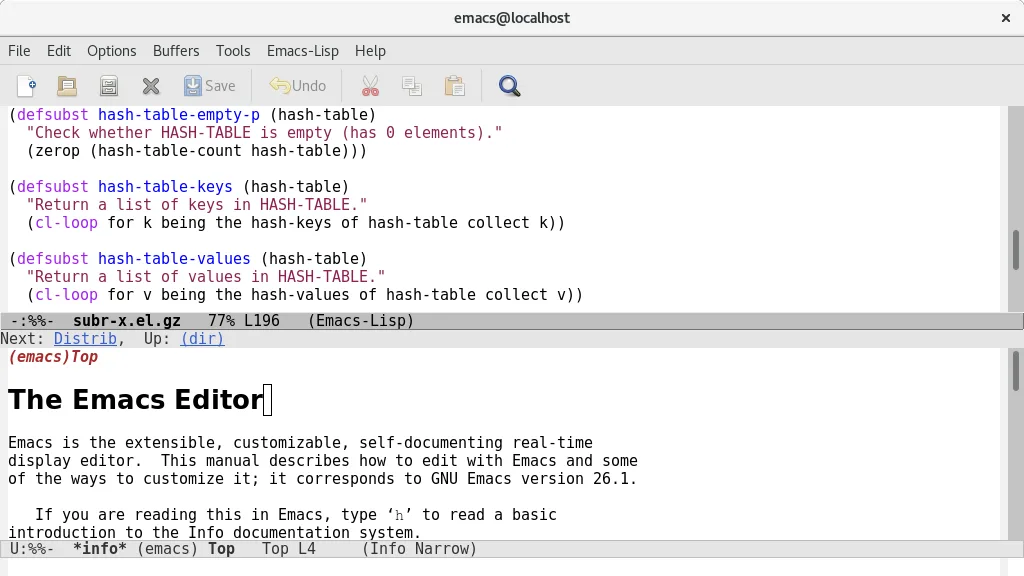
Was gleich funktioniert
- Syntax highlighting for many languages
- Integrated terminal access
- Git version‑control integration
- Extensible plugin/extension system
- Basic debugging support
Was anders ist
- VS Code offers a graphical extension marketplace; Emacs relies on Lisp packages that often need manual setup
- VS Code includes built‑in language‑server support for intelligent code completion; Emacs requires additional packages like lsp-mode
- VS Code provides a modern UI with tabs and sidebars; Emacs UI is more minimal and can feel dated
- VS Code ships with ready‑to‑use debuggers for many runtimes; Emacs debugging often needs language‑specific configuration
Ihre Visual Studio Code-Dateien öffnen
Both editors work with plain text files, so any source code opened in VS Code can be opened in Emacs without conversion. VS Code stores workspace settings in JSON files; Emacs can read those files as plain text but does not import them automatically. There is no special export format to convert, so compatibility is essentially limited to the underlying source files.
Von Visual Studio Code zu GNU Emacs wechseln – Schritt für Schritt
- Install Emacs from your distribution’s package manager or Flathub
- Familiarise yourself with basic Emacs commands (C‑x C‑f to open files, C‑x C‑s to save)
- Install lsp-mode or eglot for language‑server support to get code completion and refactoring
- Add magit for Git integration (M‑x magit-status)
- Configure a terminal emulator inside Emacs with vterm or ansi‑term
- Optionally import VS Code settings by copying keybindings into your init.el or using the ‘vscode‑keymap’ package
Wichtige Funktionen von GNU Emacs
- Integrierter Emacs Lisp-Interpreter für vollständige Anpassbarkeit
- Inhaltsabhängige Editiermodi mit Syntax-Hervorhebung
- Integrierte Debugger-Oberfläche und Projektverwaltung
- Vollständige Unicode-Unterstützung für nahezu alle menschlichen Sprachen
- Integrierter E-Mail- und Newsreader
- Umfassende integrierte Dokumentation und Tutorial
- Hochgradig anpassbar per Code oder grafischer Oberfläche
GNU Emacs unter Linux installieren
flatpak install flathub org.gnu.emacssudo apt install emacssudo apt install emacssudo dnf install emacssudo pacman -S emacs-waylandsudo zypper install emacsHäufige Fragen
Can Emacs provide the same level of IntelliSense as VS Code?
Emacs can approximate IntelliSense using lsp-mode or eglot together with language‑server binaries, but the setup is manual and may lack some of the polish found in VS Code.
Is there a graphical extension marketplace for Emacs?
No. Emacs packages are typically installed from MELPA, GNU ELPA, or directly from source; you use M‑x package-install or a configuration file, not a visual store.
Will my VS Code workspace layout (folders, split panes) transfer to Emacs?
Workspace folders open fine, but layout settings are not portable. You’ll need to recreate window splits using Emacs’ window management commands.
4 weitere Alternativen zu Visual Studio Code
 Sublime TextSublime Text ist ein leichter, schneller Quellcode‑Editor mit einer minimalistischen Oberfläche und…FlatpakSublime Text vs. Visual Studio Code
 GeanyGeany ist eine leichte, schnelle IDE, die von Haus aus viele Sprachen und Plugins unterstützt.Open SourceKostenlosFlatpakGeany vs. Visual Studio Code
 KateKate ist ein funktionsreicher, auf Programmierer ausgerichteter Texteditor von KDE mit Unterstützung für über…Open SourceKostenlosFlatpakKate vs. Visual Studio Code
 VimVim ist ein hochgradig konfigurierbarer, modaler Texteditor für effizientes Bearbeiten unter Linux.Open SourceKostenlosFlatpakVim vs. Visual Studio Code