
 HarunaLinux
vs
VLCWindows
HarunaLinux
vs
VLCWindows
Haruna als Linux-Alternative zu VLC
Aktualisiert am
Unser Fazit
Haruna can replace VLC for users who mainly play local files and want a lightweight player with custom keyboard shortcuts and online video support. It lacks many of VLC’s advanced features such as full streaming protocol support, transcoding, and extensive subtitle management, so it is best suited for casual users who do not need those capabilities.
- Lizenz
- GPL-3.0-or-later
- Preis
- Kostenlos
- Aktuelle Version
- 1.8.1 (19. Mai 2026)
- Bewertung
- —
Was gleich funktioniert
- Both are free, open‑source media players available on Linux
- Both support playing local video and audio files
- Both allow keyboard shortcut customization
- Both receive regular updates
- Both can be installed via Flatpak and native package managers
Was anders ist
- Haruna does not support the full range of streaming protocols that VLC does (e.g., RTSP, MMS, HTTP live streaming)
- Haruna lacks built‑in transcoding and advanced audio/video filters
- Haruna’s subtitle handling is limited; it does not support external subtitle files as robustly as VLC
- Haruna does not provide a comprehensive playlist editor or advanced playback features like repeat or shuffle
- Haruna’s interface is minimal and may not expose all media information that VLC shows
Ihre VLC-Dateien öffnen
Haruna opens standard media files (MP4, MKV, MP3, etc.) without needing extra codecs, similar to VLC. It does not import or export VLC‑specific playlist or configuration files, so users cannot directly migrate playlists or settings from VLC to Haruna.
Von VLC zu Haruna wechseln – Schritt für Schritt
- 1. Install Haruna via your distribution’s package manager or Flatpak.
- 2. Export any VLC playlists you need (File → Save Playlist to File).
- 3. Open the exported playlist in Haruna or rebuild it manually.
- 4. Recreate any custom keyboard shortcuts in Haruna’s settings.
- 5. Test playback of your media library to confirm compatibility.
Wichtige Funktionen von Haruna
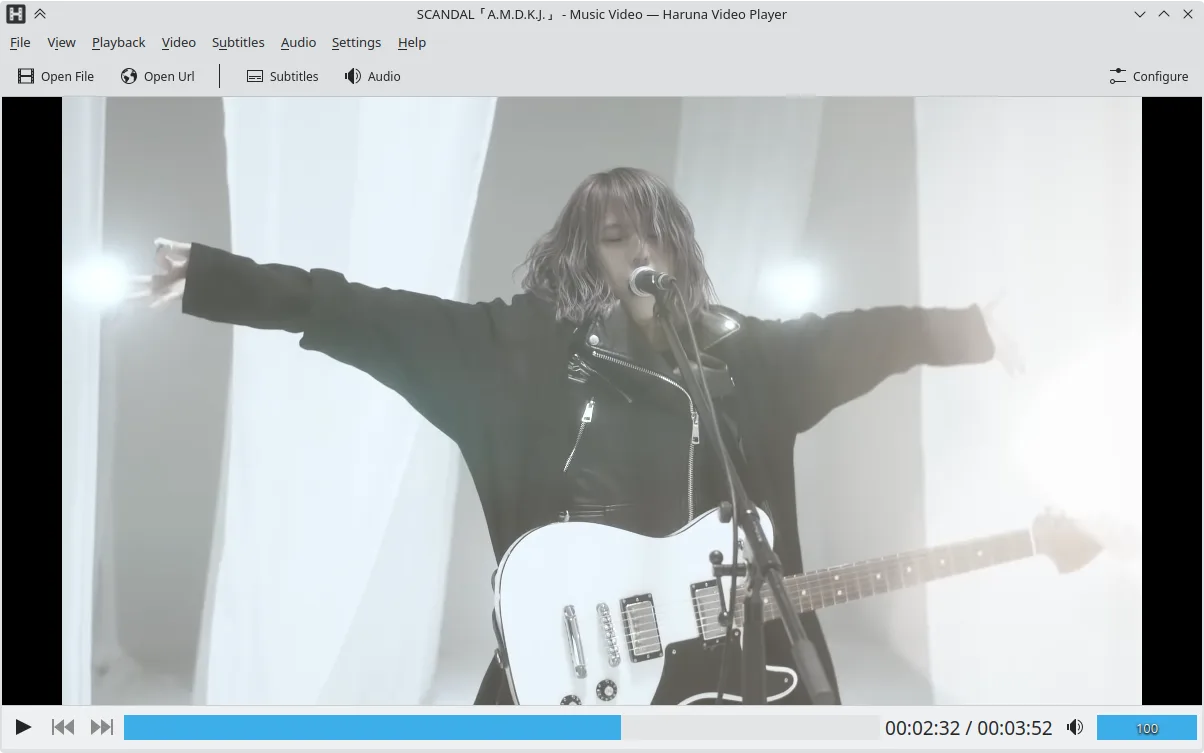
- Wiedergabe lokaler und Online-Videos, einschließlich YouTube über youtube-dl
- Unterstützung von YouTube-Wiedergabelisten und automatisches Überspringen von Kapiteln mit bestimmten Wörtern
- Einblendung der Wiedergabeliste per Mauszeiger und Overlay auf dem Video
- Anpassbare Tastenkürzel und Maustasten
- Schneller Sprung zum nächsten Kapitel durch Mittelklick auf die Fortschrittsanzeige
- Quelloffen, Lizenz GPL-3.0-or-later
- Verfügbar als Flatpak, für Arch, Debian, Fedora, openSUSE und Ubuntu
Haruna unter Linux installieren
flatpak install flathub org.kde.harunasudo apt install harunasudo apt install harunasudo dnf install harunasudo pacman -S harunasudo zypper install harunaHäufige Fragen
Does Haruna support online streaming from services like YouTube?
Yes, Haruna uses youtube‑dl to play YouTube videos and playlists, and it can auto‑skip chapters containing specified words.
Can I use Haruna to transcode videos?
No, Haruna does not provide transcoding or format conversion features; it only plays media.
Will Haruna display subtitles from external .srt files?
Haruna can load external subtitle files, but its subtitle support is more limited compared to VLC’s extensive subtitle handling.
4 weitere Alternativen zu VLC
 mpvmpv ist ein kostenloser, quelloffener, plattformübergreifender Mediaplayer, der nahezu jedes Video- oder…Open SourceKostenlosFlatpakmpv vs. VLC
 CelluloidCelluloid ist ein leichter Mediaplayer für Linux, der die mpv‑Engine und GTK für eine saubere GNOME‑ähnliche…Open SourceKostenlosFlatpakCelluloid vs. VLC
 SMPlayerSMPlayer ist ein kostenloser, quelloffener Mediaplayer mit integrierten Codecs, der nahezu alle Video- und…Open SourceKostenlosFlatpakSMPlayer vs. VLC
 TotemTotem (GNOME Videos) ist der standardmäßige GNOME-Videoplayer, der auf GStreamer basiert.Open SourceKostenlosTotem vs. VLC