
 HomeBankLinux
vs
Microsoft MoneyWindows
HomeBank als Linux-Alternative zu Microsoft Money
Aktualisiert am
Unser Fazit
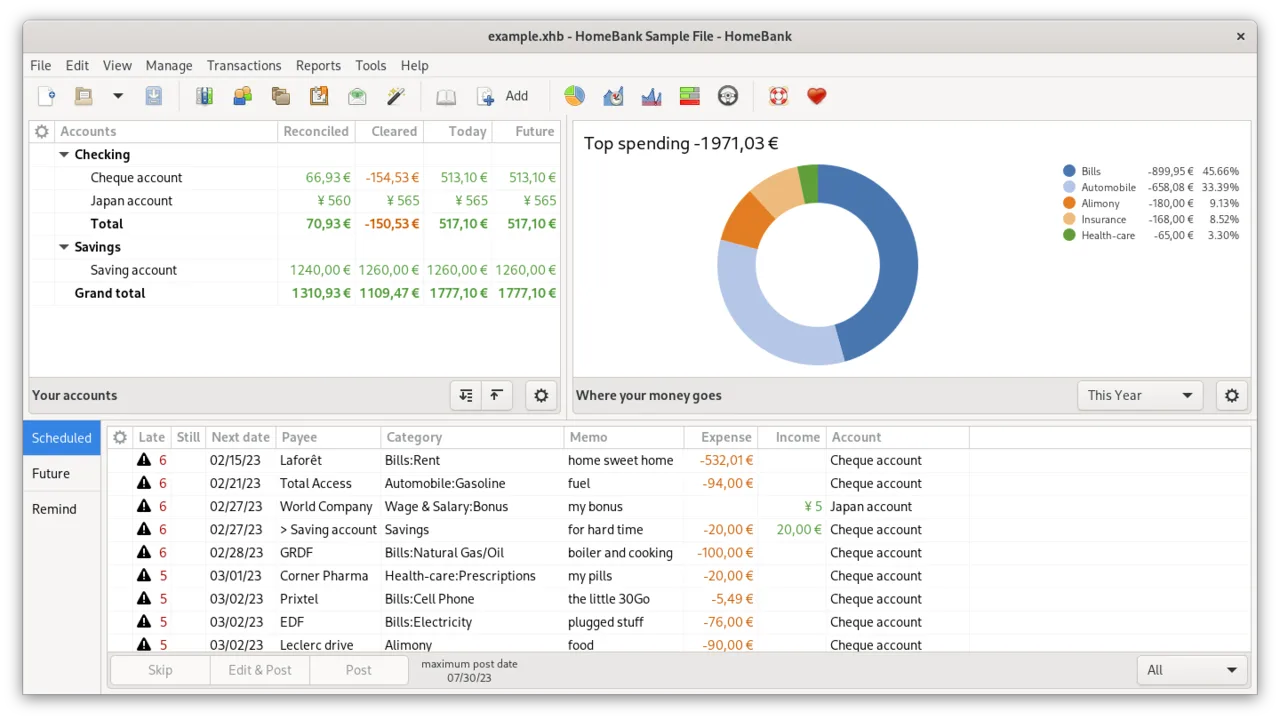
HomeBank is a solid, free replacement for Microsoft Money if you need core accounting features without paid subscriptions. It handles multiple accounts, budgets, and generates useful reports like cash flow and expense trends. It is best for users who value open-source software and do not require advanced investment tracking or tax preparation tools. The interface is straightforward, and the active development ensures it remains a viable option for personal finance management on Linux.
- Lizenz
- GPL-2.0+
- Preis
- Kostenlos
- Aktuelle Version
- 5.10.4 (13. November 2026)
- Bewertung
- —
Was gleich funktioniert
- Supports multiple bank accounts and credit cards with transfer handling
- Includes budget planning with alerts to track spending
- Generates graphical reports such as cash flow and expense distribution
- Allows for customizable categories and payees to organize transactions
Was anders ist
- Lacks direct native support for importing .mny files, requiring intermediate conversion
- Does not include built-in investment or stock portfolio tracking features
- Missing automated bill pay functionality that some newer finance apps offer
- Report generation is less customizable than the extensive report library in Microsoft Money
Ihre Microsoft Money-Dateien öffnen
HomeBank does not natively import Microsoft Money .mny files. You must first convert your .mny data to QIF or CSV format using a third-party converter or by exporting from a compatible Windows application. Once converted, HomeBank can import these files directly. Exporting your data from HomeBank is straightforward, supporting QIF, OFX, and CSV formats for easy transfer to other accounting tools.
Von Microsoft Money zu HomeBank wechseln – Schritt für Schritt
- Export your Microsoft Money data to QIF or CSV format on Windows
- Install HomeBank via your package manager or Flathub
- Launch HomeBank and create a new account book
- Use the Import function to load your QIF or CSV files
- Review imported transactions and assign correct categories
- Set up recurring transactions and budgets as needed
Wichtige Funktionen von HomeBank
- Import and export of QIF, OFX and CSV files
- Customizable categories and payees
- Powerful filtering and search of transactions
- Automatic balance reconciliation
- Multiple account support with transfer handling
- Graphical reports: cash flow, expense distribution, trends
- Budget planning with alerts
- Command‑line tools for batch processing
HomeBank unter Linux installieren
flatpak install flathub fr.free.Homebanksudo apt install homebanksudo apt install homebanksudo dnf install homebanksudo pacman -S homebanksudo zypper install homebankHäufige Fragen
Can I import my old .mny files directly?
No, HomeBank cannot read .mny files directly. You must convert them to QIF or CSV first using a separate tool.
Is HomeBank free to use?
Yes, it is free and open-source software under the GPL-2.0+ license, with no hidden costs or subscriptions.
Does it support recurring transactions?
Yes, HomeBank supports setting up recurring transactions to automate regular bills and deposits.
3 weitere Alternativen zu Microsoft Money
 GnuCashKostenlos, quelloffene doppelte Buchführung für Privat- und Kleinunternehmensgebrauch.Open SourceKostenlosFlatpakGnuCash vs. Microsoft Money
 KMyMoneyKMyMoney ist ein kostenloser, doppelter Buchhaltungspersonalfinanzverwalter für Linux.Open SourceKostenlosFlatpakKMyMoney vs. Microsoft Money
 SkroogeSkrooge ist ein auf KDE basierendes Programm zur persönlichen Finanzverwaltung für einfache Buchhaltung unter…Open SourceKostenlosFlatpakSkrooge vs. Microsoft Money