
 Jitsi MeetLinux
vs
TeamSpeakWindows
Jitsi MeetLinux
vs
TeamSpeakWindows
Jitsi Meet als Linux-Alternative zu TeamSpeak
Aktualisiert am
Unser Fazit
Jitsi Meet can replace TeamSpeak for users who need voice and video chat with low‑latency audio, but it is not a perfect match. It works on Linux, is free, and supports self‑hosting, password rooms, and basic permission controls. However, it lacks the pure‑audio, low‑latency focus and the channel hierarchy that TeamSpeak offers. It suits teams that want a single, browser‑friendly solution for both voice and video, or who already use Jitsi for other meetings.
- Lizenz
- Apache-2.0
- Preis
- Kostenlos
- Aktuelle Version
- 2026.8.0 (4. August 2026)
- Bewertung
- —
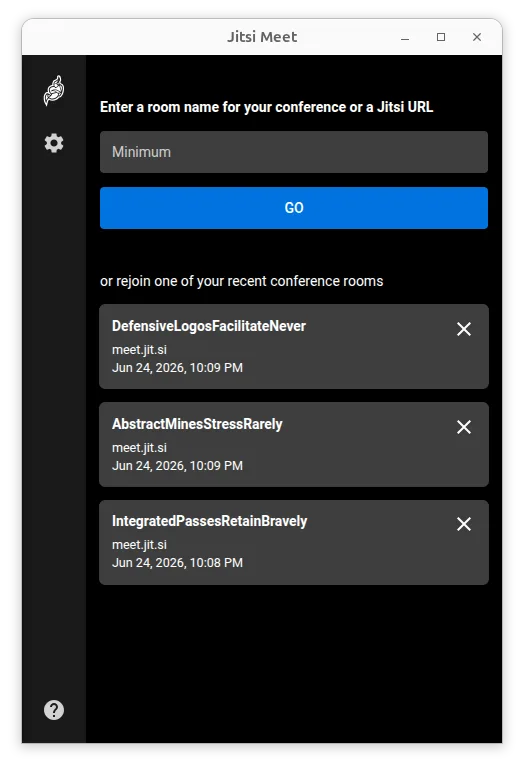
Was gleich funktioniert
- Cross‑platform availability (Linux, Windows, macOS, mobile, browser)
- Self‑hosted server option
- Password‑protected rooms for controlled access
- Basic user permission management
- Open‑source licensing
Was anders ist
- Jitsi is primarily video‑centric, whereas TeamSpeak is pure audio with very low latency
- Jitsi has no built‑in channel hierarchy; all participants share the same room
- End‑to‑end encryption is experimental in Jitsi, while TeamSpeak offers full‑end encryption by default
- Jitsi’s UI is web‑centric; TeamSpeak has a dedicated desktop client with a different look
- Jitsi does not provide the same level of granular per‑channel permissions or voice‑only controls
Ihre TeamSpeak-Dateien öffnen
TeamSpeak uses .ts3server.ini and .ts3client.ini configuration files, plus .ts3server.sql for server data. Jitsi Meet does not read or write these files. To migrate, you would need to export user lists and channel structures manually and recreate them in Jitsi, which is not automated.
Von TeamSpeak zu Jitsi Meet wechseln – Schritt für Schritt
- 1. Install Jitsi Meet on a Linux server or use a hosted instance.
- 2. Create a new conference room and set a password if you need restricted access.
- 3. Invite existing TeamSpeak users by sharing the Jitsi meeting URL and password.
- 4. Inform users that voice‑only mode is available by muting video or using the audio‑only option in the browser.
- 5. If you need channel‑like separation, use separate Jitsi rooms or the "breakout room" feature if available.
Wichtige Funktionen von Jitsi Meet
- Verbindet sich mit jeder Jitsi‑Installation, einschließlich selbstgehosteter Server
- Kein Konto erforderlich, um Konferenzen beizutreten oder zu hosten
- Unterstützt Ende‑zu‑Ende‑Verschlüsselung für erhöhte Privatsphäre
- Hochwertiger Audio‑ und Video‑Stream mit den Codecs Opus, VP8, VP9 und AV1
- Passwortgeschützte Räume für kontrollierten Zugriff
- Browser‑kompatibel, sodass Gäste ohne Installation teilnehmen können
- Unterstützung benutzerdefinierter URLs für leicht merkbare Meeting‑Links
- Unbegrenzte Nutzerkapazität, nur durch Serverressourcen begrenzt
Jitsi Meet unter Linux installieren
flatpak install flathub org.jitsi.jitsi-meetHäufige Fragen
Does Jitsi Meet provide low‑latency audio like TeamSpeak?
Jitsi uses the Opus codec, which delivers good quality at low bandwidth, but it is not optimized for the ultra‑low latency that TeamSpeak targets. For most casual use it is acceptable, but competitive gamers may notice a slight delay.
Can I host Jitsi Meet on the same server I use for TeamSpeak?
Yes, you can run Jitsi Meet on the same Linux machine, but it will need additional resources (CPU, memory, and bandwidth). Ensure the server can handle both services simultaneously.
Is there a way to preserve TeamSpeak channel permissions in Jitsi?
Jitsi does not have a channel hierarchy, so you would need to create separate rooms or use the "moderator" role to control who can speak. There is no direct migration of permissions.

