
 KRDCLinux
vs
UltraVNCWindows
KRDCLinux
vs
UltraVNCWindows
KRDC als Linux-Alternative zu UltraVNC
Aktualisiert am
Unser Fazit
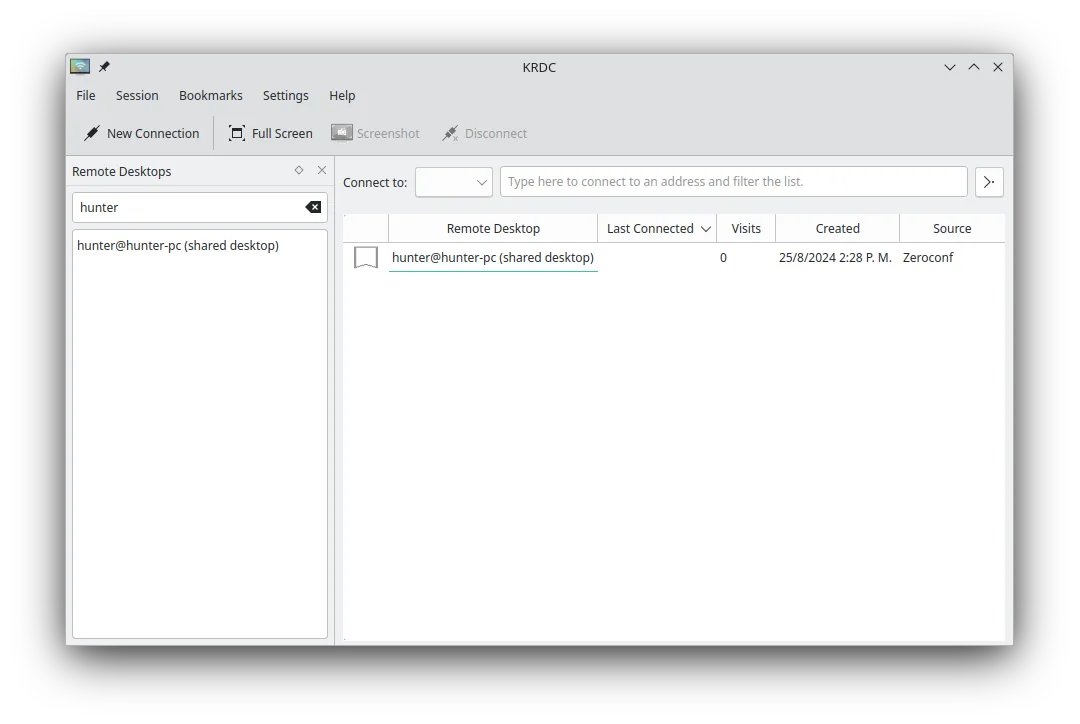
KRDC is a solid replacement for UltraVNC for most users who need VNC connectivity on Linux. It supports VNC connections, encryption via TLS for RDP and optional VNC encryption, file transfer through the VNC protocol, multiple monitors, and dynamic scaling. Its KDE‑styled UI and bookmark system make occasional remote support convenient. Users who rely heavily on UltraVNC’s Windows‑specific features, such as the dedicated UltraVNC server or advanced plug‑ins, may find KRDC lacking, but for typical VNC clients it delivers the core functionality.
- Lizenz
- GPL-2.0+
- Preis
- Kostenlos
- Aktuelle Version
- 26.04.3 (2. Juli 2026)
- Bewertung
- —
Was gleich funktioniert
- Both allow VNC connections to remote machines
- Both support file transfer over VNC
- Both can handle multiple monitors and scaling
- Both run as a client on Linux
- Both have a simple UI for occasional use
Was anders ist
- KRDC does not provide a VNC server; UltraVNC does
- KRDC lacks UltraVNC’s plug‑in ecosystem and Windows‑specific features
- KRDC’s VNC encryption is optional and requires configuration, whereas UltraVNC can use built‑in encryption
- KRDC is KDE‑centric, may feel heavy for non‑KDE desktops
- KRDC does not run as a Windows‑style service/daemon on Linux
- KRDC’s file transfer uses the standard VNC protocol, not UltraVNC’s custom file‑transfer extensions
Ihre UltraVNC-Dateien öffnen
KRDC does not read or write UltraVNC configuration files (.vnc or .vncserver). To migrate, you would manually recreate the connection details in KRDC’s bookmark system; no direct import is available.
Von UltraVNC zu KRDC wechseln – Schritt für Schritt
- Open KRDC and choose "New Connection".
- Select "VNC" as the protocol and enter the host IP or hostname.
- Enter the VNC password and enable encryption if needed.
- Save the connection as a bookmark for future use.
- Use the bookmark to connect and test the session.
- Optional: configure keyboard shortcuts in KRDC’s settings for remote input.
Wichtige Funktionen von KRDC
- Unterstützt sowohl RDP- als auch VNC-Protokolle
- KDE‑gestylte grafische Oberfläche
- Lesezeichenverwaltung für häufige Verbindungen
- Vollbild- und Fenstermodus
- Unterstützung von Tastenkombinationen (Ctrl+Alt+Shift für Fernsteuerung)
- Dynamische Skalierung des Fernbildschirms
- TLS‑Verschlüsselung für RDP-Sitzungen
- Integration mit KDE Wallet für Passwortspeicherung
KRDC unter Linux installieren
flatpak install flathub org.kde.krdcsudo apt install krdcsudo apt install krdcsudo dnf install krdcsudo pacman -S krdcsudo zypper install krdc4 weitere Alternativen zu UltraVNC
 TigerVNC ViewerTigerVNC Viewer ist ein GPL-lizensierter Client zum Verbinden mit entfernten VNC-Desktops unter Linux.Open SourceKostenlosFlatpakTigerVNC Viewer vs. UltraVNC
 RemminaRemmina ist ein Linux-Remote-Desktop-Client, der RDP, VNC, SSH und X2Go unterstützt, um von GTK-basierten…Open SourceKostenlosFlatpakRemmina vs. UltraVNCx11vncEin VNC-Server für X11, der es Ihnen ermöglicht, Ihren Linux-Desktop aus jedem VNC-Client heraus…Open SourceKostenlosx11vnc vs. UltraVNC
 VinagreVinagre ist ein GNOME‑Remote‑Desktop‑Betrachter für VNC, RDP, SSH und SPICE, der jetzt eingestellt wurde.Open SourceKostenlosEingestelltVinagre vs. UltraVNC