
 KwaveLinux
vs
Windows Voice RecorderWindows
KwaveLinux
vs
Windows Voice RecorderWindows
Kwave als Linux-Alternative zu Windows Voice Recorder
Aktualisiert am
Unser Fazit
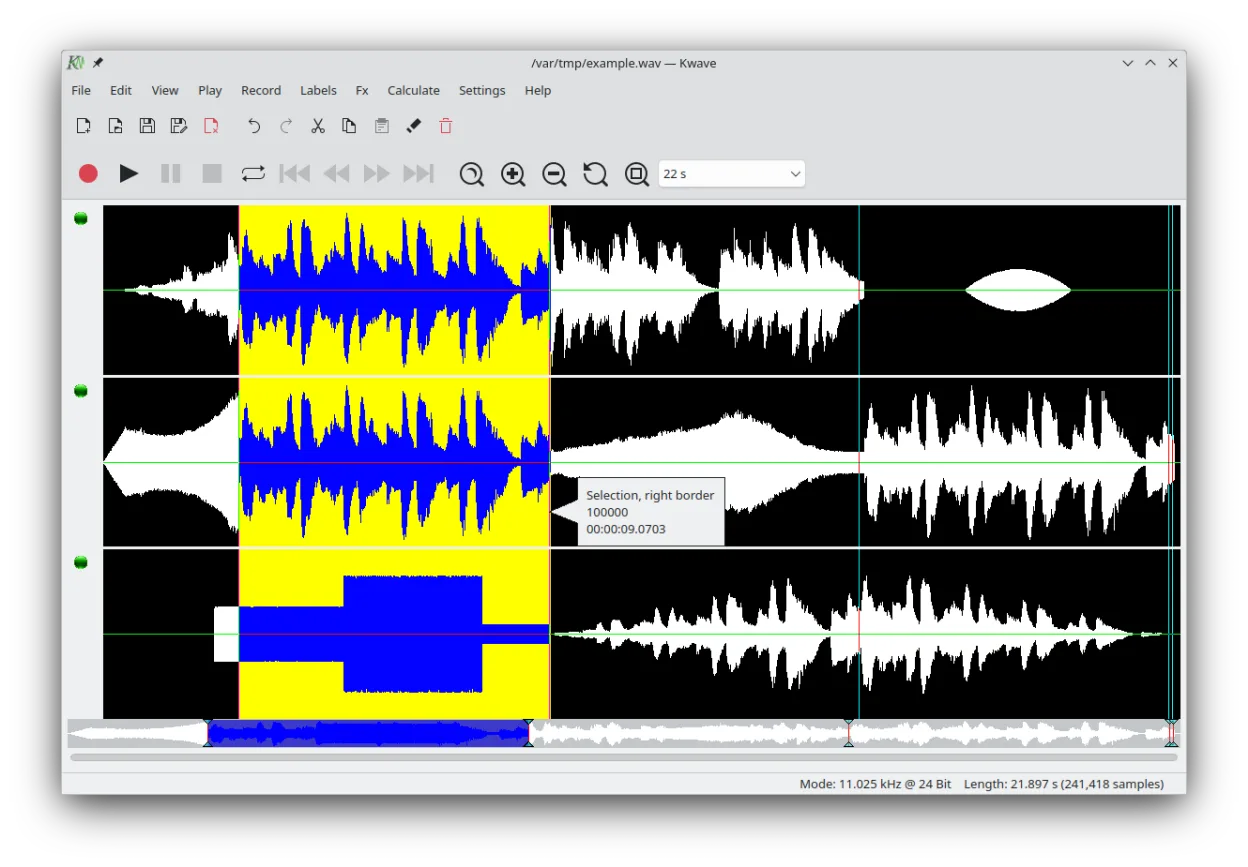
Kwave is a capable replacement for Windows Voice Recorder if you need more control than basic recording. It handles recording and playback reliably, but its real strength is editing—useful for users who want to trim, clean up, or enhance voice memos. However, its interface is more complex than the minimalist Windows Voice Recorder, making it overkill for users who only need to capture quick notes. If you're comfortable with audio tools and occasionally edit recordings, Kwave is a solid Linux-native choice.
- Lizenz
- GPL-2.0+
- Preis
- Kostenlos
- Aktuelle Version
- 26.08.2 (8. Oktober 2026)
- Bewertung
- —
Was gleich funktioniert
- Both can record and play back audio directly
- Supports WAV and MP3, common formats for voice notes
- Simple playback controls available
- Allows trimming and basic editing of recordings
- Runs natively on the desktop without extra setup
Was anders ist
- Kwave has a steeper learning curve due to advanced features
- No automatic cloud sync or integration like Windows Voice Recorder may have
- Lacks one-click 'record and stop' simplicity for rapid notes
- No mobile companion or cross-device sync
- Editing focus means less emphasis on quick capture and organization
Ihre Windows Voice Recorder-Dateien öffnen
Windows Voice Recorder typically saves in M4A or WAV. Kwave supports WAV natively and can open MP3, FLAC, Ogg, and Opus. M4A files are not explicitly listed, but if encoded as AAC in an MP4 container, they may require additional codecs. Most voice recordings saved as WAV from Windows can be opened directly in Kwave. For reliable transfer, convert M4A to WAV or FLAC on the Windows side first.
Von Windows Voice Recorder zu Kwave wechseln – Schritt für Schritt
- Install Kwave via your package manager or Flathub
- Copy your Windows Voice Recorder files to Linux
- Convert M4A files to WAV if they don’t open
- Open recordings in Kwave for playback or editing
- Use 'Save As' to export in preferred formats like FLAC or MP3
Wichtige Funktionen von Kwave
- Aufnehmen, Abspielen und Bearbeiten von Audio in mehreren Formaten
- Ein- und Ausblenden sowie Normalisieren der Lautstärke anwenden
- Filter wie Tiefpass, Bandpass und Notch nutzen
- Tonhöhe verschieben und Abtastrate anpassen
- Spektrogramm (Sonagramm) zur Frequenzanalyse anzeigen
- Stille einfügen, Audio umkehren, Rauschen hinzufügen
- Markierte Bereiche als separate Dateien speichern
- Unterstützt WAV, MP3, FLAC, Ogg, Opus und mehr
Kwave unter Linux installieren
flatpak install flathub org.kde.kwavesudo apt install kwavesudo apt install kwavesudo dnf install kwavesudo pacman -S kwavesudo zypper install kwaveHäufige Fragen
Can Kwave record voice memos directly?
Yes, Kwave can record directly from your microphone and save voice memos in formats like WAV or FLAC.
Is Kwave easier to use than Windows Voice Recorder?
No, Kwave is more complex. It’s better suited for users who want to edit audio, not just record quickly.
Does Kwave support modern voice note formats like M4A?
Not directly. M4A files may need conversion or additional codecs. Use WAV or MP3 for best compatibility.
3 weitere Alternativen zu Windows Voice Recorder
 AudacityAudacity ist ein kostenloser, plattformübergreifender Audio‑Editor und Recorder, der zum Bearbeiten, Mischen…Open SourceKostenlosFlatpakAudacity vs. Windows Voice RecorderGNOME Sound RecorderGNOME Sound Recorder ist eine einfache Audioaufnahme-App für Linux, die Sprache und Geräusche mit minimalem…Open SourceKostenlosGNOME Sound Recorder vs. Windows Voice Recorder
 ocenaudioocenaudio ist ein kostenloser, plattformübergreifender Audio‑Editor mit Echtzeit‑Effektvorschau und einer…KostenlosEingestelltocenaudio vs. Windows Voice Recorder