

Linux · Programmierung
Vim
Vim is a highly configurable, keyboard-driven text editor popular among programmers and system administrators for efficient editing.
- Lizenz
- Vim
- Aktuelle Version
- 9.2.1161 (30. September 2026)
- Entwickler
- Bram Moolenaar et al.
- Installationen
- 853 (Flathub, 30 Tage)
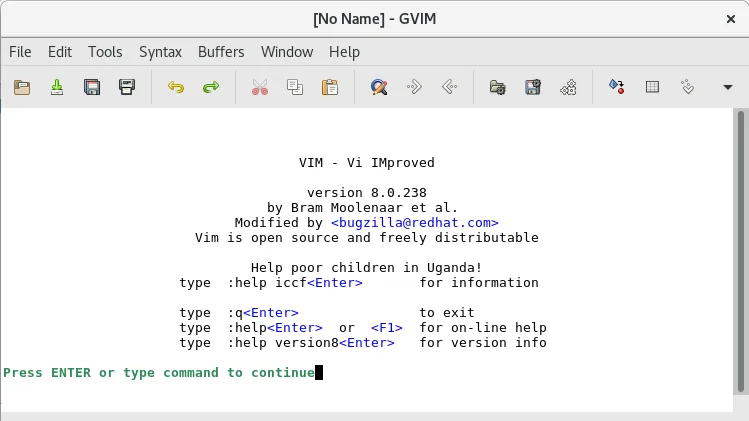
Was ist Vim?
Vim, short for 'Vi IMproved,' is a powerful text editor originally based on the classic vi editor from the 1970s. It has evolved over decades into one of the most widely used editors in Unix-like systems. Despite its age, it remains actively maintained and is included by default in many Linux distributions and macOS. Its modal editing system sets it apart from most modern editors.
Vim is best suited for developers, system administrators, and anyone who frequently edits text from the command line. It excels in environments where GUI tools aren't available or practical. Its steep learning curve is offset by long-term efficiency gains, especially when editing code or configuration files across remote servers.
Compared to PowerShell ISE, Vim is far more lightweight and flexible but lacks built-in debugging or script analysis. While PowerShell ISE offers a graphical interface with integrated help and testing, Vim relies on plugins and external tools. Users switching from GUI editors often find Vim's keyboard-centric workflow jarring at first, but eventually faster once mastered.
Ideal für: Quick edits, remote work, and developers comfortable with keyboard-driven workflows.
Wichtige Funktionen von Vim
- Modal editing (insert, normal, visual modes)
- Extensive keyboard shortcuts for fast navigation
- Syntax highlighting for hundreds of languages
- Built-in search and regex-powered replace
- Macro recording for automating repetitive tasks
- Plugin system for extending functionality
- Runs in terminal and GUI (gvim) modes
- Highly customizable via .vimrc configuration
Vorteile
- Extremely fast and lightweight
- Works over SSH and on minimal systems
- Available on nearly every Unix-like system
- Deep customization and scripting support
- Efficient for editing single files or quick changes
Nachteile
- Steep learning curve due to modal interface
- Poor out-of-the-box experience for beginners
- Limited IDE features without plugins
- Not ideal for large multi-file projects without setup
Windows-Programme, die Vim ersetzt
Vim unter Linux installieren
flatpak install flathub org.vim.Vimsudo apt install vimsudo apt install vimsudo dnf install vimsudo pacman -S vimsudo zypper install vimTipps für Windows-Umsteiger
If you're used to PowerShell ISE, expect no mouse-based editing by default—Vim is designed for the keyboard. Start with ':help vimtutor' to learn the basics. Files are plain text, so no special format; your scripts will open fine. Common shortcuts differ: Ctrl+S may not save (it's flow control), use ':w' instead. Get used to modes: press 'i' to insert, Esc to return to command mode. Consider starting with 'vim-gtk' or 'neovim' for better integration.
Neueste Versionen
- 9.2.1161 —
The latest upstream commit.
Vim: häufige Fragen
Is Vim the same as vi?
Vim is an improved, compatible version of vi. It includes all vi features and adds enhancements like syntax highlighting, better search, and scripting.
How do I exit Vim?
Type ':q' to quit. If you can't exit, you're likely not in command mode—press Esc first, then ':q'. For forced exit, use ':q!'.
Can Vim replace an IDE?
With plugins like YouCompleteMe or coc.nvim, Vim can offer IDE-like features. However, it requires significant setup compared to modern IDEs.
Is Vim still relevant today?
Yes. It remains widely used, especially on servers and in scripts. Many developers value its speed and ubiquity across systems.
Aktualisiert am