
 PolyMCLinux
vs
Lunar ClientWindows
PolyMCLinux
vs
Lunar ClientWindows
PolyMC als Linux-Alternative zu Lunar Client
Aktualisiert am
Unser Fazit
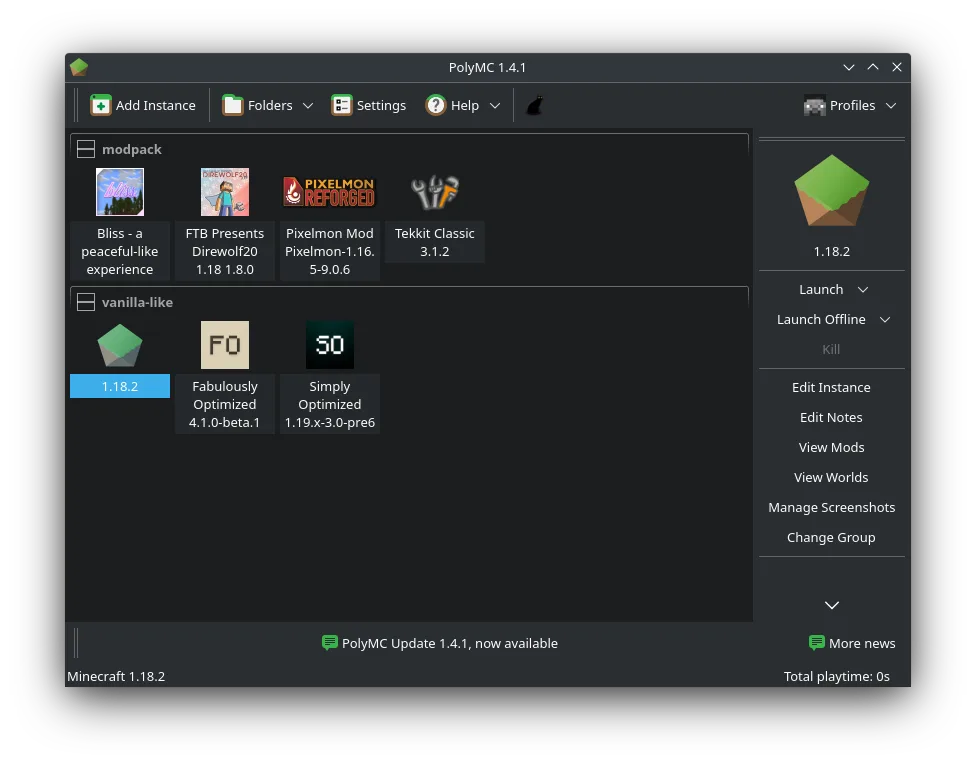
PolyMC is a solid replacement for Lunar Client on Linux, especially for users who run modded Minecraft. It supports Forge, Fabric, and Quilt, handles mods and resource packs directly, and isolates instances cleanly. While it lacks Lunar Client’s in-game overlay and some performance tweaks, its stability, open-source nature, and strong mod support make it ideal for Linux users who prioritize control and simplicity over flashy extras. If you don’t rely on Lunar’s specific optimizations or built-in shaders, PolyMC covers the core needs well.
- Lizenz
- GPL-3.0-only
- Preis
- Kostenlos
- Aktuelle Version
- 7.1 (11. November 2011)
- Bewertung
- —
Was gleich funktioniert
- Supports mod loaders like Forge, Fabric, and Quilt
- Manages multiple Minecraft instances separately
- Includes mod and resource pack integration
- Offers custom Java settings per instance
- Provides easy profile and version management
Was anders ist
- PolyMC has no built-in performance overlay like Lunar Client
- No native shader pack integration or one-click shader installer
- Lunar Client offers more aggressive optimization tweaks
- PolyMC lacks a built-in friend system or server browser
- Lunar Client has a more polished, modern UI
Ihre Lunar Client-Dateien öffnen
PolyMC cannot directly open Lunar Client profiles or configurations. There is no known import path for Lunar-specific settings, modpacks, or accounts. However, if you have access to the actual Minecraft world folders, mod JARs, or resource packs, you can manually copy them into PolyMC instances. Most modded content works the same once transferred, but setup must be done manually.
Von Lunar Client zu PolyMC wechseln – Schritt für Schritt
- Install PolyMC via Flathub or your distro’s package manager
- Manually reinstall desired mod loaders (Forge, Fabric, etc.)
- Copy over your world folders and resource packs from Lunar Client
- Re-add mods by dragging JARs into PolyMC’s mod manager
- Set custom Java arguments per instance if needed
Wichtige Funktionen von PolyMC
- Verwaltung mehrerer isolierter Minecraft-Instanzen
- Installation und Wechsel zwischen Forge, Fabric und Quilt
- Direkte Verwaltung von Mods und Ressourcenpaketen
- Integrierter Log-Viewer und Absturz-Wiederherstellung
- Benutzerdefinierte Java-Einstellungen pro Instanz
- Ein-Klick-Duplizierung von Instanzen
- Automatische Aktualisierungen für Minecraft-Versionen
- Unterstützung für benutzerdefinierte Server und Modpacks
PolyMC unter Linux installieren
flatpak install flathub org.polymc.PolyMCHäufige Fragen
Can PolyMC run Lunar Client modpacks?
Yes, if you have the modpack files or mod list. You can recreate the setup manually in PolyMC by installing the same mods and version.
Does PolyMC support multiplayer servers?
Yes, PolyMC supports all standard Minecraft servers, including custom and modded ones, just like Lunar Client.
Is PolyMC updated regularly?
Yes, PolyMC is actively maintained, with updates for new Minecraft versions and launcher improvements.
2 weitere Alternativen zu Lunar Client
 Prism LauncherEin benutzerdefinierter Minecraft‑Launcher für Linux, der mehrere Spielinstanzen, Mods und Java‑Einstellungen…Open SourceKostenlosFlatpakPrism Launcher vs. Lunar Client
 Minecraft LauncherDer offizielle Minecraft-Launcher für Linux, mit dem Sie das beliebte Sandbox-Spiel mit vollständiger…FlatpakMinecraft Launcher vs. Lunar Client