
 SQuirreL SQL ClientLinux
vs
Microsoft Azure Data StudioWindows
SQuirreL SQL Client als Linux-Alternative zu Microsoft Azure Data Studio
Aktualisiert am
Unser Fazit
SQuirreL is a solid, lightweight replacement for basic SQL Server and Azure SQL work on Linux, especially if you prefer a classic, no-frills client. It handles connections, query editing, and browsing well. However, it is not a full IDE. If you rely heavily on Azure-specific features, advanced visualization, or integrated scripting environments, you will miss significant functionality. It suits users who primarily need to run queries and inspect data without the overhead of a modern IDE.
- Lizenz
- LGPL-2.1-or-later
- Preis
- Kostenlos
- Aktuelle Version
- 4.8.0 (1. September 2024)
- Bewertung
- —
Was gleich funktioniert
- Connects to SQL Server and Azure SQL databases via JDBC drivers.
- Provides a query editor with syntax highlighting for SQL.
- Allows browsing database objects like tables and views.
- Supports multiple database engines including MySQL and PostgreSQL.
- Enables exporting query results to standard formats like CSV.
Was anders ist
- Lacks native Azure-specific tooling and integration features found in Azure Data Studio.
- No built-in graphical data visualization or charting capabilities for query results.
- Minimal scripting and automation environment compared to the IDE-like experience of Azure Data Studio.
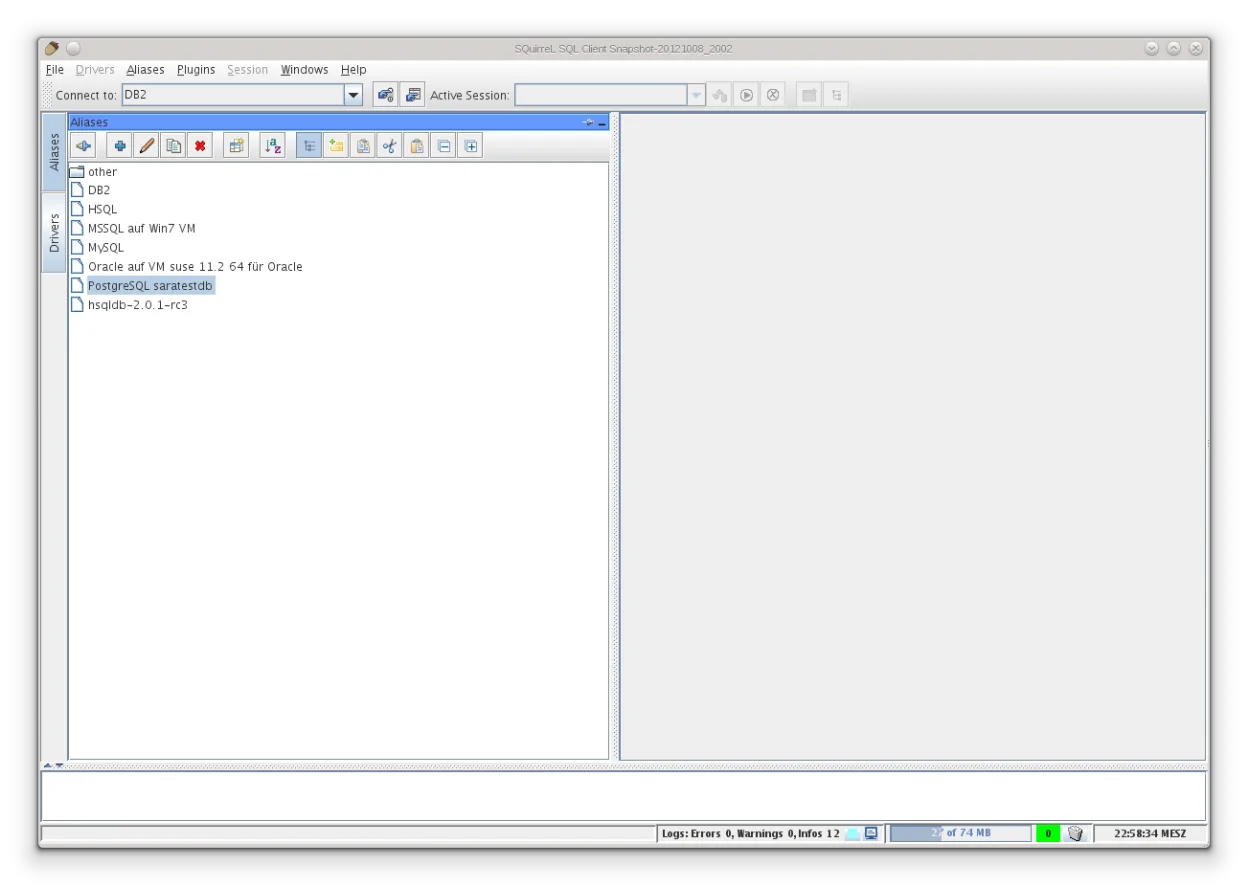
- Interface is dated and less modern than the Electron-based Azure Data Studio.
- Does not offer notebook-style cells for mixing code and output.
Ihre Microsoft Azure Data Studio-Dateien öffnen
SQuirreL does not directly open or save Microsoft Azure Data Studio workspace files (.code-workspace) or notebook files (.ipynb). You can manually copy SQL queries from Azure Data Studio into SQuirreL's query editor. Exported data files like CSVs from Azure Data Studio can be opened in other tools, but SQuirreL itself is a client, not a file manager for these specific project formats.
Von Microsoft Azure Data Studio zu SQuirreL SQL Client wechseln – Schritt für Schritt
- Install SQuirreL SQL Client via your package manager or Flathub.
- Launch SQuirreL and open the Driver Manager to verify MSSQL and Azure SQL drivers are present.
- Create new connection profiles for your SQL Server and Azure SQL instances using JDBC connection strings.
- Copy existing SQL queries from Azure Data Studio into SQuirreL's query tabs.
- Configure export settings to match your previous CSV or data export workflows.
Wichtige Funktionen von SQuirreL SQL Client
- Unterstützt jede JDBC-kompatible Datenbank
- Enthält Treiber für MySQL, PostgreSQL, SQLite und MSSQL
- Visueller Browser für die Tabellenstruktur
- Abfrageeditor mit Syntaxhervorhebung
- Verbindungsmanager für mehrere Datenbanken
- Export von Abfrageergebnissen in CSV oder andere Formate
- Plattformübergreifende, Java-basierte GUI
SQuirreL SQL Client unter Linux installieren
flatpak install flathub net.sourceforge.squirrel_sqlHäufige Fragen
Can SQuirreL connect to Azure SQL Database?
Yes, it connects to Azure SQL Database using the Microsoft MSSQL JDBC driver, which is typically bundled or easily added to the driver manager.
Does SQuirreL support visualizing data as charts?
No, SQuirreL displays results in a tabular grid. It does not have built-in features to convert query results into graphical charts or plots.
Is SQuirreL suitable for complex database administration?
It is better for querying and browsing. For complex administration, scripting, or Azure-specific management tasks, you may need to supplement it with command-line tools like sqlcmd.
4 weitere Alternativen zu Microsoft Azure Data Studio
 DBeaver CommunityKostenloses, plattformübergreifendes Datenbanktool für Entwickler und Administratoren mit Unterstützung für…Open SourceKostenlosFlatpakDBeaver Community vs. Microsoft Azure Data Studio
 DataGripJetBrains' Multi‑Database‑IDE für SQL‑Entwickler, unterstützt JDBC‑Verbindungen zu gängigen DBMS mit…FlatpakDataGrip vs. Microsoft Azure Data Studio
 pgAdmin 4pgAdmin 4 ist eine webbasierte Verwaltungs- und Entwicklungsplattform für PostgreSQL.Open SourceKostenlosFlatpakpgAdmin 4 vs. Microsoft Azure Data Studio
 Beekeeper StudioEin plattformübergreifender SQL‑Editor, der HeidiSQL unter Linux durch ein modernes UI und erweiterte…Open SourceKostenlosFlatpakBeekeeper Studio vs. Microsoft Azure Data Studio