
 Sublime MergeLinux
vs
GitWindows
Sublime MergeLinux
vs
GitWindows
Sublime Merge als Linux-Alternative zu Git
Aktualisiert am
Unser Fazit
Sublime Merge is a solid graphical replacement for many day‑to‑day Git tasks on Linux. It gives a fast, keyboard‑centric interface, line‑by‑line staging, a powerful diff view, and a command palette that covers most Git commands. It is ideal for developers who prefer a GUI but still want full Git functionality without leaving the terminal. However, it is not a drop‑in replacement for the Git command line itself; users who rely on scripts or advanced plumbing commands will still need the native Git binary.
- Lizenz
- LicenseRef-proprietary=https://www.subli…
- Preis
- freemium
- Aktuelle Version
- 2132 (18. September 2026)
- Bewertung
- —
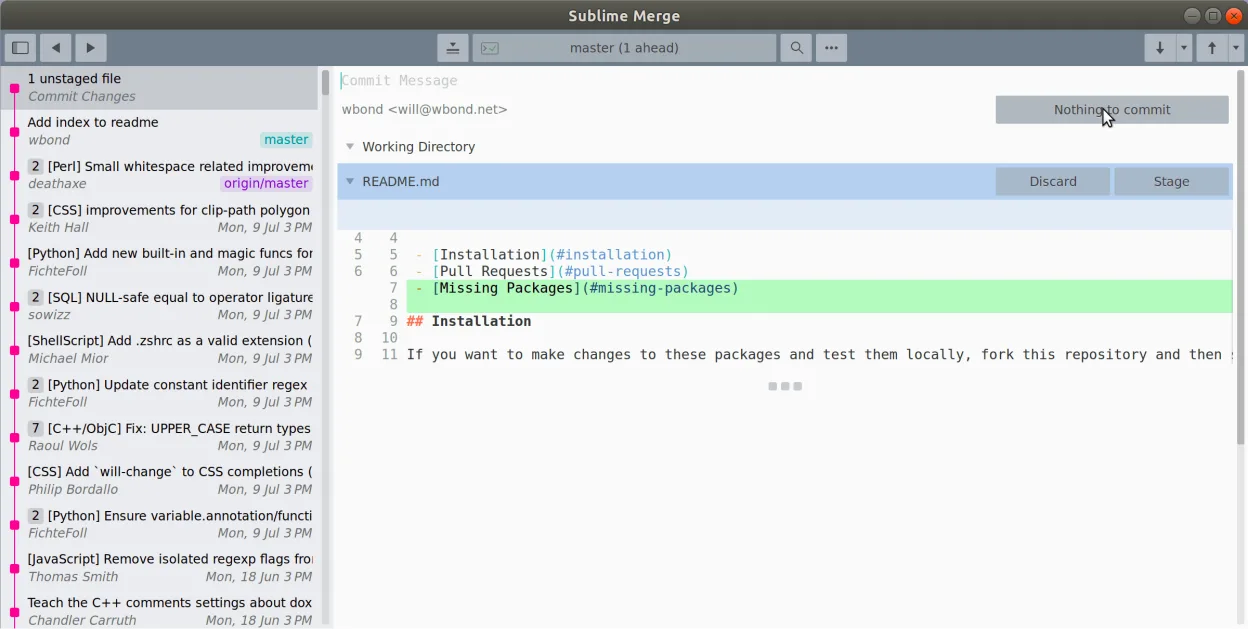
Was gleich funktioniert
- Full support for cloning, pulling, pushing, and branching
- Line‑by‑line staging of changes
- Syntax‑highlighted diff view
- Command palette that maps to Git commands
- Multiple repositories can be opened in tabs
Was anders ist
- No built‑in support for Git plumbing commands like rebase -i or filter‑branch via GUI
- No native scripting or automation hooks
- Requires a license for commercial use
- Does not replace the Git binary for command‑line workflows
- Limited integration with external CI/CD tools
Ihre Git-Dateien öffnen
Sublime Merge opens standard Git repositories (.git directories) without modification. It can export commits as patches and import patches, but it does not directly edit .gitconfig or other Git configuration files; those should be edited with a text editor or the Git command line.
Von Git zu Sublime Merge wechseln – Schritt für Schritt
- Install the flatpak from Flathub or download the .deb/.rpm package
- Launch Sublime Merge and use the initial wizard to clone an existing repository
- Configure global Git settings via the command line or by editing .gitconfig
- Replace Git commands in scripts with the equivalent Sublime Merge command palette entries if needed
- Verify that all branches, tags, and submodules appear correctly in the UI
Wichtige Funktionen von Sublime Merge
- Zeilenweises Staging von Änderungen
- Integrierter Commit-Nachrichten-Editor
- Schnelle Diff-Ansicht mit Syntax-Hervorhebung
- Befehlspalette für Git-Befehle
- Unterstützung für mehrere Repositories in Tabs
- Anpassbare Tastaturbelegungen ähnlich wie in Sublime Text
Sublime Merge unter Linux installieren
flatpak install flathub com.sublimemerge.AppHäufige Fragen
Can I use Sublime Merge without installing the Git binary?
Sublime Merge bundles its own Git implementation, so the system Git binary is not required for normal operations.
Does Sublime Merge support Git submodules?
Yes, submodules are displayed in the repository tree and can be updated or cloned from within the UI.
Is the license free for personal use?
The license is free for personal use; commercial use requires a paid license from Sublime HQ Pty Ltd.
4 weitere Alternativen zu Git
 GitKrakenGitKraken ist ein plattformübergreifender Git-Client mit integriertem Issue-Tracking und Code-Editor.FlatpakGitKraken vs. Git
 gitgGitg ist eine leichte grafische Oberfläche für Git, die die Commit-Historie visualisiert und Repositories…Open SourceKostenlosFlatpakgitg vs. Git
 Git ColaGit Cola ist ein leichtgewichtiger, funktionsreicher grafischer Git-Client für Linux.Open SourceKostenlosFlatpakGit Cola vs. Git