
 TOraLinux
vs
TOraLinux
vs
 ToadWindows
TOra als Linux-Alternative zu Toad
Aktualisiert am
Unser Fazit
TOra can serve as a practical replacement for Toad for users who work mainly with Oracle, MySQL or PostgreSQL on Linux. It provides a solid SQL editor, schema browser and basic export tools, and it runs natively on Linux without needing Wine. It is best suited for developers and DBAs who need a free, open‑source tool and can live without the deep performance‑monitoring, advanced data‑profiling and polished UI that Toad offers. If you rely heavily on SQL Server or need enterprise‑grade diagnostics, you will likely need a different solution.
- Lizenz
- GPL-2.0
- Preis
- Kostenlos
- Aktuelle Version
- —
- Bewertung
- —
Was gleich funktioniert
- SQL editor with syntax highlighting and code completion
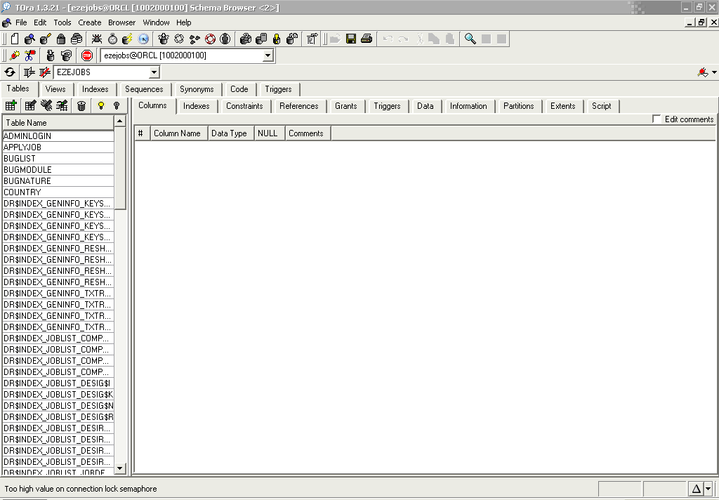
- Database/browser view of schemas, tables and procedures
- Support for multiple connections and session management
- Data export capabilities
- Query builder and execution plan visualization
Was anders ist
- No native support for Microsoft SQL Server
- Limited performance monitoring and diagnostics compared to Toad
- No built‑in data profiling or advanced data quality tools
- Less polished UI and fewer automation features
- No commercial support or regular paid updates
Ihre Toad-Dateien öffnen
TOra does not use the proprietary .tod or .sqlwork files that Toad creates, so there is no direct import feature. You can copy plain SQL scripts from Toad and open them in TOra without issue, and exported CSV or Excel files can be re‑imported, but any Toad‑specific project metadata will need to be recreated manually.
Von Toad zu TOra wechseln – Schritt für Schritt
- Install TOra from your distribution's repository or the official website.
- Create new connections in TOra for each database you used in Toad.
- Copy any saved SQL scripts from Toad's workspace into TOra's SQL worksheet.
- Re‑create any query‑builder layouts or saved reports using TOra's tools.
- Test queries and verify that exported data matches expectations.
- Adjust workflow to use TOra's debugging and session monitoring features where needed.
Wichtige Funktionen von TOra
- PL/SQL‑Debugger mit Breakpoints und Schritt-für‑Schritt-Ausführung
- SQL‑Worksheet mit Syntax‑Highlighting und Ausführungsplänen
- Datenbankbrowser für Schemata, Tabellen und gespeicherte Prozeduren
- Unterstützung für Oracle, MySQL und PostgreSQL
- Abfragegenerator und Datenexport‑Tools
- Sitzungs- und Sperrüberwachung für Oracle
- Visualisierung von Ausführungsplänen
- Verbindungsverwaltung für mehrere Datenbanken
Häufige Fragen
Can TOra connect to Microsoft SQL Server?
No. TOra currently supports Oracle, MySQL and PostgreSQL only.
Is there a way to import Toad project files into TOra?
TOra cannot read Toad's proprietary project files; you must recreate the projects manually using plain SQL scripts.
Does TOra provide the same level of performance diagnostics as Toad?
It offers basic execution‑plan viewing and session monitoring for Oracle, but it lacks the comprehensive performance‑tuning and diagnostics suite found in Toad.