
 BansheeLinux
vs
BansheeLinux
vs
 iTunesWindows
Banshee como alternativa Linux a iTunes
Actualizado el
Nuestra opinión
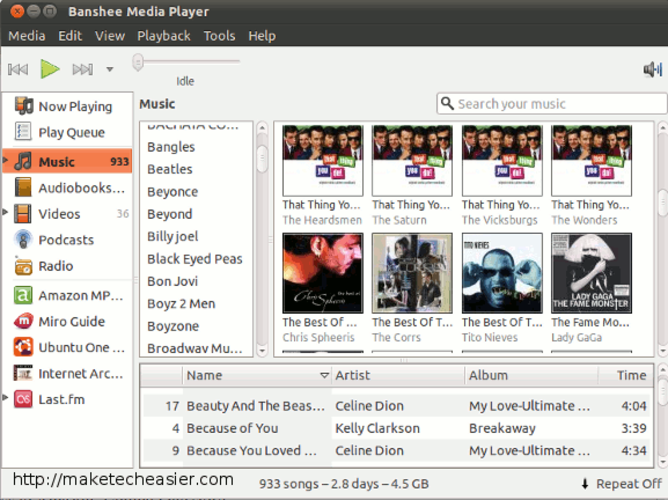
Banshee is a discontinued GNOME media manager that handled music libraries, podcasts, and device sync similarly to iTunes. While it covered the core organizational needs, its Mono-based architecture made it heavy and buggy on modern systems. Since development stopped years ago, it lacks support for newer codecs and security updates. It is not recommended for new users. If you already have a large library in Banshee format, you might use it briefly, but migrating to a maintained tool like Rhythmbox or Clementine is far safer for long-term use.
- Licencia
- GPL-3.0
- Precio
- Gratis
- Última versión
- —
- Valoración
- —
Lo que funciona igual
- Centralized music library management with metadata editing
- Podcast subscription and download capabilities
- Playlist creation and organization
- Device synchronization for specific hardware
- Media playback via GStreamer
Lo que cambia
- No active development or security patches due to discontinuation
- Lacks support for modern video codecs and formats
- Mono runtime dependency can cause performance issues
- Limited device sync support compared to modern MTP/USB protocols
- No built-in store or cloud integration
Abrir tus archivos de iTunes
Banshee uses a SQLite database to store library metadata, which is not directly compatible with iTunes XML or M4B files. You cannot simply open an iTunes library file in Banshee. However, because Banshee relies on GStreamer, it can play most common audio formats (MP3, FLAC, AAC) that iTunes uses. For video, compatibility depends on installed GStreamer plugins. Exporting data requires manual conversion or third-party scripts, as there is no native export to iTunes format.
Pasar de iTunes a Banshee, paso a paso
- Install Banshee if you need to access an existing library, but note it is no longer maintained
- Export your library metadata to a CSV file if possible using Banshee's export tools
- Install a modern alternative like Rhythmbox, Clementine, or Strawberry
- Import your music files into the new application, allowing it to scan and tag metadata
- Re-subscribe to podcasts using RSS feeds in the new client
- Verify playlist integrity and adjust any broken links or metadata
Funciones clave de Banshee
- Gestión de bibliotecas de música con edición de metadatos
- Soporte para podcasts y audiolibros
- Sincronización de dispositivos para hardware compatible
- Creación y gestión de listas de reproducción
- Reproducción de audio basada en GStreamer
- Integración con el entorno de escritorio GNOME
- Soporte para transmisión de radio
- Visualización de portadas y navegación por la biblioteca
Preguntas frecuentes
Is Banshee still receiving updates?
No, Banshee is discontinued. It is no longer maintained, so you should not rely on it for security or new feature support.
Can Banshee sync with modern Android phones?
Support is limited and often unreliable. Modern Linux tools using MTP or USB Mass Storage are more dependable for syncing with current Android devices.
Why was Banshee discontinued?
The project was abandoned due to a lack of maintainers and the rising popularity of other media players like Rhythmbox and Clementine, which offered better stability and GNOME integration.
