
 GNU EmacsLinux
vs
Visual Studio CodeWindows
GNU EmacsLinux
vs
Visual Studio CodeWindows
GNU Emacs como alternativa Linux a Visual Studio Code
Actualizado el
Nuestra opinión
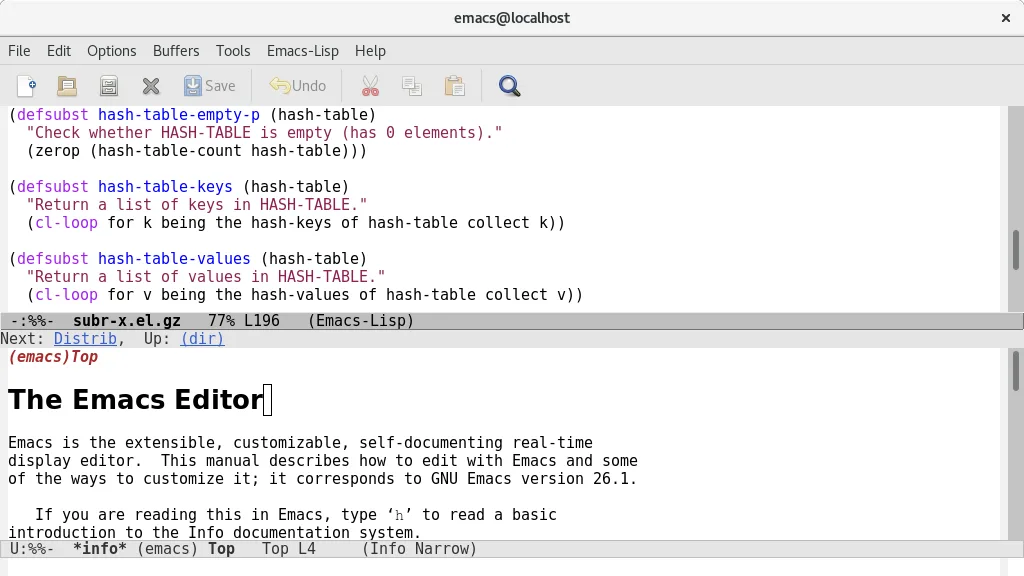
GNU Emacs can replace Visual Studio Code for developers who value deep customisation and are comfortable with a keyboard‑centric workflow. It provides syntax highlighting, an integrated terminal, Git support and debugging, but the experience is less visual and requires Emacs Lisp for many extensions. Users who need a modern UI, rich marketplace extensions, or out‑of‑the‑box language servers may find VS Code more convenient. Emacs shines for those who want a single, scriptable environment that can grow into an IDE, mail client, or planner, and who are willing to invest time in configuration.
- Licencia
- GPL-3.0+ and GFDL-1.3+
- Precio
- Gratis
- Última versión
- 31.1 (24 de agosto de 2026)
- Valoración
- —
Lo que funciona igual
- Syntax highlighting for many languages
- Integrated terminal access
- Git version‑control integration
- Extensible plugin/extension system
- Basic debugging support
Lo que cambia
- VS Code offers a graphical extension marketplace; Emacs relies on Lisp packages that often need manual setup
- VS Code includes built‑in language‑server support for intelligent code completion; Emacs requires additional packages like lsp-mode
- VS Code provides a modern UI with tabs and sidebars; Emacs UI is more minimal and can feel dated
- VS Code ships with ready‑to‑use debuggers for many runtimes; Emacs debugging often needs language‑specific configuration
Abrir tus archivos de Visual Studio Code
Both editors work with plain text files, so any source code opened in VS Code can be opened in Emacs without conversion. VS Code stores workspace settings in JSON files; Emacs can read those files as plain text but does not import them automatically. There is no special export format to convert, so compatibility is essentially limited to the underlying source files.
Pasar de Visual Studio Code a GNU Emacs, paso a paso
- Install Emacs from your distribution’s package manager or Flathub
- Familiarise yourself with basic Emacs commands (C‑x C‑f to open files, C‑x C‑s to save)
- Install lsp-mode or eglot for language‑server support to get code completion and refactoring
- Add magit for Git integration (M‑x magit-status)
- Configure a terminal emulator inside Emacs with vterm or ansi‑term
- Optionally import VS Code settings by copying keybindings into your init.el or using the ‘vscode‑keymap’ package
Funciones clave de GNU Emacs
- Intérprete Emacs Lisp incorporado para una personalización total
- Modos de edición sensibles al contenido con resaltado de sintaxis
- Interfaz de depurador integrada y gestión de proyectos
- Soporte completo de Unicode para casi todos los idiomas humanos
- Lector de correo y noticias integrado
- Documentación y tutoriales integrados y exhaustivos
- Altamente personalizable mediante código o interfaz gráfica
Cómo instalar GNU Emacs en Linux
flatpak install flathub org.gnu.emacssudo apt install emacssudo apt install emacssudo dnf install emacssudo pacman -S emacs-waylandsudo zypper install emacsPreguntas frecuentes
Can Emacs provide the same level of IntelliSense as VS Code?
Emacs can approximate IntelliSense using lsp-mode or eglot together with language‑server binaries, but the setup is manual and may lack some of the polish found in VS Code.
Is there a graphical extension marketplace for Emacs?
No. Emacs packages are typically installed from MELPA, GNU ELPA, or directly from source; you use M‑x package-install or a configuration file, not a visual store.
Will my VS Code workspace layout (folders, split panes) transfer to Emacs?
Workspace folders open fine, but layout settings are not portable. You’ll need to recreate window splits using Emacs’ window management commands.
Otras 4 alternativas a Visual Studio Code
 Sublime TextSublime Text es un editor de código fuente ligero y rápido con una interfaz mínima y una extensibilidad…FlatpakSublime Text vs Visual Studio Code
 GeanyGeany es una IDE ligera y rápida que admite muchos lenguajes y complementos de serie.Código abiertoGratisFlatpakGeany vs Visual Studio Code
 KateKate es un editor de texto con muchas funciones, orientado a programadores, de KDE, con soporte para más de…Código abiertoGratisFlatpakKate vs Visual Studio Code
 VimVim es un editor de texto modal altamente configurable para edición eficiente en Linux.Código abiertoGratisFlatpakVim vs Visual Studio Code