
 FalkonLinux
vs
FirefoxWindows
FalkonLinux
vs
FirefoxWindows
Falkon como alternativa Linux a Firefox
Actualizado el
Nuestra opinión
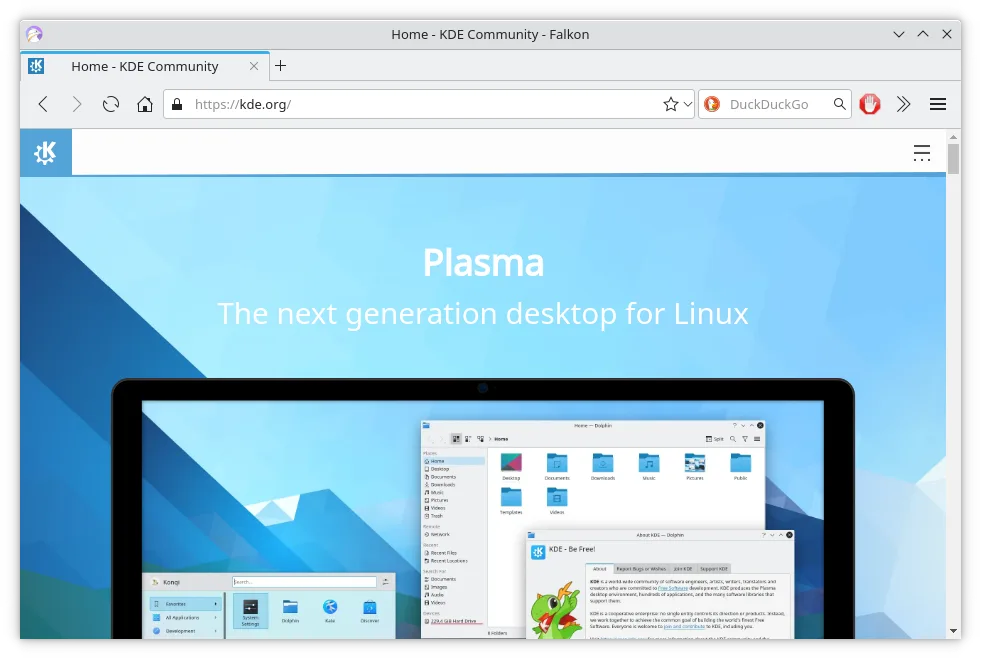
Falkon is a functional, lightweight alternative for basic browsing but lacks the depth of Firefox. It suits users who prioritize low memory usage and simplicity over a vast extension ecosystem or complex profile syncing. You lose hardware-accelerated video performance and cross-platform profile synchronization. If you rely heavily on specific Firefox add-ons or need consistent behavior across Windows and Linux, stick with Firefox. Falkon works well if you just need a fast, native Linux browser with built-in ad blocking and standard tab management.
- Licencia
- GPL-3.0+
- Precio
- Gratis
- Última versión
- 26.04.3 (2 de julio de 2026)
- Valoración
- —
Lo que funciona igual
- Tabbed browsing interface
- Bookmarks and history management
- Private browsing mode
- Open-source license (GPL)
Lo que cambia
- Uses QtWebEngine (Chromium-based) instead of Gecko
- Lacks a large, mature extension ecosystem comparable to Firefox
- No native cross-platform profile synchronization
- Built-in ad blocker and RSS reader, features Firefox requires add-ons for
Abrir tus archivos de Firefox
Falkon can import bookmarks and passwords from Firefox using standard browser import tools or manual JSON/CSV export. However, it does not natively read Firefox's internal profile database format directly. You must export data from Firefox first. Extension compatibility is not guaranteed, as Falkon uses a different plugin architecture than Firefox.
Pasar de Firefox a Falkon, paso a paso
- Export bookmarks and passwords from Firefox to HTML or CSV.
- Install Falkon via your package manager or Flathub.
- Import the exported bookmark file into Falkon.
- Manually re-enter any critical saved credentials if import fails.
- Install essential Falkon plugins for ad blocking if not enabled by default.
- Test hardware-accelerated video playback on your specific hardware.
Funciones clave de Falkon
- Motor Qt rápido y de bajo consumo de memoria
- Bloqueador de anuncios integrado
- Bloqueo de Flash mediante Click2Flash
- Lector de RSS en la barra lateral
- Gestor de certificados SSL
- Marcadores e historial en la barra lateral
- Gestión de pestañas
Cómo instalar Falkon en Linux
flatpak install flathub org.kde.falkonsudo apt install falkonsudo apt install falkonsudo dnf install falkonsudo pacman -S falkonsudo zypper install falkonPreguntas frecuentes
Will my Firefox extensions work in Falkon?
No. Falkon uses a different engine and plugin system. You must find equivalent Falkon plugins or use built-in features like the ad blocker.
Does Falkon sync profiles across devices?
No. Falkon does not offer built-in cross-platform profile synchronization like Firefox Sync. You must manage profiles manually.
Is Falkon faster than Firefox?
Falkon is generally lighter on memory due to its Qt foundation. Speed depends on your hardware, but it is often perceived as snappier for simple tasks.
Otras 3 alternativas a Firefox
 ChromiumChromium es el proyecto de navegador de código abierto detrás de Chrome y Edge, que ofrece una experiencia…Código abiertoGratisFlatpakChromium vs Firefox
 BraveBrave es un navegador web rápido y centrado en la privacidad que bloquea anuncios y rastreadores por defecto…Código abiertoGratisFlatpakBrave vs Firefox
 VivaldiVivaldi es un navegador web altamente personalizable y con una amplia gama de funciones, diseñado para…FlatpakVivaldi vs Firefox