
 HarunaLinux
vs
VLCWindows
HarunaLinux
vs
VLCWindows
Haruna como alternativa Linux a VLC
Actualizado el
Nuestra opinión
Haruna can replace VLC for users who mainly play local files and want a lightweight player with custom keyboard shortcuts and online video support. It lacks many of VLC’s advanced features such as full streaming protocol support, transcoding, and extensive subtitle management, so it is best suited for casual users who do not need those capabilities.
- Licencia
- GPL-3.0-or-later
- Precio
- Gratis
- Última versión
- 1.8.1 (19 de mayo de 2026)
- Valoración
- —
Lo que funciona igual
- Both are free, open‑source media players available on Linux
- Both support playing local video and audio files
- Both allow keyboard shortcut customization
- Both receive regular updates
- Both can be installed via Flatpak and native package managers
Lo que cambia
- Haruna does not support the full range of streaming protocols that VLC does (e.g., RTSP, MMS, HTTP live streaming)
- Haruna lacks built‑in transcoding and advanced audio/video filters
- Haruna’s subtitle handling is limited; it does not support external subtitle files as robustly as VLC
- Haruna does not provide a comprehensive playlist editor or advanced playback features like repeat or shuffle
- Haruna’s interface is minimal and may not expose all media information that VLC shows
Abrir tus archivos de VLC
Haruna opens standard media files (MP4, MKV, MP3, etc.) without needing extra codecs, similar to VLC. It does not import or export VLC‑specific playlist or configuration files, so users cannot directly migrate playlists or settings from VLC to Haruna.
Pasar de VLC a Haruna, paso a paso
- 1. Install Haruna via your distribution’s package manager or Flatpak.
- 2. Export any VLC playlists you need (File → Save Playlist to File).
- 3. Open the exported playlist in Haruna or rebuild it manually.
- 4. Recreate any custom keyboard shortcuts in Haruna’s settings.
- 5. Test playback of your media library to confirm compatibility.
Funciones clave de Haruna
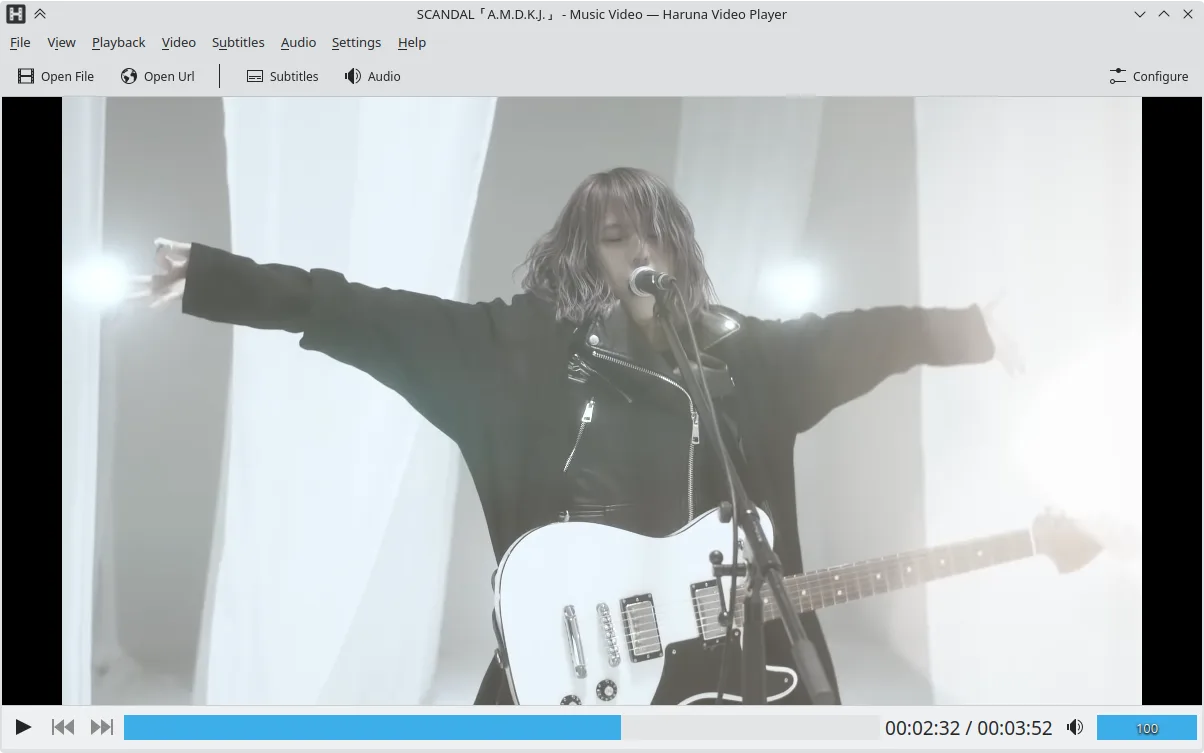
- Reproduce videos locales y en línea, incluyendo YouTube mediante youtube-dl
- Soporta listas de reproducción de YouTube y salta automáticamente capítulos con palabras específicas
- Alternar lista de reproducción al pasar el ratón y superposición en el video
- Atajos y botones del ratón configurables
- Salto rápido al siguiente capítulo con clic central en la barra de progreso
- Código abierto, licencia GPL-3.0-o-posterior
- Disponible como Flatpak, Arch, Debian, Fedora, openSUSE, Ubuntu
Cómo instalar Haruna en Linux
flatpak install flathub org.kde.harunasudo apt install harunasudo apt install harunasudo dnf install harunasudo pacman -S harunasudo zypper install harunaPreguntas frecuentes
Does Haruna support online streaming from services like YouTube?
Yes, Haruna uses youtube‑dl to play YouTube videos and playlists, and it can auto‑skip chapters containing specified words.
Can I use Haruna to transcode videos?
No, Haruna does not provide transcoding or format conversion features; it only plays media.
Will Haruna display subtitles from external .srt files?
Haruna can load external subtitle files, but its subtitle support is more limited compared to VLC’s extensive subtitle handling.
Otras 4 alternativas a VLC
 mpvmpv es un reproductor multimedia gratuito, de código abierto y multiplataforma que reproduce casi cualquier…Código abiertoGratisFlatpakmpv vs VLC
 CelluloidCelluloid es un reproductor multimedia ligero para Linux que utiliza el motor mpv y GTK para ofrecer una…Código abiertoGratisFlatpakCelluloid vs VLC
 SMPlayerSMPlayer es un reproductor multimedia gratuito y de código abierto con códecs integrados que maneja casi…Código abiertoGratisFlatpakSMPlayer vs VLC
 TotemTotem (GNOME Videos) es el reproductor de vídeo predeterminado de GNOME construido sobre GStreamer.Código abiertoGratisTotem vs VLC