
 HTTPieLinux
vs
PostmanWindows
HTTPieLinux
vs
PostmanWindows
HTTPie como alternativa Linux a Postman
Actualizado el
Nuestra opinión
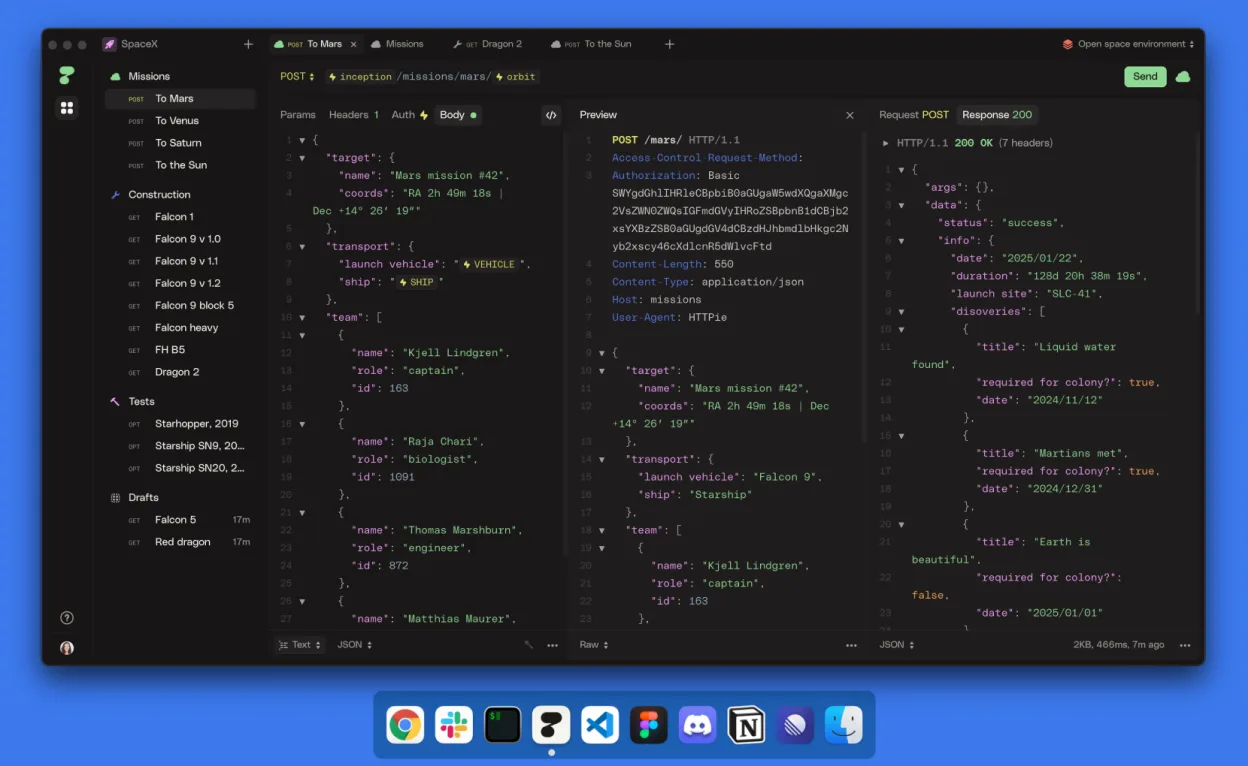
HTTPie Desktop can replace Postman for developers who prefer a lightweight, script‑oriented workflow and don’t need the deep ecosystem of Postman’s pre‑request scripting, automated testing, and team collaboration features. It covers basic request building, response inspection, and simple organization, making it a solid choice for solo developers or small teams that value a clean UI and AI‑assisted suggestions, but power users who rely on extensive test scripts, mock servers, or advanced CI integration may still prefer Postman.
- Licencia
- LicenseRef-proprietary=https://httpie.io…
- Precio
- Gratis
- Última versión
- 2025.2.0 (14 de marzo de 2025)
- Valoración
- —
Lo que funciona igual
- Both send arbitrary HTTP methods (GET, POST, PUT, DELETE, etc.)
- Both display response status, headers, and body
- Both allow grouping of requests into collections/spaces
- Both support variables and environments for parameterisation
- Both run on Linux natively
Lo que cambia
- HTTPie lacks built-in scripting for pre‑request and test scripts
- Postman offers extensive collaboration tools, mock servers, and API documentation generation that HTTPie does not provide
- Export/import of Postman’s JSON collection format is not documented for HTTPie, so compatibility is uncertain
- Postman includes integrated monitoring and CI/CD pipelines, which HTTPie does not have
- HTTPie’s AI assistance is a UI feature, whereas Postman focuses on manual request building
Abrir tus archivos de Postman
HTTPie Desktop does not advertise direct import or export of Postman's collection JSON files. Without explicit support, you would need to recreate requests manually or use a third‑party conversion script. The current documentation does not confirm compatibility, so treat it as unknown.
Pasar de Postman a HTTPie, paso a paso
- Install HTTPie Desktop from Flathub or your distro’s repository.
- Create a new space or collection in HTTPie to match your Postman folders.
- Manually copy each request from Postman into HTTPie, setting method, URL, headers, body, and authentication.
- Define any required variables or environments in HTTPie’s settings.
- Test each request to confirm the response matches what you saw in Postman.
- Delete or archive the Postman project once all requests are verified.
Funciones clave de HTTPie
- Interfaz gráfica elegante para crear solicitudes
- Construcción de solicitudes asistida por IA
- Espacios, colecciones y pestañas para organización
- Variables y entornos para parametrización
- Guardado automático y sincronización en tiempo real entre dispositivos
- Modo offline sin cuenta
Cómo instalar HTTPie en Linux
flatpak install flathub io.httpie.Httpiesudo apt install httpiesudo apt install httpiesudo dnf install httpiesudo pacman -S httpiesudo zypper install httpiePreguntas frecuentes
Can I import a Postman collection into HTTPie?
There is no documented import function; you would need to recreate the collection manually or write a conversion script.
Does HTTPie support automated test scripts like Postman's test tab?
No, HTTPie does not provide a built‑in scripting environment for pre‑request or test scripts.
Is HTTPie suitable for team collaboration?
It offers basic sync across devices, but lacks the robust team workspace, version control, and sharing features that Postman provides.
Otras 2 alternativas a Postman
 InsomniaInsomnia es un cliente API de código abierto para GraphQL, REST, WebSockets, SSE, gRPC y otros protocolos…Código abiertoGratisFlatpakInsomnia vs PostmancURLcURL es una herramienta de línea de comandos que transfiere datos con sintaxis de URL, soportando muchos…Código abiertoGratiscURL vs Postman