

Linux · Sound & Video
Reaper
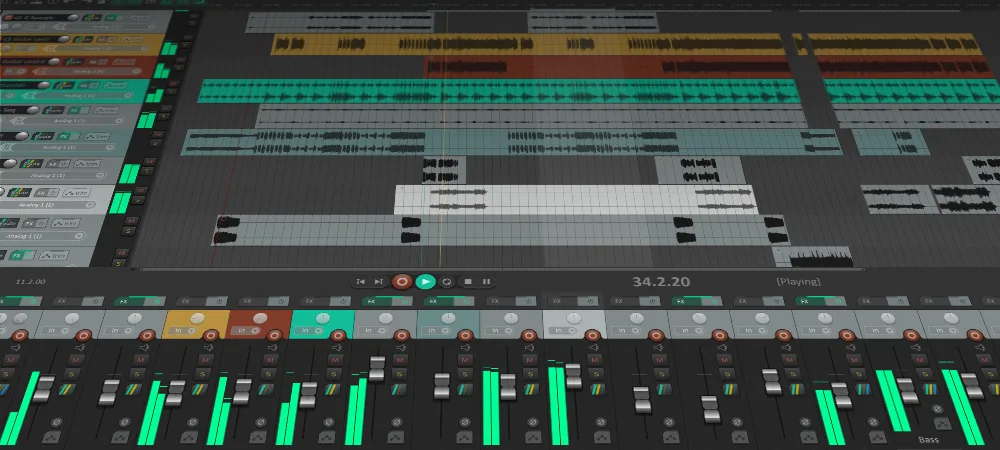
REAPER is a full-featured digital audio workstation for Linux, offering multitrack recording, editing, mixing, and mastering.
- Licencia
- LicenseRef-proprietary=https://www.reape…
- Última versión
- 7.85 (5 de noviembre de 2026)
- Desarrollador
- Cockos Incorporated
- Instalaciones
- 5,007 (Flathub, 30 días)
¿Qué es Reaper?
REAPER, developed by Cockos Incorporated, has been available for Linux since 2019 and has grown steadily, adding support for a wide range of plugins and hardware. It is a mature DAW that rivals Windows counterparts in flexibility and performance, with a small footprint and low resource usage. Users who need a professional studio environment on Linux will find REAPER a solid choice.
REAPER is aimed at musicians, producers, and sound engineers who want a powerful, customizable workflow without the cost of commercial Windows software. Its interface is highly configurable, allowing you to arrange windows, toolbars, and shortcuts to match your preferred layout.
Compared to tools like iZotope RX, REAPER feels more like a traditional DAW than a specialized audio editor. It offers a broader set of features, but the learning curve is steeper; however, once set up, it provides a consistent experience across platforms.
Ideal para: Professional audio production on Linux where cost and flexibility matter.
Funciones clave de Reaper
- Multitrack audio and MIDI recording
- Full mixing console with VST, AU, and LV2 support
- Non-destructive editing and automation
- Built‑in FX and plugin host
- Customizable UI and shortcuts
- Support for external audio interfaces
- Batch processing and export options
Ventajas
- Highly customizable workflow
- Low system requirements
- Regular updates and active community
- Cross‑platform consistency
Inconvenientes
- Proprietary license requires a paid license after evaluation period
- Learning curve for advanced features
- Limited native support for some Linux audio protocols
- No official native installer, relies on Flatpak
Programas de Windows que sustituye Reaper
Cómo instalar Reaper en Linux
flatpak install flathub fm.reaper.ReaperConsejos para usuarios de Windows
When moving from Windows, start by installing the REAPER Flatpak from Flathub. Import your existing project files (.rpp) directly; REAPER preserves track data and plugin chains. Most Windows shortcuts (Ctrl+S, Ctrl+Z) work the same. Note that some VSTs may need to be re‑installed or re‑scanned, and hardware routing may require re‑configuring in the Preferences → Audio section.
Versiones recientes
- 7.85 —
- 7.84 —
- 7.83 —
- 7.82 —
Reaper: preguntas frecuentes
Can I use my Windows VST plugins in REAPER on Linux?
Yes, if the plugins are available for Linux or run under Wine. You can add them in the FX browser and they will appear as native plugins.
Is REAPER free on Linux?
REAPER offers an unlimited evaluation period. After that, a paid license is required, but the cost is modest compared to other DAWs.
Does REAPER support audio interfaces on Linux?
Yes, REAPER works with ALSA, JACK, and PulseAudio. You may need to configure the audio driver in Preferences → Audio.
How does REAPER handle project backups?
REAPER automatically saves backup copies of your project in the same folder. You can also enable autosave in Preferences → General.
Actualizado el