

Linux · Oficina
Turtle
Turtle is a Git GUI tool that adds a dialog and file‑manager integration for common Git actions.
- Licencia
- GPL-3.0+
- Última versión
- 0.14.1 (9 de octubre de 2026)
- Desarrollador
- Philipp Unger
- Instalaciones
- 277 (Flathub, 30 días)


¿Qué es Turtle?
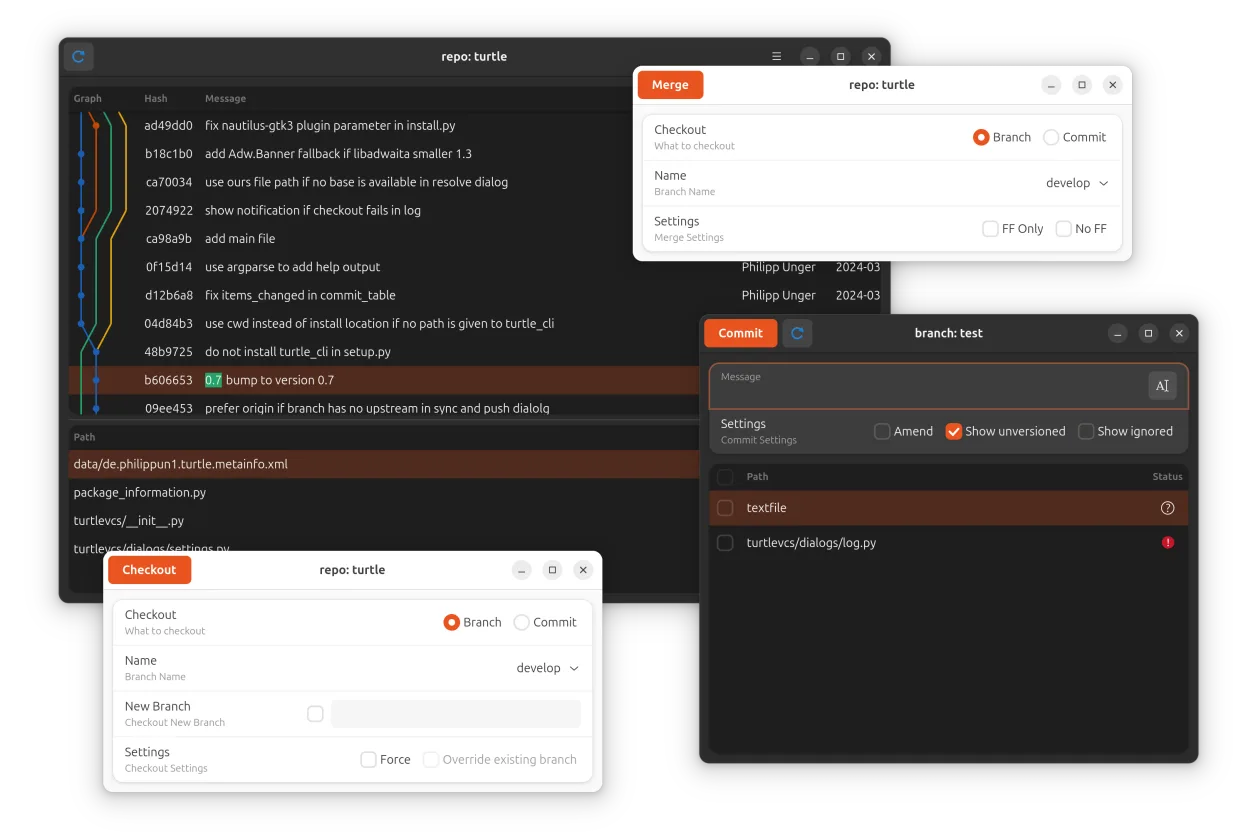
Turtle started as a small utility for GNOME users who wanted a graphical way to perform Git operations without leaving their file manager. It has been maintained for several years and reached version 0.14.1 in 2026, showing steady, community‑driven development. The tool consists of a command‑line front‑end that spawns a GTK dialog for commits, logs, and other tasks, plus a Nautilus (and other file‑manager) plugin that adds emblems and context‑menu entries.
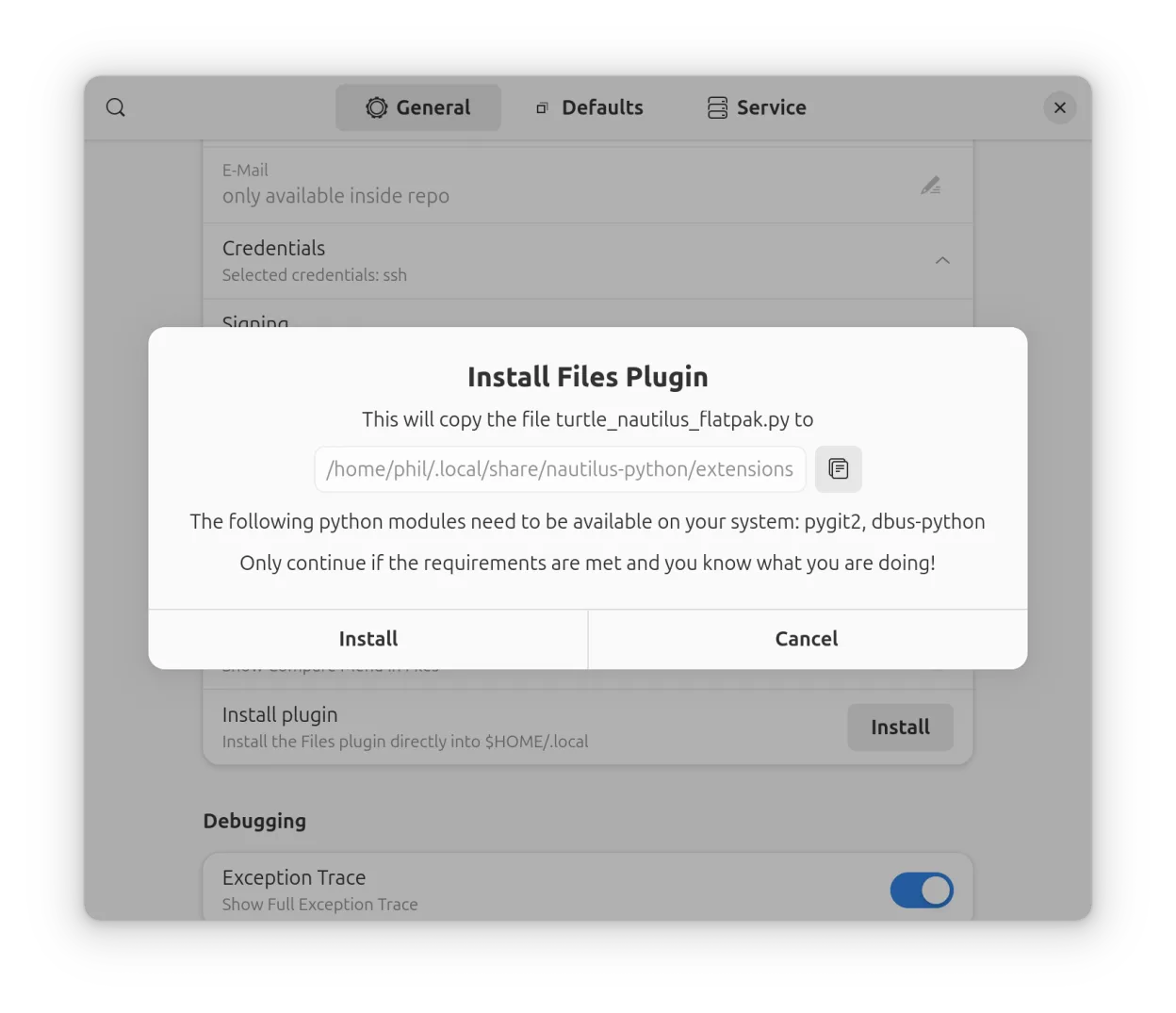
The application is aimed at developers who work primarily in a desktop environment and prefer visual cues over pure terminal commands. It is especially useful for those who already use file managers like Nautilus, Nemo, or Thunar and want quick access to Git without opening a separate window. The plugin can be installed manually when using the Flatpak version, which keeps the core lightweight.
Compared with Windows‑only tools such as the Notion‑style Git front‑ends, Turtle is minimalistic and tightly integrated with the Linux desktop. It does not try to replace a full‑featured IDE; instead, it offers a quick‑look workflow for staging, committing, and browsing history directly from the file manager, which feels more native on Linux than a separate heavyweight application.
Ideal para: Linux users who want a lightweight graphical Git helper directly inside their file manager.
Funciones clave de Turtle
- GTK dialog for commit, log, branch, and stash operations
- File‑manager plugin adds Git status emblems
- Context‑menu entries for common actions
- Supports multiple file managers via plugin
- Works with the Flatpak version (plugin installed manually)
- Lightweight, no heavy dependencies
- GPL‑3.0+ licensed source code
Ventajas
- Integrates Git into the file manager for quick access
- Simple, uncluttered UI focused on core tasks
- Free and open source
- Works on any distribution with Flatpak support
Inconvenientes
- Limited to basic Git operations; no advanced features like rebasing
- Plugin must be installed separately for the Flatpak build
- No native Windows‑style workspace or project management
Cómo instalar Turtle en Linux
flatpak install flathub de.philippun1.turtleConsejos para usuarios de Windows
When moving from Windows tools like Notion or full‑blown Git GUIs, remember Turtle does not manage notes or databases—its scope is strictly Git. Use the file‑manager context menu to stage and commit instead of keyboard shortcuts you may be used to. Export any repository data as usual (push to remote) before switching; there is no proprietary file format to convert.
Versiones recientes
- 0.14.1 —
- once again speed up log graph calculation - use a list of branches in filter dialog for easier selection - use gnupg for commit sign/verify - minor fixes
- 0.14 —
- add setting to reorder or hide menu entries - weave branches into log commit list to get a more readable graph - check if SSH agent is available - add branch name to plugin context menu commit entry - add timeout to trigger emblem status calculation less…
- 0.13.3 —
- optimize plugin emblem calculation - minor fixes
- 0.13.2 —
- fix turtle plugin for ostree distros
Turtle: preguntas frecuentes
Do I need to install the Nautilus plugin separately?
Yes, the Flatpak package does not include the plugin; install it from Flathub or your distro’s repository.
Can Turtle handle merge conflicts?
It can launch the conflict view, but resolving conflicts is still done with an external editor or the terminal.
Is there a way to use Turtle with other file managers like Thunar?
The plugin architecture is generic; community packages exist for Thunar, Nemo, and others.
Does Turtle support SSH keys for remote repositories?
It relies on Git’s own configuration, so any SSH keys set up for Git work automatically.
Actualizado el