

Linux · Internet
Zulip
Zulip is an open-source group chat application that uses threaded conversations to manage high-volume team discussions.
- Licencia
- Apache-2.0
- Última versión
- 5.13.2 (21 de septiembre de 2026)
- Desarrollador
- Kandra Labs, Inc.
- Instalaciones
- 599 (Flathub, 30 días)
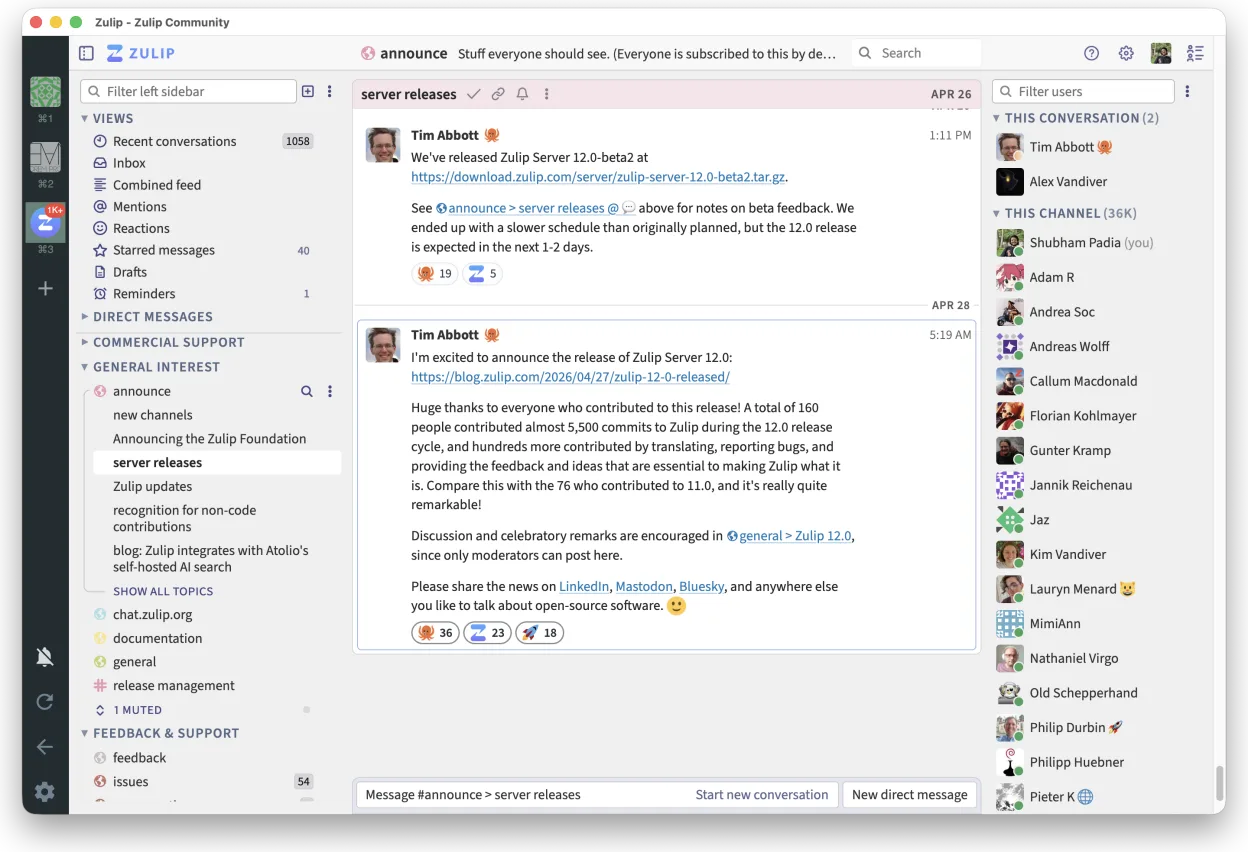

¿Qué es Zulip?
Zulip acts as a team chat platform that organizes messages into threads rather than a single continuous stream. Developed by Kandra Labs, it is designed for environments where clarity and searchability matter more than rapid-fire back-and-forth. The project is mature, actively maintained, and widely adopted by open-source communities and large organizations that need to process thousands of messages daily without losing context.
It is best suited for technical teams, open-source projects, and enterprises that find standard chat tools too noisy. If your team relies on clear topic separation to track decisions and questions, Zulip provides a structured environment. It is less ideal for quick, ephemeral personal chats where formality is unnecessary. The interface prioritizes readability and easy navigation through history.
Compared to Microsoft Teams, Zulip feels significantly lighter and less cluttered. It lacks the heavy integration with office suites and video conferencing features inherent in Teams, focusing strictly on communication. The threaded view replaces the linear chat feed, which takes some getting used to but makes finding specific answers much faster. It is a dedicated chat tool, not a productivity suite.
Ideal para: Teams that need clear, searchable, and organized group communication without the bloat of all-in-one suites.
Funciones clave de Zulip
- Threaded conversations for organized discussions
- Open-source and self-hostable
- Available as a native Linux desktop client
- Supports large groups and high message volumes
- Cross-platform compatibility
- Strong search functionality across history
Ventajas
- Excellent organization of complex discussions
- Lightweight and focused on chat
- Full control via self-hosting
- Active development and strong community
Inconvenientes
- Learning curve for users used to linear chat
- Lacks built-in video conferencing
- Requires server setup for full functionality
Programas de Windows que sustituye Zulip
Cómo instalar Zulip en Linux
flatpak install flathub org.zulip.ZulipConsejos para usuarios de Windows
Coming from Microsoft Teams, expect a steeper learning curve with the thread-based interface. Start by creating topics for different subjects rather than dumping everything into one channel. You will not find native video calls or file sharing integrations like OneDrive; you will need to link to files or use separate tools for meetings. The workflow is more deliberate, emphasizing clear question-and-answer pairs over rapid, unstructured conversation.
Versiones recientes
- 5.13.2 —
- 5.13.1 —
- 5.12.4 —
- 5.12.3 —
Zulip: preguntas frecuentes
Is Zulip free to use?
Yes, the software is free and open-source. You can self-host it for free or use a hosted service if you prefer not to manage the server.
Can I self-host Zulip?
Yes, Zulip is designed to be self-hosted. This gives you full control over your data and infrastructure, though it requires some technical setup.
Does Zulip have a mobile app?
Yes, there are official mobile apps for iOS and Android that sync with your desktop client and server.
Is Zulip suitable for small teams?
It can be, but it may feel overkill for very small groups. Its strengths shine in larger teams or projects with high message volumes where organization is critical.
Actualizado el