
 Nextcloud Desktop ClientLinux
vs
Google DriveWindows
Nextcloud Desktop ClientLinux
vs
Google DriveWindows
Nextcloud Desktop Client como alternativa Linux a Google Drive
Actualizado el
Nuestra opinión
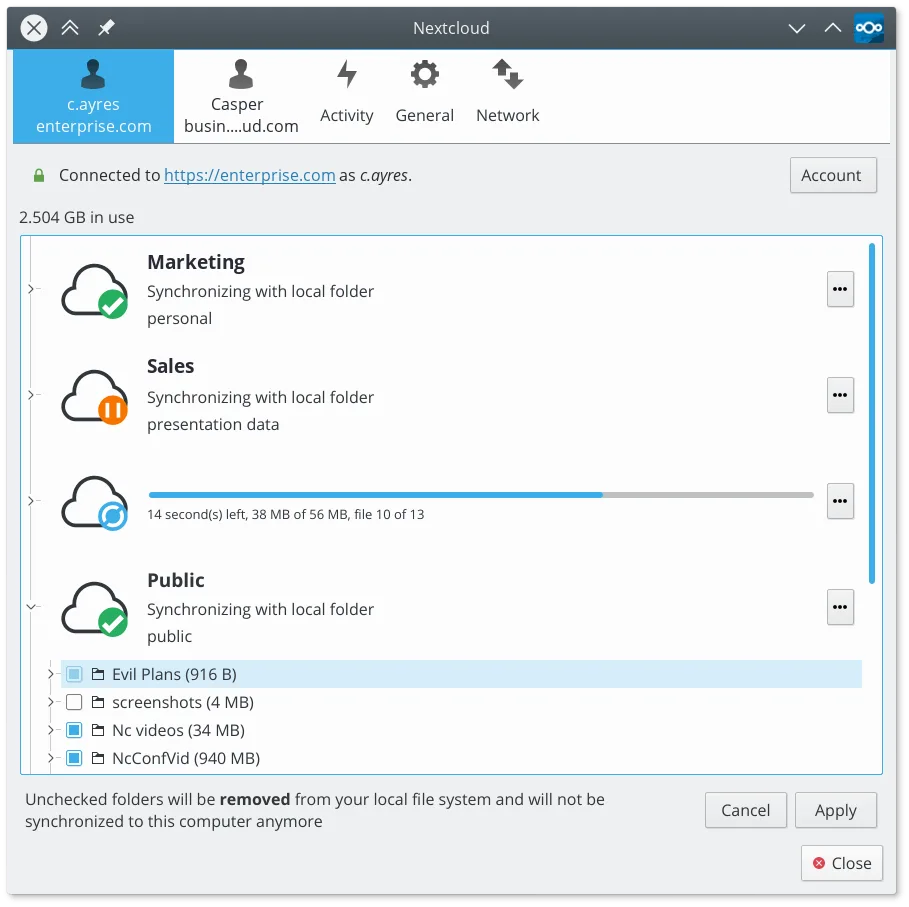
The Nextcloud Desktop Client can replace Google Drive for users who already run a Nextcloud server or are willing to set one up. It provides two‑way sync, offline access, selective sync, and version history, matching most everyday Google Drive use cases. It is ideal for privacy‑conscious users, small teams, or anyone who wants to keep files locally while sharing via Nextcloud’s web interface. However, it does not offer the same Google Docs/Sheets/Slides collaboration suite, so users who rely heavily on real‑time document editing will need an alternative.
- Licencia
- GPL-2.0+
- Precio
- Gratis
- Última versión
- 35.0.0 (12 de octubre de 2026)
- Valoración
- —
Lo que funciona igual
- Two‑way file synchronization between local folders and a cloud server
- Offline file access with automatic sync when reconnected
- Cross‑platform support (Linux, Windows, macOS)
- Selective sync to save disk space
- Version history and file restoration
Lo que cambia
- No built‑in real‑time document collaboration like Google Docs
- No native integration with Google Workspace apps
- Requires a Nextcloud server (self‑hosted or hosted) rather than a free public service
- No native web‑based file editor for non‑text files
- No direct integration with Google Drive API for third‑party apps
Abrir tus archivos de Google Drive
Google Drive files such as .docx, .xlsx, and .pptx can be opened with LibreOffice or other office suites after syncing. Nextcloud does not convert Google Docs files to native formats automatically; users must export from the web interface or use the Nextcloud office suite if available. For plain text and binary files, compatibility is identical to any other cloud service.
Pasar de Google Drive a Nextcloud Desktop Client, paso a paso
- 1. Export or download all files from Google Drive to a local folder.
- 2. Install the Nextcloud Desktop Client and create a Nextcloud account or connect to an existing server.
- 3. In the client, add the local folder you exported as a sync folder and choose selective sync options if needed.
- 4. Let the client upload the files to the Nextcloud server; verify that all files appear in the web interface.
- 5. Update any shared links or permissions to use Nextcloud’s sharing features.
- 6. Remove the Google Drive client from your system once sync is verified.
Funciones clave de Nextcloud Desktop Client
- Sincronización bidireccional de archivos y carpetas
- Soporte para sincronización selectiva para ahorrar espacio en disco
- Historial de versiones y restauración de archivos
- Integración con funciones del servidor Nextcloud, como enlaces de compartir
- Resolución de conflictos para ediciones simultáneas
- Soporte para archivos grandes y datos binarios
- Icono en la bandeja para estado rápido y pausa/reanudación
- Soporte multiplataforma, incluyendo Linux, Windows y macOS
Cómo instalar Nextcloud Desktop Client en Linux
flatpak install flathub com.nextcloud.desktopclient.nextcloudPreguntas frecuentes
Will my Google Drive files be automatically converted to Nextcloud formats?
No. Nextcloud stores files as they are. If you need Google Docs, Sheets, or Slides, export them to a compatible format before syncing.
Can I use the same Google Drive shared links in Nextcloud?
No. Shared links are specific to each service. You’ll need to recreate sharing permissions in Nextcloud’s web interface.
Does Nextcloud support large file uploads like Google Drive?
Yes. Nextcloud can handle large files, but the upload speed depends on your server’s bandwidth and storage limits.
Otras 3 alternativas a Google Drive
 Seafile ClientSeafile es un cliente de escritorio multiplataforma que sincroniza archivos con un servidor auto‑alojado o en…Código abiertoGratisFlatpakSeafile Client vs Google Drive
 SyncThingySyncThingy es un ícono de bandeja ligero que controla Syncthing, permitiéndote ver el estado, detenerlo y…Código abiertoGratisFlatpakSyncThingy vs Google Drive
 RClone ManagerUna interfaz gráfica para rclone que te permite gestionar cuentas de almacenamiento en la nube sin usar la…Código abiertoGratisFlatpakRClone Manager vs Google Drive