
 PlexLinux
vs
Microsoft StreamWindows
Plex como alternativa Linux a Microsoft Stream
Actualizado el
Nuestra opinión
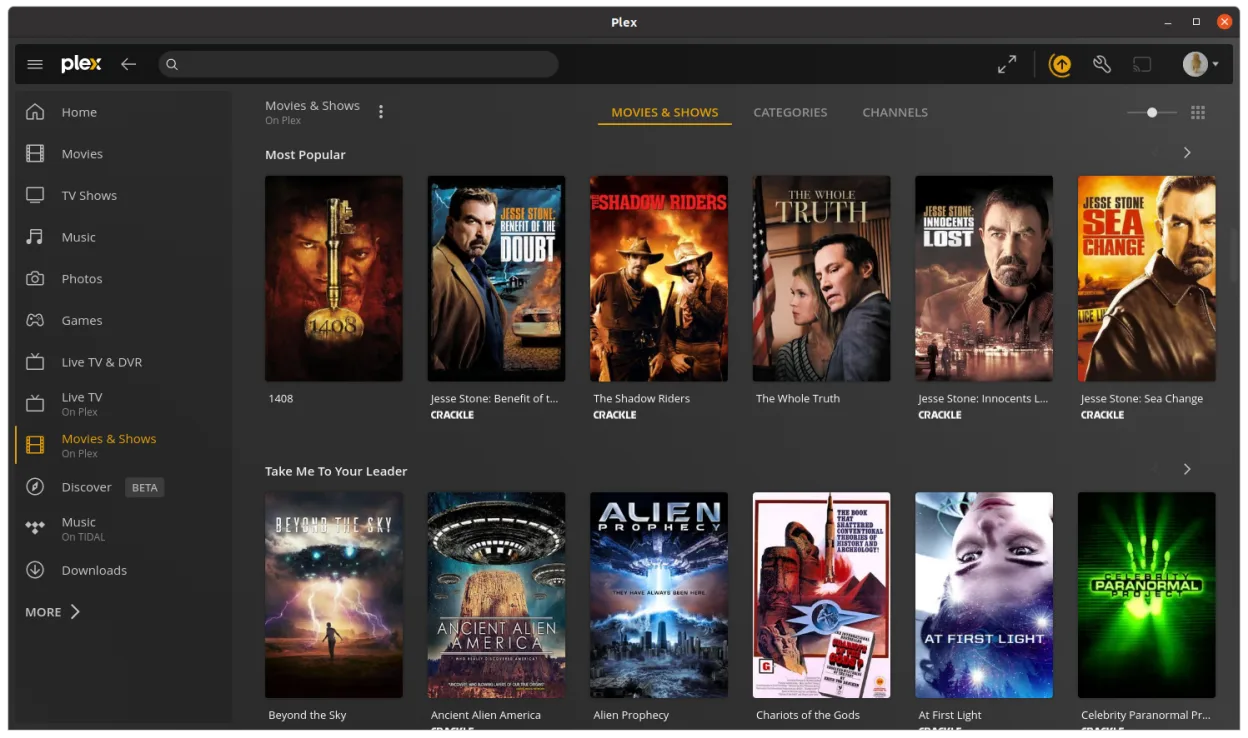
Plex is not a direct replacement for Microsoft Stream. It can play and organize videos locally and across devices, but it lacks the enterprise‑level upload, transcoding, and Microsoft 365 integration that Stream provides. It is useful for small teams or individuals who need a simple media server and cross‑device playback, but for corporate video sharing, compliance, and secure authentication, Stream remains the better choice.
- Licencia
- LicenseRef-proprietary=https://www.plex…
- Precio
- freemium
- Última versión
- 1.115.0 (9 de septiembre de 2026)
- Valoración
- —
Lo que funciona igual
- Both provide web‑based interfaces for video playback
- Both support standard codecs like H.264 and AAC
- Both allow cross‑device access via an account system
- Both offer basic library management
Lo que cambia
- Plex does not provide cloud‑based upload or transcoding; it serves local files only
- Plex lacks integration with Microsoft 365 or enterprise authentication mechanisms
- Plex does not offer an administrative dashboard for content permissions
- Plex does not support streaming from external corporate media libraries
- Plex’s security model is based on its own account system, not on Windows Active Directory or Azure AD
Abrir tus archivos de Microsoft Stream
Microsoft Stream stores videos in a proprietary Microsoft 365 storage format that is not directly exportable to Plex. To use a Stream video in Plex, you would first need to download the video file (typically MP4) from Stream and then add that file to Plex’s library. If the file is in a non‑standard format, you may need to transcode it to MP4 or MKV before adding it to Plex.
Pasar de Microsoft Stream a Plex, paso a paso
- Export or download the video file from Microsoft Stream as an MP4 or compatible format.
- If the file uses a proprietary codec, convert it to MP4/H.264 using a tool like FFmpeg.
- Create a folder on your Linux machine and place the converted files there.
- Open Plex on Linux, add the folder as a new library, and let Plex index the content.
- Verify playback and subtitles in the Plex web interface.
- Set up any desired cross‑device sync via a Plex account if needed.
Funciones clave de Plex
- Supports MP4, MKV, AVI, MP3, FLAC, and more
- Hardware‑accelerated decoding via VA‑API, NVDEC, or QuickSync
- Automatic subtitle download and sync
- Customizable playback settings (speed, quality, audio track)
- Cross‑device sync via Plex account
- Built‑in media library management
- Dark and light themes
- Keyboard shortcuts for fast navigation
Cómo instalar Plex en Linux
flatpak install flathub tv.plex.PlexDesktopPreguntas frecuentes
Can Plex stream directly from Microsoft Stream URLs?
No, Plex cannot consume Stream URLs directly. You must download the video file first.
Does Plex support the same security and permission controls as Stream?
Plex has its own user and sharing system, but it does not integrate with Microsoft 365 authentication or enterprise permission models.
Will Plex automatically transcode my videos to different resolutions?
Plex can transcode on the fly for playback on devices that cannot decode the source, but it does not pre‑transcode to multiple resolutions like Stream does for web delivery.