
 QGIS DesktopLinux
vs
ArcGIS ProWindows
QGIS DesktopLinux
vs
ArcGIS ProWindows
QGIS Desktop como alternativa Linux a ArcGIS Pro
Actualizado el
Nuestra opinión
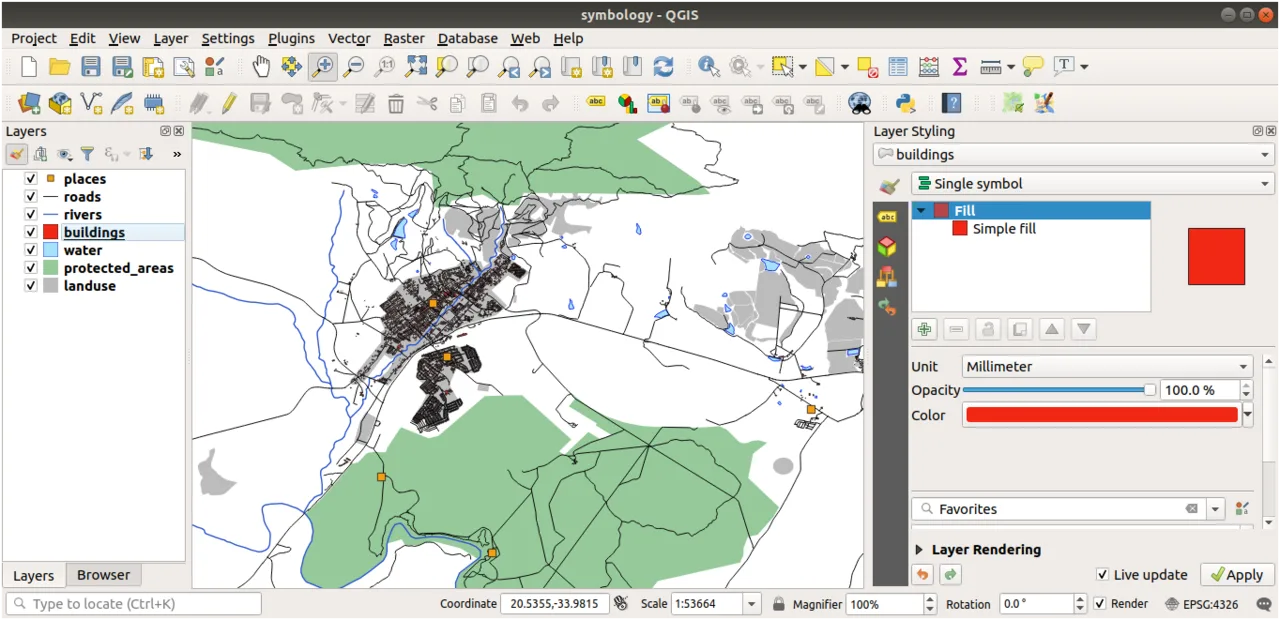
QGIS Desktop is a solid Linux alternative for most ArcGIS Pro workflows. It covers the core GIS tasks—vector/raster editing, spatial analysis, and map layout—while adding a plugin ecosystem and full scripting support. Power users who rely heavily on Esri‑specific extensions or tightly integrated ArcGIS Online services may need work‑arounds, but for typical cartography, field data handling, and database work QGIS is more than adequate on Linux.
- Licencia
- GPL-2.0+
- Precio
- Gratis
- Última versión
- 4.2.3 (25 de septiembre de 2026)
- Valoración
- —
Lo que funciona igual
- Create, edit, and symbolize vector and raster layers
- Perform geoprocessing operations such as buffer, intersect, and raster analysis
- Design cartographic layouts with legends, scale bars, and export to PDF/PNG
- Connect to spatial databases like PostGIS, Oracle, and SQL Server
Lo que cambia
- ArcGIS Pro has native support for Esri file formats (.gdb, .mxd, .sde) and tight integration with ArcGIS Online; QGIS can read/write many of these but may need conversion tools
- ArcGIS Pro includes proprietary extensions (Spatial Analyst, 3D Analyst) that are not directly available in QGIS
- ArcGIS Pro offers a unified 2D/3D view with built‑in scene editing; QGIS provides 3D via plugins and limited native tools
- ArcGIS Pro’s licensing and support model is commercial, while QGIS relies on community support
Abrir tus archivos de ArcGIS Pro
QGIS can open Esri file geodatabases (.gdb) and read .mxd projects through the ‘OpenLayers’ or ‘DXF’ import plugins, but full fidelity is not guaranteed. Export to common formats like Shapefile, GeoPackage, or GeoJSON works without issue. If you need exact .mxd layout replication, you’ll likely have to recreate the map in QGIS.
Pasar de ArcGIS Pro a QGIS Desktop, paso a paso
- Install QGIS from your distribution’s repository or via Flatpak.
- Copy your data files (shapefiles, GeoPackages, rasters) to the Linux machine.
- Convert any Esri file geodatabases to an open format using GDAL/OGR or the QGIS DB Manager.
- Recreate map layouts in QGIS using the Print Composer, matching symbology as needed.
- Test geoprocessing models in the QGIS Processing Toolbox; replace ArcGIS ModelBuilder scripts with PyQGIS or native tools.
- Document any manual adjustments and train users on QGIS’s interface.
Funciones clave de QGIS Desktop
- Soporte para numerosos formatos vectoriales, ráster y de bases de datos
- Extenso ecosistema de plugins para tareas especializadas
- Consola Python y PyQGIS para automatización
- Simbología avanzada y opciones de etiquetado
- Herramientas de geoprocesamiento integradas (buffer, intersect, análisis ráster)
- Archivos de proyecto son .qgz de texto plano para control de versiones sencillo
- Multiplataforma: Linux, Windows, macOS, Android
- Integración con PostGIS y otras bases de datos espaciales
Cómo instalar QGIS Desktop en Linux
flatpak install flathub org.qgis.qgissudo apt install qgissudo apt install qgissudo dnf install qgissudo pacman -S qgissudo zypper install qgisPreguntas frecuentes
Can QGIS run ArcGIS ModelBuilder models?
No. ModelBuilder is an Esri‑only tool. You’ll need to rebuild the workflow in QGIS using the Processing Modeler or Python scripts.
Is there a way to edit .mxd files directly in QGIS?
QGIS cannot edit .mxd files. You can import them for reference, but you’ll have to recreate the layout in QGIS.
Will I lose any data when converting a file geodatabase to another format?
Most attribute and geometry data survive conversion, but advanced items like network datasets, topology rules, or relationship classes may need manual recreation.