
 SkroogeLinux
vs
Microsoft MoneyWindows
Skrooge como alternativa Linux a Microsoft Money
Actualizado el
Nuestra opinión
Skrooge is a solid Linux alternative for most Microsoft Money users who need personal‑finance bookkeeping, budgeting and basic reporting. It handles multiple accounts, recurring transactions, budgets and a range of import/export formats, so day‑to‑day expense tracking works well. Power users who relied on Money’s investment tracking, tax‑specific forms or deep integration with Windows‑only services may find gaps, but for home budgeting and small‑business cash‑flow management Skrooge covers the core tasks comfortably.
- Licencia
- GPL-2.0+
- Precio
- Gratis
- Última versión
- 25.4.0 (24 de abril de 2025)
- Valoración
- —
Lo que funciona igual
- Multiple bank and credit‑card account handling
- Budget creation and monitoring
- Recurring/scheduled transactions
- Import/export of QIF, CSV and Microsoft Money files
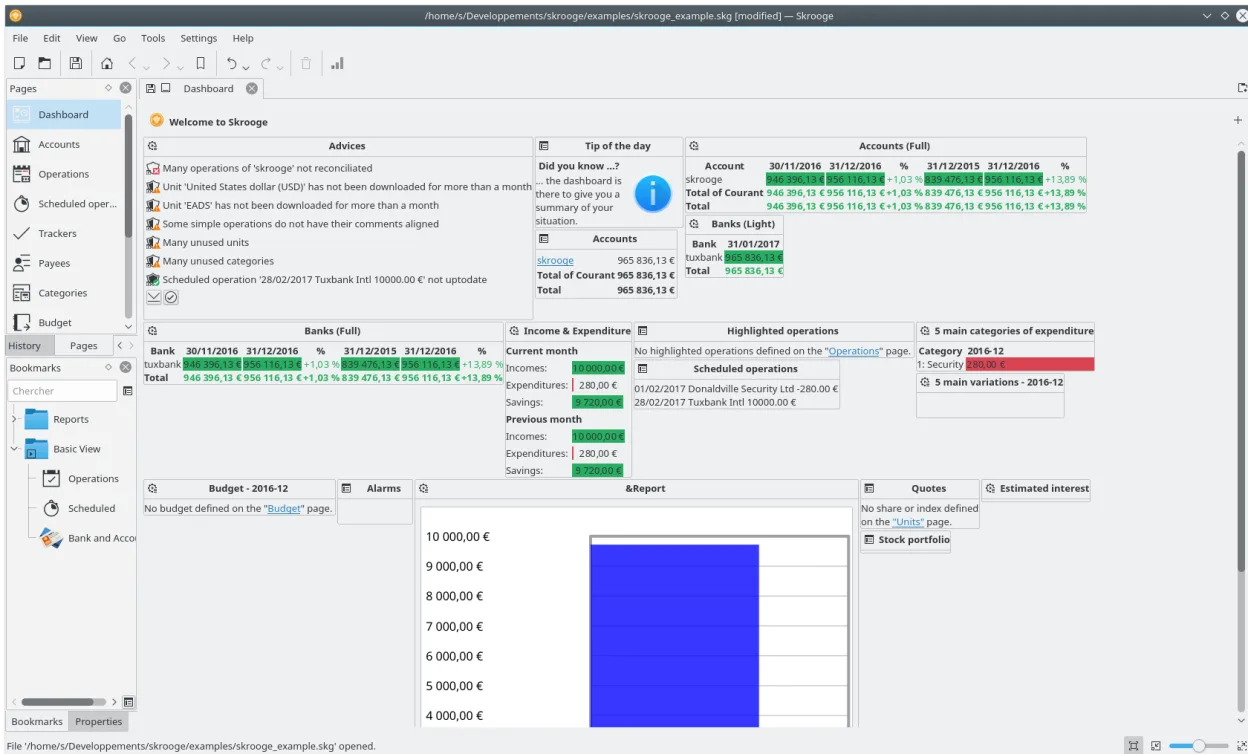
- Graphical reports and dashboards
Lo que cambia
- No built‑in investment portfolio or tax‑form generation
- Limited integration with online banking APIs compared to Money’s Windows connectors
- No native Windows‑style wizard for setting up accounts (more manual configuration)
- Less polished UI for non‑KDE desktops
- No direct support for Microsoft’s proprietary .mny binary format (relies on conversion)
Abrir tus archivos de Microsoft Money
Skrooge can import Microsoft Money data via the QIF export route; Money can export to QIF, which Skrooge reads without issue. Direct .mny import is not supported, so you must first convert the Money file to QIF or CSV using Money itself or a third‑party converter before loading it into Skrooge. Export from Skrooge back to QIF or CSV is straightforward, enabling round‑trip data movement if needed.
Pasar de Microsoft Money a Skrooge, paso a paso
- Export your Microsoft Money data to QIF (or CSV) using Money’s built‑in export function
- Launch Skrooge and create a new file or open an existing one
- Use Skrooge’s Import wizard to load the QIF/CSV file, mapping accounts and categories as prompted
- Review imported transactions, correct any mismatches and assign budgets
- Set up recurring transactions and any needed alerts in Skrooge
- Generate a test report to verify that balances match your expectations
Funciones clave de Skrooge
- Importar/exportar muchos formatos (QIF, CSV, OFX, Money-Manager-Ex, etc.)
- Informes y paneles gráficos avanzados
- Deshacer/rehacer ilimitado, incluso tras cerrar un archivo
- Filtrado instantáneo de transacciones e informes
- Transacciones programadas y recurrentes
- Múltiples monedas y herramientas de presupuesto
- Actualización masiva de transacciones
- Consejos y alertas personalizables
Cómo instalar Skrooge en Linux
flatpak install flathub org.kde.skroogesudo apt install skroogesudo apt install skroogesudo dnf install skroogesudo pacman -S skroogesudo zypper install skroogePreguntas frecuentes
Can Skrooge read .mny files directly?
No. Skrooge does not understand the proprietary .mny format; you need to export the data from Money to QIF or CSV first.
Is Skrooge suitable for investment tracking?
Skrooge lacks dedicated investment or tax‑form features, so it’s not ideal for users who need detailed portfolio management.
Will Skrooge run on non‑KDE desktops?
Yes, it runs on any Linux desktop, though the KDE UI may feel out of place on GNOME or other environments.
Otras 3 alternativas a Microsoft Money
 GnuCashContabilidad gratuita y de código abierto basada en partida doble para uso personal y de pequeñas empresas.Código abiertoGratisFlatpakGnuCash vs Microsoft Money
 KMyMoneyKMyMoney es un gestor de finanzas personales gratuito y de doble entrada para Linux.Código abiertoGratisFlatpakKMyMoney vs Microsoft Money
 HomeBankHomeBank is a free, open‑source personal finance manager for Linux.Código abiertoGratisFlatpakHomeBank vs Microsoft Money