
 Bitwig StudioLinux
vs
Ableton Live SuiteWindows
Bitwig Studio, alternative Linux à Ableton Live Suite
Mis à jour le
Notre avis
Bitwig Studio is a strong, native Linux alternative to Ableton Live Suite, offering a modern DAW environment that handles multitrack recording, MIDI sequencing, and live performance effectively. It suits users who value a modular, node-based workflow and cross-platform stability over strict Ableton interface familiarity. While it lacks direct Ableton project file compatibility, its robust plugin support and flexible routing make it a viable primary production tool for Linux users seeking a professional-grade replacement without Wine dependencies.
- Licence
- LicenseRef-proprietary
- Prix
- paid
- Dernière version
- 6.1.7 (4 novembre 2026)
- Note
- —
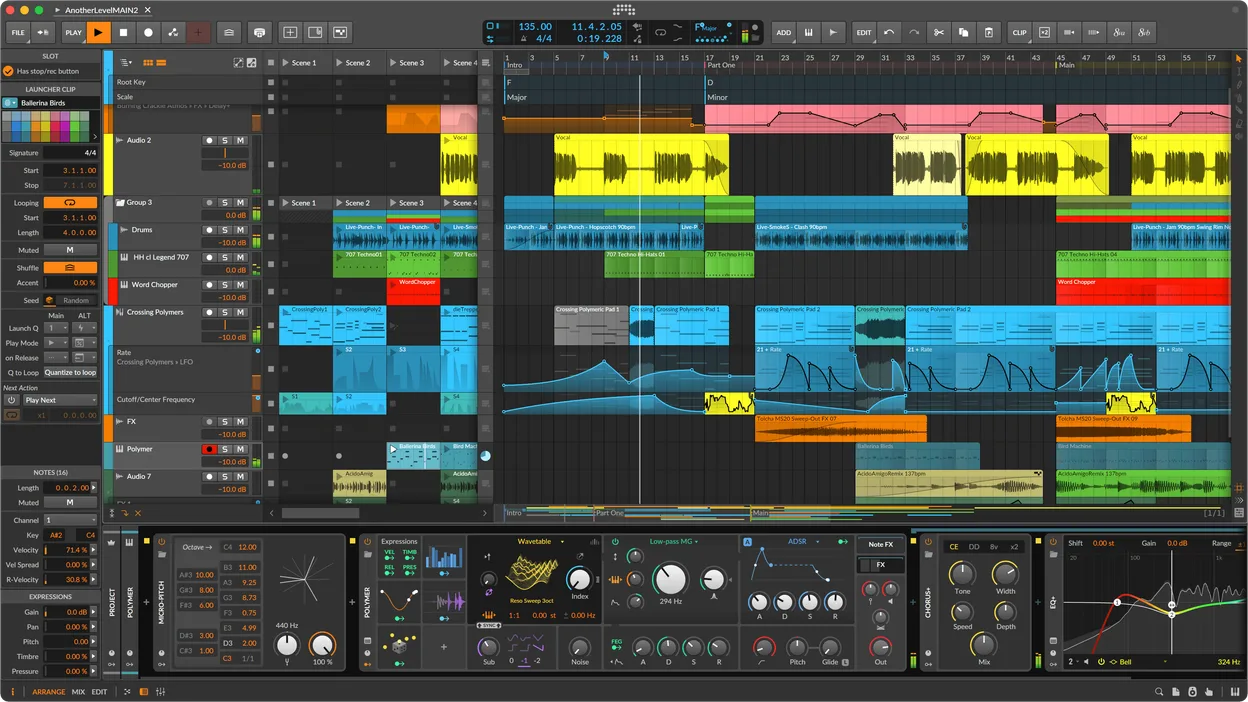
Ce qui fonctionne pareil
- Supports multitrack audio recording and MIDI sequencing
- Includes a clip-based launcher for live performance
- Extensive library of built-in synths and effects
- Supports VST, AU, and LV2 plugin formats
- Offers flexible automation and modulation controls
Ce qui change
- Uses a modular, node-based grid instead of Ableton's session view layout
- Lacks direct import for Ableton Live .als project files
- Features integrated version control for projects, which Ableton does not
- Plugin architecture emphasizes LV2 alongside VST/AU, favoring Linux native standards
- Different approach to MIDI processing with dedicated MIDI effects chains
Ouvrir vos fichiers Ableton Live Suite
Bitwig Studio cannot directly open Ableton Live .als project files. There is no official converter or import tool provided by Bitwig GmbH for this specific format. Users must manually recreate their projects by exporting MIDI tracks and audio stems from Ableton Live and importing them into Bitwig. While audio and MIDI data transfers cleanly, complex automation, specific Ableton device settings, and session view arrangements require manual reconstruction in the new environment.
Passer de Ableton Live Suite à Bitwig Studio, étape par étape
- Export all audio tracks as WAV or AIFF files from Ableton Live
- Export all MIDI tracks as Standard MIDI Files (SMF) from Ableton Live
- Create a new project in Bitwig Studio and import the audio and MIDI files
- Recreate the arrangement structure using Bitwig's clip launcher and arrangement view
- Rebuild any custom automation or modulation using Bitwig's modulation matrix
- Reinstall or map third-party VST/AU plugins to their correct locations in Bitwig
Fonctionnalités clés de Bitwig Studio
- Modular, node‑based workflow
- Real‑time MIDI and audio routing
- Built‑in synths and effects
- Clip launcher for live performance
- Cross‑platform project compatibility
- Extensible via plugins (VST, LV2, AU)
- Integrated version control for projects
- Flexible automation and modulation
Installer Bitwig Studio sous Linux
flatpak install flathub com.bitwig.BitwigStudioQuestions fréquentes
Does Bitwig Studio run natively on Linux?
Yes, Bitwig Studio provides a native Linux build, ensuring better performance and stability compared to running Ableton Live through Wine or virtualization.
Can I use my existing VST plugins in Bitwig?
Yes, Bitwig supports VST2 and VST3 plugins, as well as AU and LV2 formats, allowing most of your existing plugin collection to function within the DAW.
Is Bitwig Studio suitable for live performance?
Yes, it features a clip launcher and real-time audio/MIDI routing designed for live sets, offering a flexible alternative to Ableton's session view for performers.
5 autres alternatives à Ableton Live Suite
 ArdourArdour est une station de travail audio numérique professionnelle et open source pour l'enregistrement…Open sourceGratuitFlatpakArdour ou Ableton Live Suite
 ReaperREAPER is a full-featured digital audio workstation for Linux, offering multitrack recording, editing…FlatpakReaper ou Ableton Live Suite
 LMMSLMMS est une station de travail audio numérique gratuite pour composer, séquencer et mixer de la musique à…Open sourceGratuitFlatpakLMMS ou Ableton Live Suite
 RosegardenRosegarden est un séquenceur MIDI gratuit et un éditeur de partitions pour Linux, combinant les…Open sourceGratuitFlatpakRosegarden ou Ableton Live Suite
 QtractorQtractor est un séquenceur audio/MIDI multi-pistes gratuit et open source pour Linux, conçu comme une station…Open sourceGratuitFlatpakQtractor ou Ableton Live Suite