
 CYCASLinux
vs
CYCASLinux
vs
 Autodesk AutoCADWindows
CYCAS, alternative Linux à Autodesk AutoCAD
Mis à jour le
Notre avis
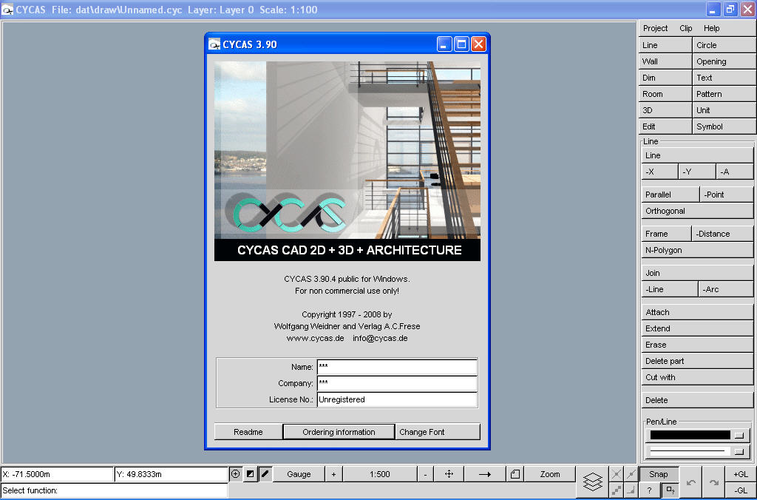
CYCAS is a poor replacement for modern AutoCAD users. It is a discontinued legacy application that lacks current maintenance, community support, or modern UI standards. While it handles basic 2D drafting and simple 3D shapes, it does not offer the robust ecosystem, scripting flexibility, or file compatibility of AutoCAD. It is only suitable for users with specific, niche structural design needs who are willing to work with outdated X11-based tools and accept significant limitations in workflow efficiency and feature depth.
- Licence
- —
- Prix
- Gratuit
- Dernière version
- —
- Note
- —
Ce qui fonctionne pareil
- Supports 2D vector drafting and basic 3D modeling.
- Includes layer management for organizing drawing elements.
- Provides dimensioning and annotation tools for technical drawings.
- Uses a command-line interface for executing drawing commands.
Ce qui change
- Lacks native support for modern DWG file versions, requiring conversion tools.
- No advanced scripting or macro environment comparable to AutoLISP.
- Discontinued status means no security patches, bug fixes, or feature updates.
- Limited 3D capabilities compared to AutoCAD’s solid and surface modeling.
- Outdated X11 interface without modern usability features or customization.
Ouvrir vos fichiers Autodesk AutoCAD
CYCAS does not natively read or write current DWG files. You will likely need to convert AutoCAD files to DXF using external tools before importing them into CYCAS. Exporting from CYCAS typically results in older DXF versions or vector formats like PostScript, which may not be directly usable in modern CAD software without further conversion. Compatibility with specific AutoCAD file versions is unknown and likely limited to very old releases.
Passer de Autodesk AutoCAD à CYCAS, étape par étape
- Install CYCAS and any required X11 libraries on your Linux system.
- Convert your AutoCAD DWG files to a compatible DXF version using a converter.
- Import the DXF files into CYCAS and verify geometry and layers.
- Recreate any complex annotations or dimensions that do not import correctly.
- Test plotting capabilities to ensure output matches your requirements.
- Back up all work frequently due to the lack of modern recovery features.
Fonctionnalités clés de CYCAS
- 2D vector drafting
- Basic 3D modeling
- Native X11 support
- Layer management
- Dimensioning tools
- Vector file export
- Command-line interface
- Plotting capabilities
Questions fréquentes
Can I use CYCAS for professional architectural drafting?
No, it is not recommended for professional use due to its discontinued status, limited file compatibility, and lack of modern features required for industry-standard workflows.
Does CYCAS support AutoLISP scripting?
No, CYCAS does not support AutoLISP. It has its own limited command-line interface, but it lacks the extensibility and scripting power of AutoCAD.
Is there an active community for CYCAS?
No, the application is discontinued. You will not find recent support, tutorials, or community-driven solutions for common issues.
5 autres alternatives à Autodesk AutoCAD
 QCADQCAD est un programme CAD 2D open‑source pour créer des dessins techniques sous Linux.Open sourceGratuitQCAD ou Autodesk AutoCAD
 BricscadBricsCAD is a commercial CAD application for Linux that reads and writes DWG files, aiming to replace AutoCAD.Bricscad ou Autodesk AutoCAD
 Open CASCADEOpen CASCADE est un noyau open source en C++ destiné aux applications de CAO, FAO et IAO en 3D.Open sourceGratuitOpen CASCADE ou Autodesk AutoCAD
 VariCADVariCAD is a commercial 3D/2D CAD package for mechanical engineering that runs on Linux and Windows.AbandonnéVariCAD ou Autodesk AutoCAD
 VARKONVARKON is an open‑source CAD system for parametric geometry modeling, originally from Swedish academic…Open sourceGratuitAbandonnéVARKON ou Autodesk AutoCAD