
 FranzLinux
vs
Microsoft Teams (consumer version)Windows
FranzLinux
vs
Microsoft Teams (consumer version)Windows
Franz, alternative Linux à Microsoft Teams (consumer version)
Mis à jour le
Notre avis
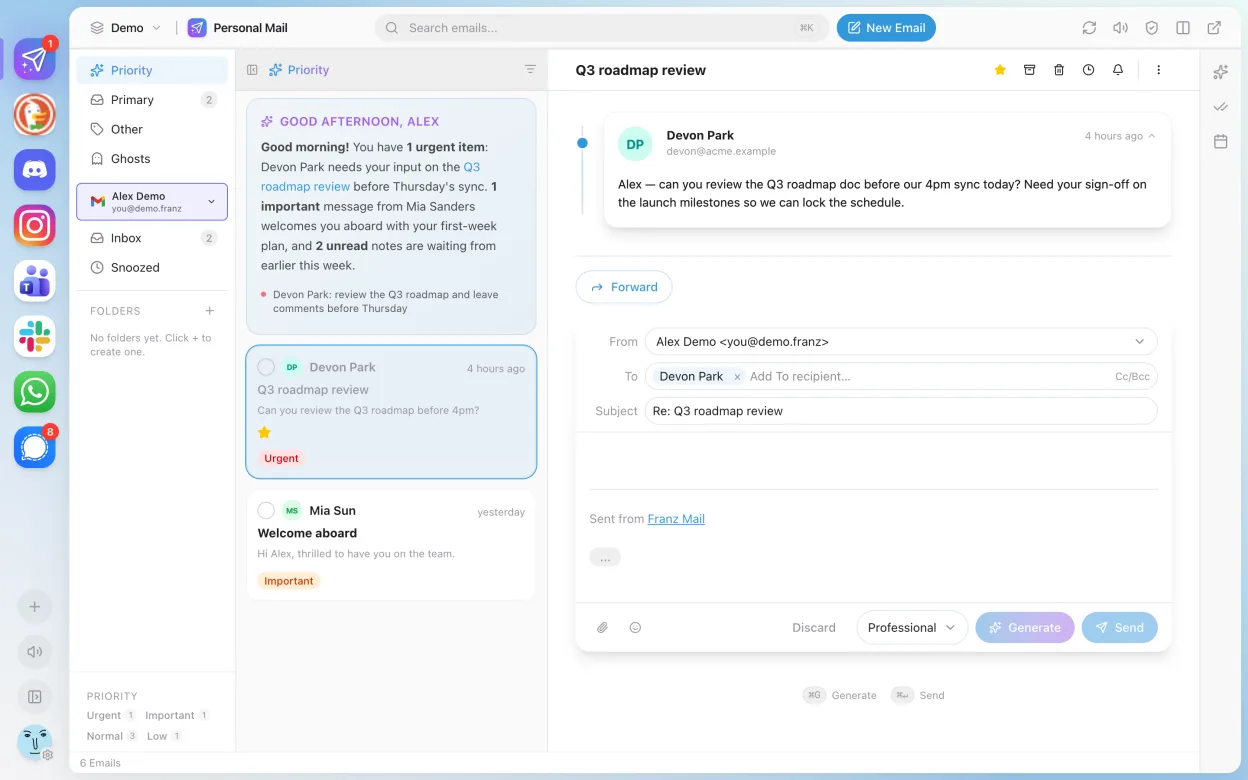
Franz is not a direct replacement for Microsoft Teams (consumer version). It aggregates messaging services like WhatsApp, Telegram, and Slack, but does not natively support Microsoft Teams as a service. If you're relying on Teams for chat, calls, or meetings, Franz won't provide that functionality out of the box. It may suit users who want one app for multiple messengers but already have Teams access separately. For Teams-dependent workflows—especially voice/video calls, screen sharing, and file collaboration—Franz alone is insufficient.
- Licence
- Apache-2.0
- Prix
- Gratuit
- Dernière version
- 6.3.1 (12 juin 2026)
- Note
- —
Ce qui fonctionne pareil
- Both support group chat with message history
- Available on Linux, Windows, and macOS
- Offer notification badges and system tray integration
- Support dark mode and theme customization
- Enable cross-platform sync for accounts added
Ce qui change
- Franz does not include built-in voice or video calling for Microsoft Teams
- No native screen sharing or meeting functionality
- Lacks integrated file storage and sharing within Teams context
- Franz aggregates third-party services but doesn't host its own
- No calendar or task integration specific to Teams
Ouvrir vos fichiers Microsoft Teams (consumer version)
Franz does not handle Microsoft Teams file formats or exports. If you share files via Teams, you must download and manage them separately. Franz only relays messages from supported services and doesn't support importing Teams chat logs, exported data, or meeting recordings. File compatibility depends on the individual service connected to Franz, not Teams itself.
Passer de Microsoft Teams (consumer version) à Franz, étape par étape
- Install Franz via Flathub: flatpak install com.meetfranz.Franz
- Open Franz and add supported services like Slack or WhatsApp
- Use web version of Microsoft Teams in a separate browser or container
- Bookmark your Teams workspace for quick access
- Manually manage notifications across apps
- Keep Teams open in background if frequent use is needed
Fonctionnalités clés de Franz
- Prend en charge WhatsApp, Slack, Telegram, Facebook Messenger et d'autres
- Regroupe plusieurs services dans une seule fenêtre avec une barre latérale à onglets
- Thèmes personnalisables et mode sombre
- Badges de notification et intégration à la zone de notification système
- Envoi et réception de messages basiques via les différents services
- Disponible en Flatpak via Flathub pour Linux
- Multiplateforme : fonctionne aussi sur Windows et macOS
Installer Franz sous Linux
flatpak install flathub com.meetfranz.FranzQuestions fréquentes
Can Franz log in to Microsoft Teams directly?
No, Franz does not support Microsoft Teams as a built-in service. You cannot log into Teams through Franz.
Is there a way to use Teams inside Franz?
Not officially. Some users add Teams as a custom service using Franz's 'unofficial' plugin, but calling and screen sharing often break.
Does Franz support video meetings like Teams?
No. Franz only handles text-based messaging from supported services. It lacks built-in video or voice call support for Teams.
4 autres alternatives à Microsoft Teams (consumer version)
 JamiJami est un client de messagerie instantanée et d'appels vidéo gratuit, pair-à-pair, qui fonctionne sans…Open sourceGratuitFlatpakJami ou Microsoft Teams (consumer version)
 ElementElement est un client de messagerie et de visioconférence basé sur Matrix, open source, pour Linux.Open sourceGratuitFlatpakElement ou Microsoft Teams (consumer version)
 Delta ChatDelta Chat est un messager instantané décentralisé basé sur l'email, avec chiffrement de bout en bout et…Open sourceGratuitFlatpakDelta Chat ou Microsoft Teams (consumer version)
 Signal DesktopSignal Desktop est un messager privé gratuit et open‑source pour Linux, synchronisant messages et appels avec…Open sourceGratuitFlatpakSignal Desktop ou Microsoft Teams (consumer version)
Toutes les alternatives à Microsoft Teams (consumer version)