

Linux · Internet
Fractal
Fractal is a GNOME Matrix client written in Rust, designed for secure, end-to-end encrypted group collaboration.
- Licence
- GPL-3.0+
- Dernière version
- 14.3 (26 octobre 2026)
- Développeur
- The Fractal Team
- Installations
- 1,526 (Flathub, 30 jours)


Qu’est-ce que Fractal ?
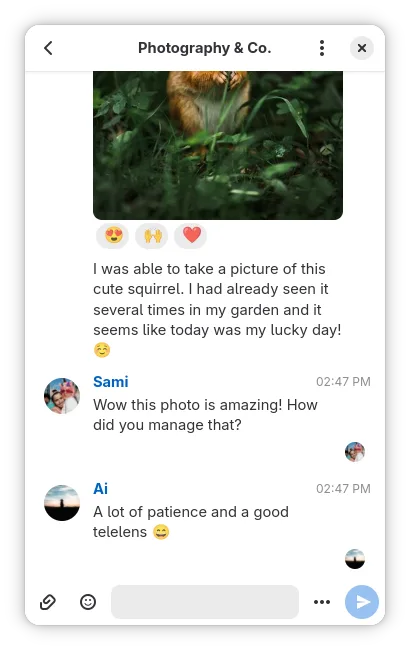
Fractal is a dedicated Matrix protocol client built specifically for the GNOME desktop environment. Written in Rust, it focuses on stability and performance for large-scale communication. It is not a general-purpose chat app but a specialized tool for the decentralized Matrix network, aiming to provide a native Linux experience for team collaboration.
This app targets users involved in open-source projects, remote teams, or any group needing secure, persistent chat history. It is ideal for those who prefer a clean, distraction-free interface over the feature-heavy clutter of proprietary messengers. If you are already using Matrix servers for work or community discussions, Fractal offers a tailored client rather than a web wrapper.
Compared to Slack, Fractal feels lighter and more focused. It lacks Slack's extensive third-party app ecosystem but compensates with better privacy controls and native Linux integration. The interface is intuitive for GNOME users, using standard gestures and shortcuts. While it may lack some visual flair of web-based clients, it prioritizes function and speed in daily use.
Idéal pour : GNOME users who need a secure, native client for Matrix-based team collaboration.
Fonctionnalités clés de Fractal
- End-to-end encryption for all private and group chats
- Support for multiple simultaneous Matrix accounts
- Rich text formatting, file sharing, and location sharing
- Threaded replies and emoji reactions
- Built-in media playback for audio and video
- Read receipts and typing indicators
- Optimized UI for large group discussions
- Single Sign-On (SSO) support
Points forts
- Native GNOME design feels at home on Linux
- Strong privacy with end-to-end encryption by default
- Efficient resource usage thanks to Rust backend
- Handles large group chats well without lag
Points faibles
- Limited to the Matrix protocol only
- Fewer integrations and bots than Slack
- No desktop notifications for all events by default
- Requires a Matrix server to function
Logiciels Windows remplacés par Fractal
Installer Fractal sous Linux
flatpak install flathub org.gnome.Fractalsudo dnf install fractalsudo pacman -S fractalsudo zypper install fractalConseils pour les utilisateurs de Windows
If you are moving from Slack, expect a different workflow. Slack channels map to Matrix rooms, but the directory structure is more decentralized. You will need to join specific rooms rather than browsing a single corporate directory. File sharing works similarly, but note that Matrix has size limits depending on your server configuration. Shortcuts differ; for example, Ctrl+K is often used for quick switching, similar to Slack, but other keys may vary. There is no direct import tool, so you will need to manually re-add contacts or join rooms via invite links.
Versions récentes
- 14.3 —
Only a week went by since our previous security-related update, and several upstream dependencies released even more security fixes so we bundled them into Fractal 14.3 to make sure that everything keeps running smoothly until the next release!
- 14.2 —
Several upstream dependencies released security fixes so we bundled them into Fractal 14.2 to make sure that everything runs smoothly until the next release!
- 14.1 —
A regression in Fractal 14 meant that display names could not be changed in account settings anymore for some servers. This minor release addresses this issue. Thanks to Jack S. for discovering it soon after the 14 release!
- 14 —
This one is packed with lots of small changes, that make for an even better experience. - Call rooms are identified with a camera icon in the sidebar and show a banner to warn that other users might not read messages in these rooms. - Calls are rendered in…
Fractal : questions fréquentes
Can I use Fractal with Slack directly?
No, Fractal is a Matrix client. To connect Slack to Matrix, you need a bridge service provided by your Matrix server administrator.
Is Fractal available as a Flatpak?
Yes, it is available on Flathub, which is the recommended way to install it on most Linux distributions.
Does Fractal support end-to-end encryption?
Yes, it supports end-to-end encryption for both direct messages and group chats, provided the Matrix server supports it.
Can I log into multiple accounts at once?
Yes, Fractal allows you to manage multiple Matrix accounts within the same application instance.
Mis à jour le