

Linux · Programmation
gedit
gedit is a lightweight, GNOME-integrated text editor suitable for notes, documents, and basic programming tasks.
- Licence
- GPL-2.0+
- Dernière version
- 51.1 (23 novembre 2026)
- Développeur
- The gedit team
- Installations
- 2,399 (Flathub, 30 jours)
Qu’est-ce que gedit ?
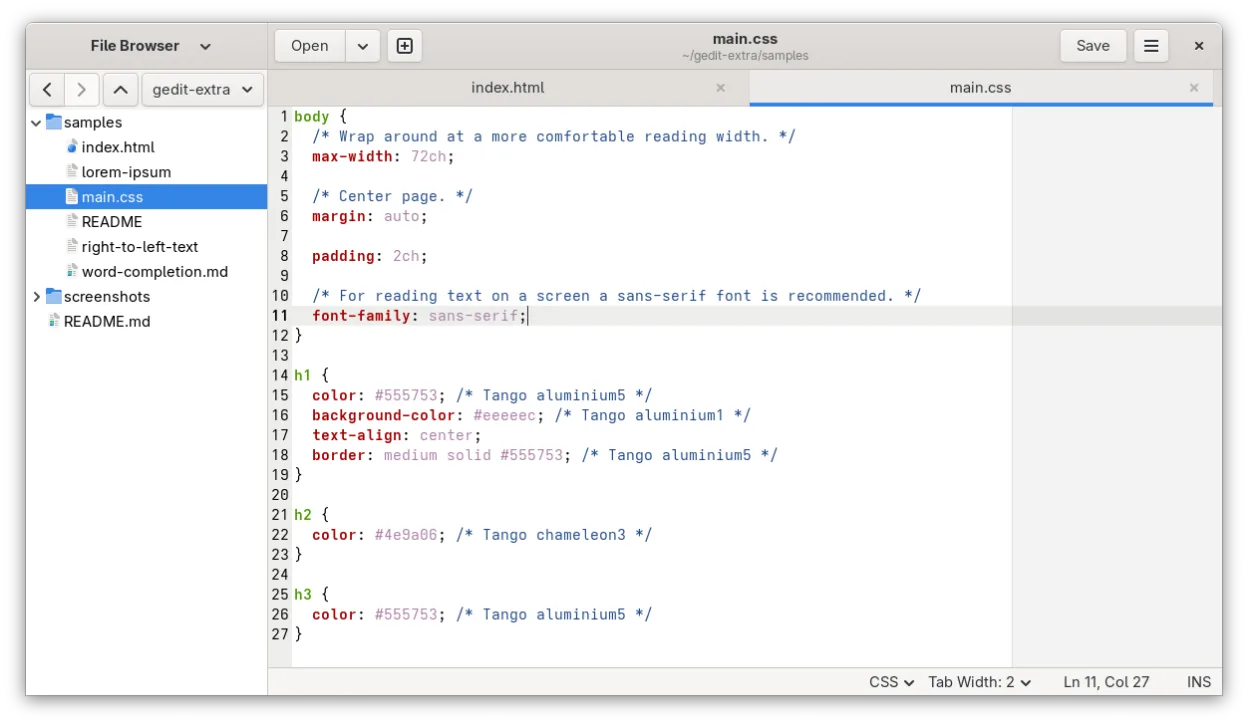
gedit has been part of the GNOME desktop since 1998, designed as a clean, accessible text editor. It follows GNOME's design principles, favoring simplicity and usability. Over time, it gained features useful for developers, including syntax highlighting, plugin support, and UTF-8 handling. The app remains actively maintained and is the default text editor in many GNOME-based distributions.
It's best for users who need a no-frills editor for quick edits, system configuration files, or light scripting. Beginners and casual Linux users appreciate its familiarity and integration with GNOME. Developers might use it for minor code tweaks but typically move to more powerful tools for larger projects.
Compared to PowerShell ISE, gedit lacks integrated scripting consoles, debugging, or advanced PowerShell-specific features. It’s a general-purpose editor, not an IDE. If you used PowerShell ISE for writing and testing scripts, you’ll need additional tools like bash, Python, or a dedicated IDE such as VS Code on Linux.
Idéal pour : Users who want a simple, reliable text editor for everyday editing tasks on GNOME.
Fonctionnalités clés de gedit
- Syntax highlighting for many programming languages
- Plugin system for extending functionality
- Multiple document interface with tabs
- Search and replace with regular expressions
- Unicode (UTF-8) support
- Line numbering and auto-indentation
- Remote file editing via GVfs
- Spell checking through Enchant
Points forts
- Simple and stable interface
- Tight integration with GNOME desktop
- Lightweight and fast to launch
- Good default for beginners
- Extensible via plugins
Points faibles
- Limited debugging or shell integration compared to PowerShell ISE
- Not suitable for large-scale software projects
- Plugin ecosystem is modest compared to full IDEs
Logiciels Windows remplacés par gedit
Installer gedit sous Linux
flatpak install flathub org.gnome.geditsudo apt install geditsudo apt install geditsudo dnf install geditsudo pacman -S geditsudo zypper install geditConseils pour les utilisateurs de Windows
gedit doesn’t use .ps1 or other Windows-specific formats by default—save scripts as plain text. Keyboard shortcuts are similar (Ctrl+C, Ctrl+V), but there’s no built-in terminal. Use a terminal emulator alongside gedit for testing scripts. For workflow, consider pairing it with tools like bash or using a full IDE if you need debugging.
Versions récentes
- 51.1 —
- 51.0 —
- 51~alpha1 —
- 50.0 —
gedit : questions fréquentes
Can gedit run PowerShell scripts?
gedit can edit .ps1 files, but it doesn’t run them. Use PowerShell Core (PowerShell 7+) on Linux to execute scripts.
Is gedit the same as Notepad++ or Sublime Text?
No. gedit is simpler. It lacks project management, advanced search, and deep customization found in those editors.
How do I add features to gedit?
Enable plugins via Edit > Preferences > Plugins. Options include code snippets, external tools, and bracket completion.
Does gedit support dark mode?
Yes, if your GNOME theme supports it. gedit follows system-wide dark mode settings in recent versions.
Mis à jour le