

Linux · Office
OpenOffice.org Calc
OpenOffice.org Calc is a free, open‑source spreadsheet program compatible with Microsoft Excel formats.
- Licence
- Apache-2.0
- Dernière version
- —
Qu’est-ce que OpenOffice.org Calc ?
OpenOffice.org Calc is the spreadsheet component of the OpenOffice.org suite, an open‑source office suite that traces its roots back to StarOffice and was first released in 2002. Over two decades it has matured into a stable, feature‑complete application that can read and write the common .xls and .xlsx formats, making it a practical alternative for everyday spreadsheet work.
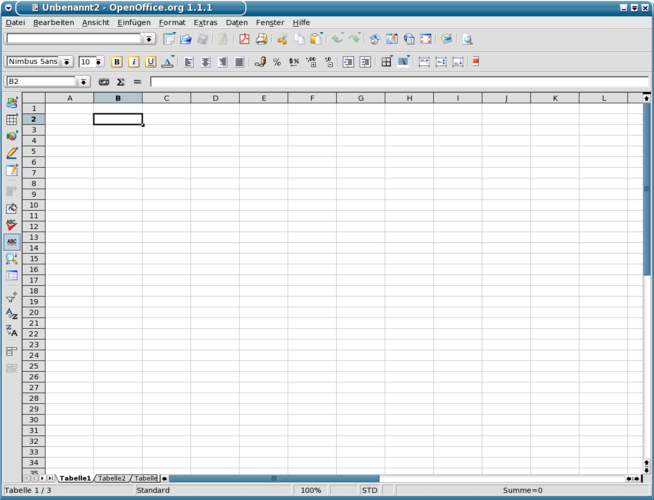
Calc targets users who need a capable spreadsheet tool without the cost of Microsoft Office. It works well for students, small businesses, and hobbyists who are comfortable with a classic desktop interface and don’t require the latest cloud‑centric features. The UI resembles older versions of Excel, which can feel familiar to long‑time Windows users.
Compared with Microsoft Excel on Windows, Calc lacks some of the newest data‑analysis add‑ins and the tight integration with Office 365, but it handles core functions—formulas, charts, pivot tables—reliably. Because it runs natively on Linux, you avoid the overhead of compatibility layers and get a consistent experience across distributions.
Idéal pour : Users who need a dependable spreadsheet program on Linux without paying for Microsoft Office.
Fonctionnalités clés de OpenOffice.org Calc
- Supports .xls, .xlsx, .ods and other common spreadsheet formats
- Rich formula library with over 400 functions
- Pivot tables and data analysis tools
- Chart creation with multiple types and styling options
- Conditional formatting and data validation
- Macro support via OpenOffice Basic
- Multi‑sheet workbooks and cell referencing across sheets
- Extensible via extensions and templates
Points forts
- Free and open‑source, no licensing headaches
- Runs natively on Linux with good performance
- Handles most Excel file formats well enough for everyday use
Points faibles
- User interface feels dated compared with modern Office apps
- Advanced features like Power Query or newer chart types are missing
- Collaboration is limited to file sharing, no real‑time co‑editing
Logiciels Windows remplacés par OpenOffice.org Calc
 Microsoft Office Excel
Conseils pour les utilisateurs de Windows
When moving from Excel, save your workbooks in .xlsx or .ods to preserve formatting; most formulas and basic charts will open unchanged in Calc. Keyboard shortcuts are similar—Ctrl+Z for undo, Ctrl+Shift+V for paste special—but some menu locations differ, so give yourself a few minutes to locate functions like Data → Pivot Table. If you rely on VBA macros, they won’t run directly; consider rewriting them in OpenOffice Basic or using simple macro‑free workflows.
OpenOffice.org Calc : questions fréquentes
Can Calc open Excel .xlsx files?
Yes, Calc can open and save .xlsx files, though complex formatting or newer chart types may not translate perfectly.
Is there a way to install Calc on Ubuntu?
Install the ‘openoffice.org’ package from the official repositories or download the latest build from the Apache OpenOffice website.
How do I enable macros in Calc?
Go to Tools → Options → OpenOffice.org → Security, then click ‘Macro Security’ and set the level to ‘Medium’ or ‘Low’ to allow macros.
Does Calc support real‑time collaboration?
Calc does not have built‑in real‑time co‑editing; you need to share files via a cloud service or version‑control system.
Mis à jour le