

Linux · Internet
Rocket.Chat
Open-source team communication platform for chat, video, and collaboration, often used to replace Slack or Microsoft Teams.
- Licence
- MIT
- Dernière version
- 4.18.3 (14 octobre 2026)
- Développeur
- Rocket.Chat
- Installations
- 1,233 (Flathub, 30 jours)
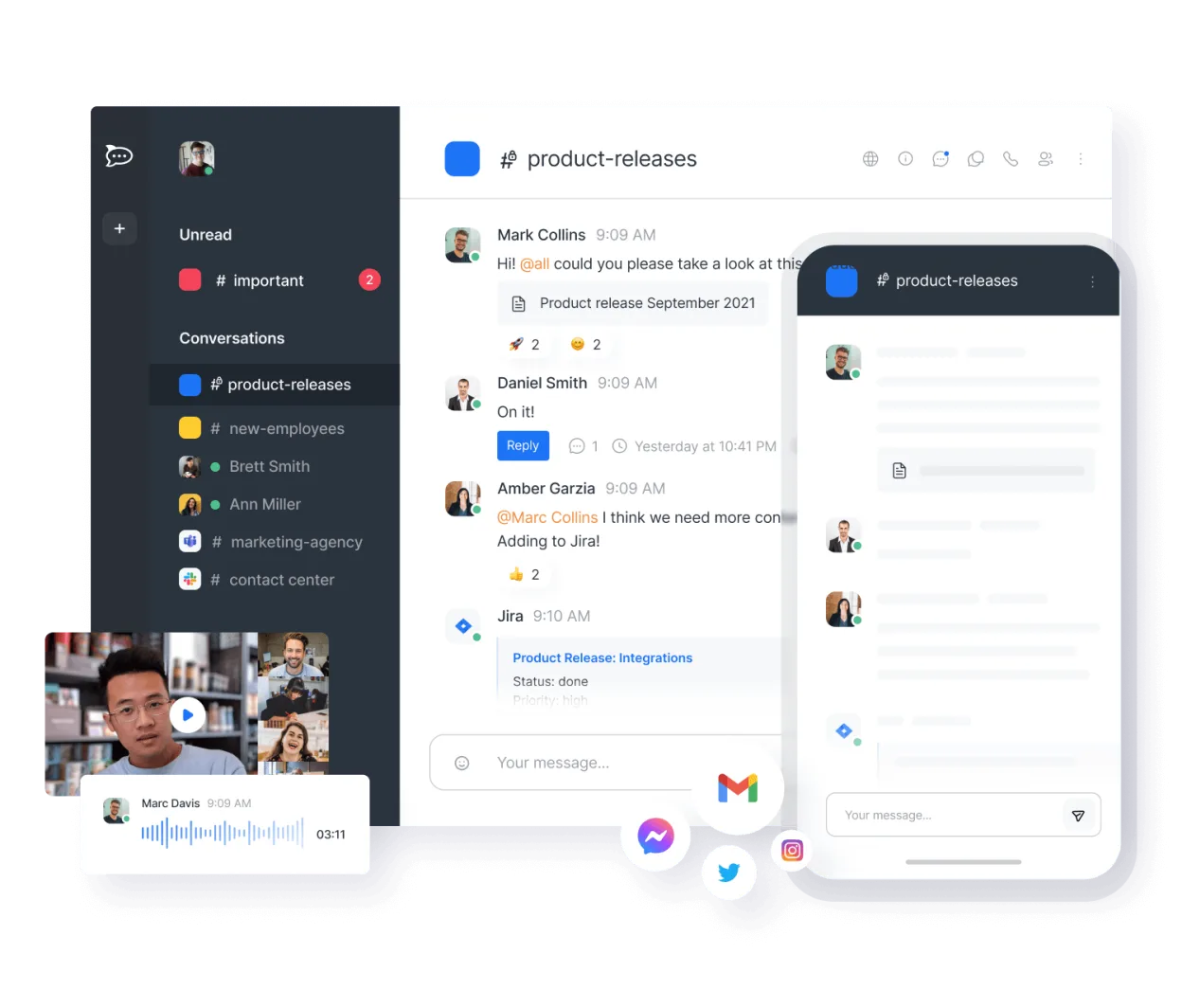
Qu’est-ce que Rocket.Chat ?
Rocket.Chat is a self-hosted, open-source alternative to proprietary team chat tools. It has been under active development for years, evolving from a simple chat client into a full collaboration suite. The project is mature, with a large community and regular updates, making it a stable choice for teams looking to own their data.
It is designed for developers, IT teams, and organizations that need secure, private communication without per-seat licensing fees. If you are tired of cloud lock-in or want to keep sensitive discussions on your own infrastructure, Rocket.Chat is a strong candidate. It supports channels, direct messages, and integrations similar to what you might find in enterprise suites.
Compared to Microsoft Teams, Rocket.chat feels lighter and more focused on chat rather than heavy office integration. The interface is clean and responsive, though it may lack some of the deep Office 365 document co-editing features out of the box. It runs well on Linux via Flatpak or native packages, offering a native feel without the bloat of Electron-only apps.
Idéal pour : Teams and developers who prioritize data ownership and want a scalable, cost-effective alternative to Slack or Teams.
Fonctionnalités clés de Rocket.Chat
- Unlimited users and channels by default
- Video and audio conferencing
- File sharing and live document editing
- Extensive API and bot integrations
- End-to-end encryption for private channels
- Self-hosted or cloud-hosted options
- Mobile apps for iOS and Android
- Customizable themes and layouts
Points forts
- No per-user licensing costs
- Full control over data and privacy
- Active development and community support
- Highly customizable via API
Points faibles
- Requires server setup and maintenance if self-hosted
- Steeper learning curve for admins compared to SaaS
- Fewer native integrations with non-open office suites
Logiciels Windows remplacés par Rocket.Chat
Installer Rocket.Chat sous Linux
flatpak install flathub chat.rocket.RocketChatConseils pour les utilisateurs de Windows
Coming from Microsoft Teams, you will notice that Rocket.Chat does not bundle Word or Excel. You will need to pair it with a separate office suite like LibreOffice or OnlyOffice for document collaboration. File sharing works similarly, but you may need to configure storage backends if self-hosting. The chat interface is intuitive, but you will need to set up your own server or use their cloud service. Expect to spend time configuring SSO and integrations to match your existing workflow, as it is not plug-and-play like a SaaS tool.
Versions récentes
- 4.18.3 —
- 4.18.2 —
- 4.17.4 —
- 4.17.3 —
Rocket.Chat : questions fréquentes
Can I use Rocket.Chat on Linux without a server?
Yes, you can use their cloud-hosted service, but for full control, most users prefer self-hosting. The client itself is just a frontend that connects to a Rocket.Chat server instance.
Is Rocket.Chat free for unlimited users?
Yes, the core software is free and open-source with no limits on users, channels, or messages. You only pay for hosting infrastructure or optional enterprise support.
Does Rocket.Chat support video calls?
Yes, it has built-in video and audio conferencing capabilities. The quality depends on your server resources and network conditions, similar to other web-based chat tools.
How hard is it to self-host Rocket.Chat?
It is moderately complex. You need a Linux server with Docker or a similar container runtime. The official documentation provides guides, but you should have some basic sysadmin experience to manage updates and backups.
Mis à jour le