

Linux · Internet
Skype
The official Linux client for Skype, offering voice, video, and messaging integration with the global network.
- Licence
- —
- Dernière version
- —
Qu’est-ce que Skype ?
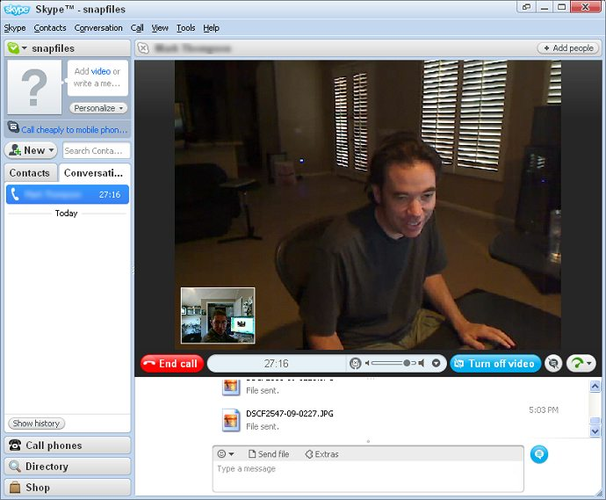
Skype for Linux is the native desktop application developed by Microsoft to bring its communication platform to the Linux ecosystem. It was launched to replace the older, less stable Skype 4.3 for Linux, which relied on Wine and had limited feature parity. The application is built specifically for Linux distributions, ensuring better compatibility with system resources and audio devices compared to the legacy version.
This tool is primarily for users who need to maintain their existing Skype account and contact list while running Linux. It is suitable for professionals, students, or anyone whose personal or professional network relies heavily on Skype for calls and file sharing. It is not a replacement for native Linux messaging protocols like XMPP or Matrix, but rather a bridge to the Microsoft ecosystem.
Compared to the Windows version, the Linux client feels more lightweight but lacks some advanced features like screen sharing in certain configurations or full integration with Office 365. The interface is familiar to Windows users, but performance can vary depending on the Linux distribution and audio backend. It is a functional tool, but not as feature-rich or polished as its Windows counterpart.
Idéal pour : Linux users who rely on Skype for personal or professional communication and need to stay connected with their existing network.
Fonctionnalités clés de Skype
- Voice and video calls with HD quality
- Instant messaging with text, emojis, and file sharing
- Group calls supporting up to 50 participants
- Integration with Microsoft accounts and contacts
- Cross-platform compatibility with Windows, macOS, and mobile
- Basic screen sharing capabilities
- Offline messaging support
Points forts
- Official Microsoft support for Linux
- Direct access to existing Skype contacts and history
- Stable performance on major Linux distributions
- No need for Wine or compatibility layers
Points faibles
- Lacks some advanced features available on Windows
- Occasional audio or video glitches depending on system setup
- Not open source, so no community-driven development
- Limited customization compared to Linux-native alternatives
Logiciels Windows remplacés par Skype
Conseils pour les utilisateurs de Windows
If you are coming from Windows, your Skype account and contact list will transfer seamlessly. However, note that some features like full screen sharing or advanced call recording may not be available. Your message history is synced across devices, so you can pick up where you left off. Be aware that the Linux client may handle audio devices differently, so you might need to adjust your system audio settings if you experience issues with microphones or speakers.
Skype : questions fréquentes
Is Skype for Linux free to use?
Yes, basic messaging and calls to other Skype users are free. Calls to landlines or mobile phones may incur charges.
Can I use Skype for Linux on any distribution?
It is available for major distributions like Ubuntu, Fedora, and Debian. You may need to install additional dependencies for it to run smoothly.
Does Skype for Linux support screen sharing?
Yes, it supports basic screen sharing, but it may not be as reliable or feature-rich as the Windows version.
Is my data private on Skype for Linux?
Skype uses end-to-end encryption for some features, but Microsoft has access to your data. It is not as private as open-source alternatives like Signal or Matrix.
Mis à jour le