
 Nextcloud Desktop ClientLinux
vs
Google DriveWindows
Nextcloud Desktop ClientLinux
vs
Google DriveWindows
Nextcloud Desktop Client, alternative Linux à Google Drive
Mis à jour le
Notre avis
The Nextcloud Desktop Client can replace Google Drive for users who already run a Nextcloud server or are willing to set one up. It provides two‑way sync, offline access, selective sync, and version history, matching most everyday Google Drive use cases. It is ideal for privacy‑conscious users, small teams, or anyone who wants to keep files locally while sharing via Nextcloud’s web interface. However, it does not offer the same Google Docs/Sheets/Slides collaboration suite, so users who rely heavily on real‑time document editing will need an alternative.
- Licence
- GPL-2.0+
- Prix
- Gratuit
- Dernière version
- 35.0.0 (12 octobre 2026)
- Note
- —
Ce qui fonctionne pareil
- Two‑way file synchronization between local folders and a cloud server
- Offline file access with automatic sync when reconnected
- Cross‑platform support (Linux, Windows, macOS)
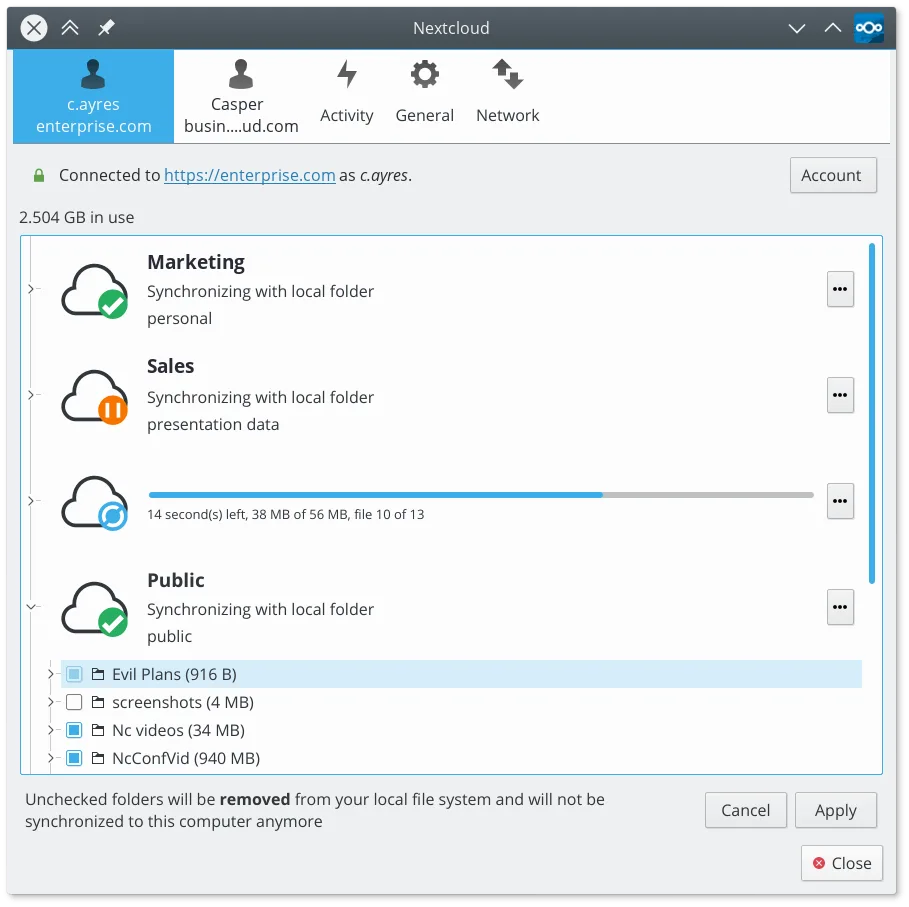
- Selective sync to save disk space
- Version history and file restoration
Ce qui change
- No built‑in real‑time document collaboration like Google Docs
- No native integration with Google Workspace apps
- Requires a Nextcloud server (self‑hosted or hosted) rather than a free public service
- No native web‑based file editor for non‑text files
- No direct integration with Google Drive API for third‑party apps
Ouvrir vos fichiers Google Drive
Google Drive files such as .docx, .xlsx, and .pptx can be opened with LibreOffice or other office suites after syncing. Nextcloud does not convert Google Docs files to native formats automatically; users must export from the web interface or use the Nextcloud office suite if available. For plain text and binary files, compatibility is identical to any other cloud service.
Passer de Google Drive à Nextcloud Desktop Client, étape par étape
- 1. Export or download all files from Google Drive to a local folder.
- 2. Install the Nextcloud Desktop Client and create a Nextcloud account or connect to an existing server.
- 3. In the client, add the local folder you exported as a sync folder and choose selective sync options if needed.
- 4. Let the client upload the files to the Nextcloud server; verify that all files appear in the web interface.
- 5. Update any shared links or permissions to use Nextcloud’s sharing features.
- 6. Remove the Google Drive client from your system once sync is verified.
Fonctionnalités clés de Nextcloud Desktop Client
- Synchronisation bidirectionnelle des fichiers et dossiers
- Prise en charge de la synchronisation sélective pour économiser de l’espace disque
- Historique des versions et restauration de fichiers
- Intégration avec les fonctionnalités du serveur Nextcloud comme le partage de liens
- Résolution des conflits pour les modifications simultanées
- Prise en charge des gros fichiers et des données binaires
- Icône de la zone de notification pour un statut rapide et pause/reprise
- Support multiplateforme incluant Linux, Windows et macOS
Installer Nextcloud Desktop Client sous Linux
flatpak install flathub com.nextcloud.desktopclient.nextcloudQuestions fréquentes
Will my Google Drive files be automatically converted to Nextcloud formats?
No. Nextcloud stores files as they are. If you need Google Docs, Sheets, or Slides, export them to a compatible format before syncing.
Can I use the same Google Drive shared links in Nextcloud?
No. Shared links are specific to each service. You’ll need to recreate sharing permissions in Nextcloud’s web interface.
Does Nextcloud support large file uploads like Google Drive?
Yes. Nextcloud can handle large files, but the upload speed depends on your server’s bandwidth and storage limits.
3 autres alternatives à Google Drive
 Seafile ClientSeafile est un client de bureau multiplateforme qui synchronise les fichiers vers un serveur auto-hébergé ou…Open sourceGratuitFlatpakSeafile Client ou Google Drive
 SyncThingySyncThingy est une icône de barre système légère qui contrôle Syncthing, vous permettant de consulter l'état…Open sourceGratuitFlatpakSyncThingy ou Google Drive
 RClone ManagerUne interface graphique pour rclone qui vous permet de gérer des comptes de stockage cloud sans utiliser la…Open sourceGratuitFlatpakRClone Manager ou Google Drive