
 PolychromaticLinux
vs
Razer SynapseWindows
PolychromaticLinux
vs
Razer SynapseWindows
Polychromatic, alternative Linux à Razer Synapse
Mis à jour le
Notre avis
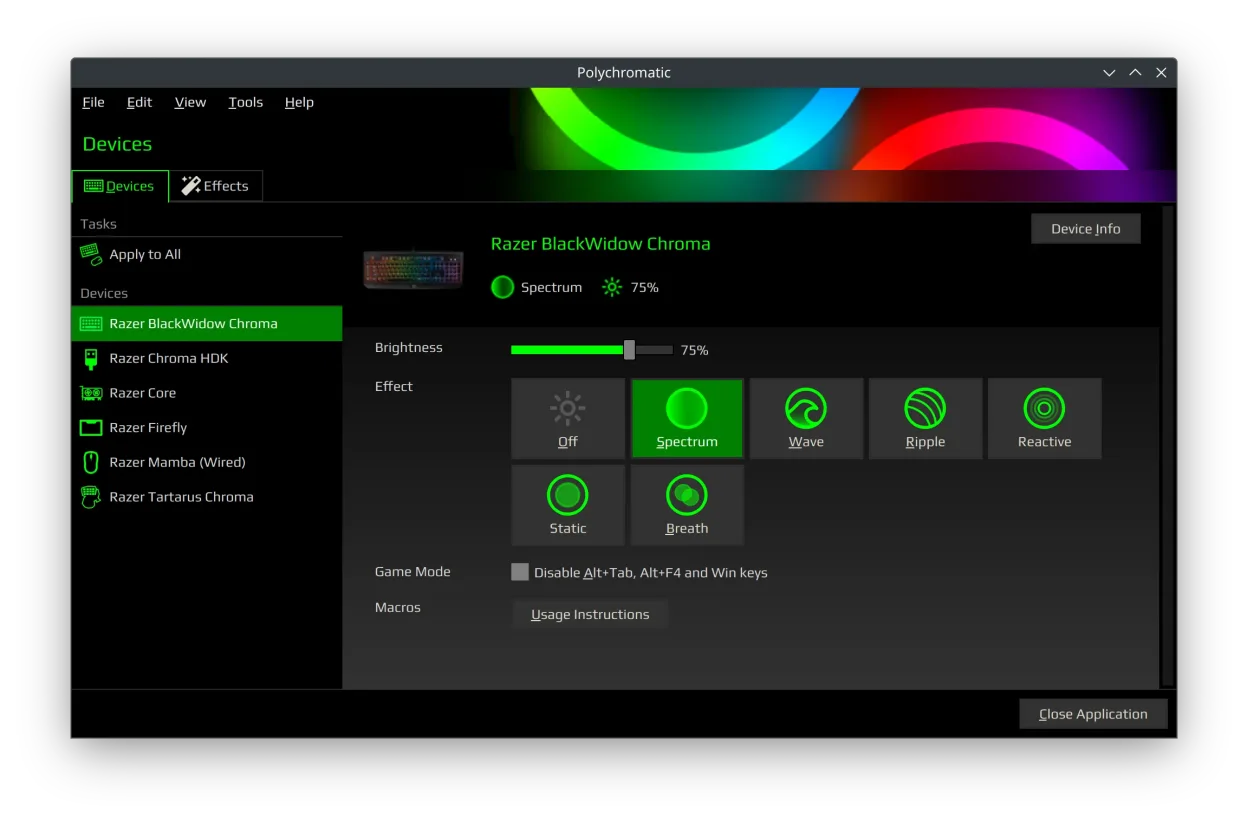
Polychromatic is a solid replacement for Razer Synapse on Linux, but with clear limits. It handles core functions like RGB lighting, DPI, polling rate, and profile management reliably if you're using supported devices and OpenRazer. Button remapping and macros are not supported—this is the biggest gap. If you mainly want lighting effects and hardware settings without macros, Polychromatic works well. It's best for users who prioritize visual customization and basic device tuning over advanced input programming. Requires some setup, but once running, it's stable and persistent.
- Licence
- GPL-3.0-or-later
- Prix
- Gratuit
- Dernière version
- 0.9.8 (8 août 2026)
- Note
- —
Ce qui fonctionne pareil
- Controls RGB lighting effects and colors on Razer devices
- Adjusts DPI settings and polling rate per device
- Supports saving and loading per-device profiles
- Displays device info like firmware version and battery
- Applies settings locally and persists across reboots
Ce qui change
- No button remapping or macro support
- No cloud profile sync—profiles are local only
- No mobile app or cross-platform sync
- Limited to devices supported by OpenRazer
- No automatic firmware updates
Ouvrir vos fichiers Razer Synapse
Polychromatic cannot import or export Razer Synapse profile files (.rzsyn). The two apps use incompatible formats and ecosystems. You cannot transfer lighting or DPI settings directly from Synapse to Polychromatic. Profiles must be recreated manually. There is no converter tool available, and Synapse's cloud profiles are not accessible on Linux.
Passer de Razer Synapse à Polychromatic, étape par étape
- Install OpenRazer from your distribution's repository or the official site
- Install Polychromatic via Flatpak or native package
- Connect your Razer device and verify it appears in Polychromatic
- Recreate lighting effects and DPI settings manually
- Save profiles and enable hardware-saving for persistence
Fonctionnalités clés de Polychromatic
- Contrôler l'éclairage RGB sur les claviers, souris et casques Razer
- Ajuster la DPI, la fréquence d'interrogation et les paramètres du mode jeu
- Tester les positions individuelles des LED sur les périphériques compatibles
- Créer et modifier des effets et animations d'éclairage personnalisés
- Afficher les informations du périphérique : version du micrologiciel, numéro de série, batterie
- Prend en charge les profils par périphérique et la sauvegarde matérielle
- Fonctionne avec le support de pilote au niveau du noyau d'OpenRazer
- Disponible en Flatpak ou en paquet natif
Installer Polychromatic sous Linux
flatpak install flathub app.polychromatic.controllerQuestions fréquentes
Does Polychromatic support all Razer devices?
No. Support depends on OpenRazer. Most wired devices are supported, but newer or wireless models may have limited or no support. Check the OpenRazer device list before relying on it.
Can I assign macros to buttons with Polychromatic?
No. Polychromatic does not support button remapping or macros. It only configures lighting, DPI, polling rate, and Game Mode. For input remapping, use xbindkeys or udev rules with custom scripts.
Why isn’t my Razer device showing up in Polychromatic?
First, confirm OpenRazer is installed and running. Check that your device is listed in the OpenRazer compatibility table. If it’s supported, try reconnecting the device or restarting the OpenRazer service.
3 autres alternatives à Razer Synapse
 PiperPiper est une interface graphique Linux pour configurer les souris de jeu via ratbagd.Open sourceGratuitFlatpakPiper ou Razer Synapselibratbaglibratbag est une bibliothèque Linux et un outil CLI qui gère les profils de souris de jeu, remplaçant…Open sourceGratuitlibratbag ou Razer SynapseopenrazerUn démon Linux et un outil CLI pour contrôler les périphériques de jeu Razer tels que les souris, claviers et…Open sourceGratuitopenrazer ou Razer Synapse