
 Qalculate! (GTK UI)Linux
vs
CalculatorWindows
Qalculate! (GTK UI)Linux
vs
CalculatorWindows
Qalculate! (GTK UI), alternative Linux à Calculator
Mis à jour le
Notre avis
Qalculate! is a strong replacement for the standard Windows Calculator, offering significantly more depth for scientific and programmer tasks. It covers all basic arithmetic needs while adding symbolic math, unit conversion, and arbitrary precision. The GTK interface is familiar to Linux users, though it may feel busier than the minimalist Windows app. It is ideal for students, engineers, and developers who need more than simple addition. If you only need quick mental math, it might be overkill, but for serious calculation work, it outperforms the standard utility by a wide margin.
- Licence
- GPL-2.0+
- Prix
- Gratuit
- Dernière version
- 5.13.0 (5 octobre 2026)
- Note
- —
Ce qui fonctionne pareil
- Performs basic arithmetic operations like addition, subtraction, and division
- Includes scientific mode with trigonometric and logarithmic functions
- Supports keyboard input for fast calculation entry
- Maintains a history of previous calculations
- Offers memory storage functions for intermediate values
Ce qui change
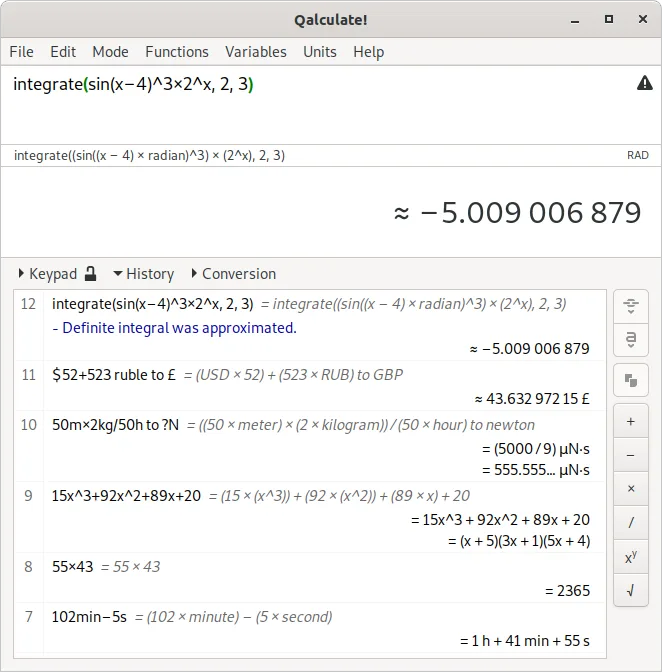
- Includes symbolic math capabilities like solving equations and integrals, which the standard Calculator lacks
- Features a comprehensive unit conversion library and physical constants database
- Supports arbitrary precision and uncertainty propagation for high-accuracy scientific work
- Has built-in plotting capabilities for visualizing functions
- The interface is more complex and feature-dense than the minimalist Windows Calculator
Ouvrir vos fichiers Calculator
The standard Windows Calculator does not use a proprietary file format for saving calculations; it relies on internal state or simple text export. Qalculate! can import and export calculations in various text-based formats. If you have saved Windows Calculator history, you may need to manually copy the text into Qalculate!. There is no direct binary compatibility, but text-based history files can usually be pasted or imported without issue.
Passer de Calculator à Qalculate! (GTK UI), étape par étape
- Install Qalculate! via your package manager or Flathub
- Configure keyboard shortcuts to match your previous workflow if needed
- Test basic arithmetic to ensure the input mode behaves as expected
- Explore the unit conversion tab to familiarize yourself with the extended library
- Set up any custom functions or constants you frequently use
Fonctionnalités clés de Qalculate! (GTK UI)
- Calculs symboliques, y compris intégrales et équations
- Bibliothèque étendue de calculs et conversions d'unités
- Précision arbitraire et propagation des incertitudes
- Prise en charge de l'arithmétique d'intervalles
- Capacités de tracé de graphiques intégrées
- Grande bibliothèque de fonctions personnalisables
- Base de données de constantes physiques
- Compatibilité multiplateforme
Installer Qalculate! (GTK UI) sous Linux
flatpak install flathub io.github.QalculateQuestions fréquentes
Is Qalculate! difficult to learn for basic users?
The basic arithmetic interface is straightforward. However, the additional tabs for symbolic math and units can be overwhelming if you do not need them. You can ignore those sections and use it like a standard calculator.
Does it support programmer mode?
Yes, Qalculate! supports hexadecimal, binary, and octal bases, as well as bitwise operations, making it a suitable replacement for the programmer mode in Windows Calculator.
Can I use it for currency conversion?
Yes, it includes currency conversion tools. You may need to update the exchange rates or configure a source for live data, depending on your system setup.