
 ReaperLinux
vs
iZotope RXWindows
Reaper, alternative Linux à iZotope RX
Mis à jour le
Notre avis
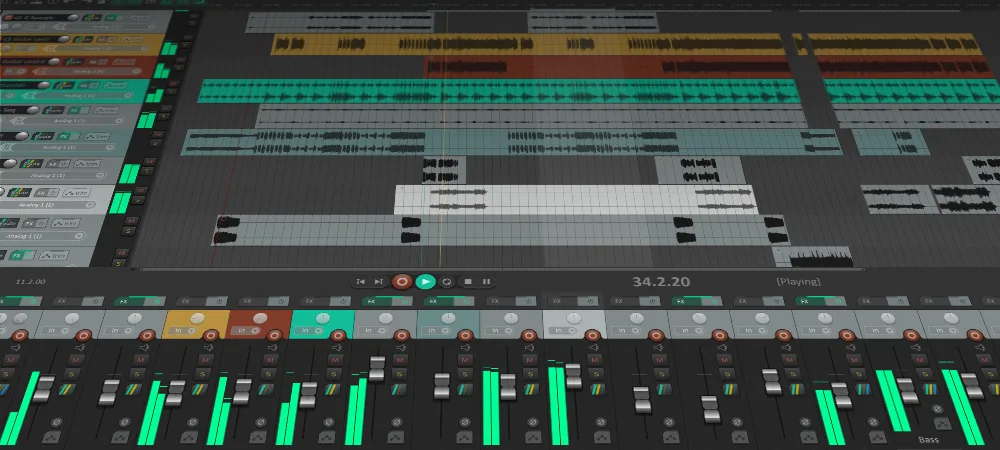
Reaper can handle many of the tasks that iZotope RX users need, such as noise reduction, click removal, hum filtering, and batch processing, thanks to its built‑in FX and support for third‑party spectral editors. However, it is a DAW, not a dedicated repair suite, so the workflow is less focused on spectral editing and more on general mixing. It works best for users who already use Reaper for recording or mixing and want to add repair tools, but those who rely on RX’s specialized modules may find the experience less streamlined.
- Licence
- LicenseRef-proprietary=https://www.reape…
- Prix
- freemium
- Dernière version
- 7.85 (5 novembre 2026)
- Note
- —
Ce qui fonctionne pareil
- Both provide non‑destructive editing and automation
- Both support batch processing and export options
- Both can run VST plugins for advanced audio processing
- Both allow detailed spectral editing through third‑party plugins
- Both support external audio interfaces
Ce qui change
- Reaper is a full DAW; RX is a focused repair suite
- RX has dedicated modules for reverb reduction and spectral repair; Reaper relies on plugins
- RX offers a guided workflow for common repairs; Reaper requires manual setup
- RX provides a library of presets for common issues; Reaper does not
- RX is a single application; Reaper requires additional plugins for some RX functions
Ouvrir vos fichiers iZotope RX
Reaper can import standard audio formats (WAV, AIFF, MP3, etc.) that RX exports, but it does not natively open RX project files. To transfer work, export the audio from RX and re‑import it into Reaper for further processing.
Passer de iZotope RX à Reaper, étape par étape
- Export the damaged audio from iZotope RX as a WAV or AIFF file.
- Install Reaper from the official repository or Flathub.
- Open the exported file in Reaper and create a new track.
- Apply Reaper’s built‑in noise reduction or load a VST spectral editor to perform the same repairs.
- Use Reaper’s batch export to process multiple files if needed.
- Save the Reaper project for future non‑destructive editing.
Fonctionnalités clés de Reaper
- Multitrack audio and MIDI recording
- Full mixing console with VST, AU, and LV2 support
- Non-destructive editing and automation
- Built‑in FX and plugin host
- Customizable UI and shortcuts
- Support for external audio interfaces
- Batch processing and export options
Installer Reaper sous Linux
flatpak install flathub fm.reaper.ReaperQuestions fréquentes
Does Reaper replace all of iZotope RX’s spectral editing features?
Reaper itself does not include dedicated spectral editors, but it can host VST plugins that provide similar functionality, such as iZotope RX modules or other spectral tools.
Can I use Reaper to reduce reverb like RX does?
Yes, by using a reverb reduction plugin or a spectral editor within Reaper, you can achieve comparable results, though the workflow differs from RX’s dedicated module.
Is Reaper free for personal use?
Reaper offers a 60‑day fully functional trial; after that, a discounted license is available for personal or non‑commercial use. The license is not free but is inexpensive.
