
 ElementLinux
vs
Microsoft Teams (full desktop calling support)Windows
ElementLinux
vs
Microsoft Teams (full desktop calling support)Windows
Element, alternative Linux à Microsoft Teams (full desktop calling support)
Mis à jour le
Notre avis
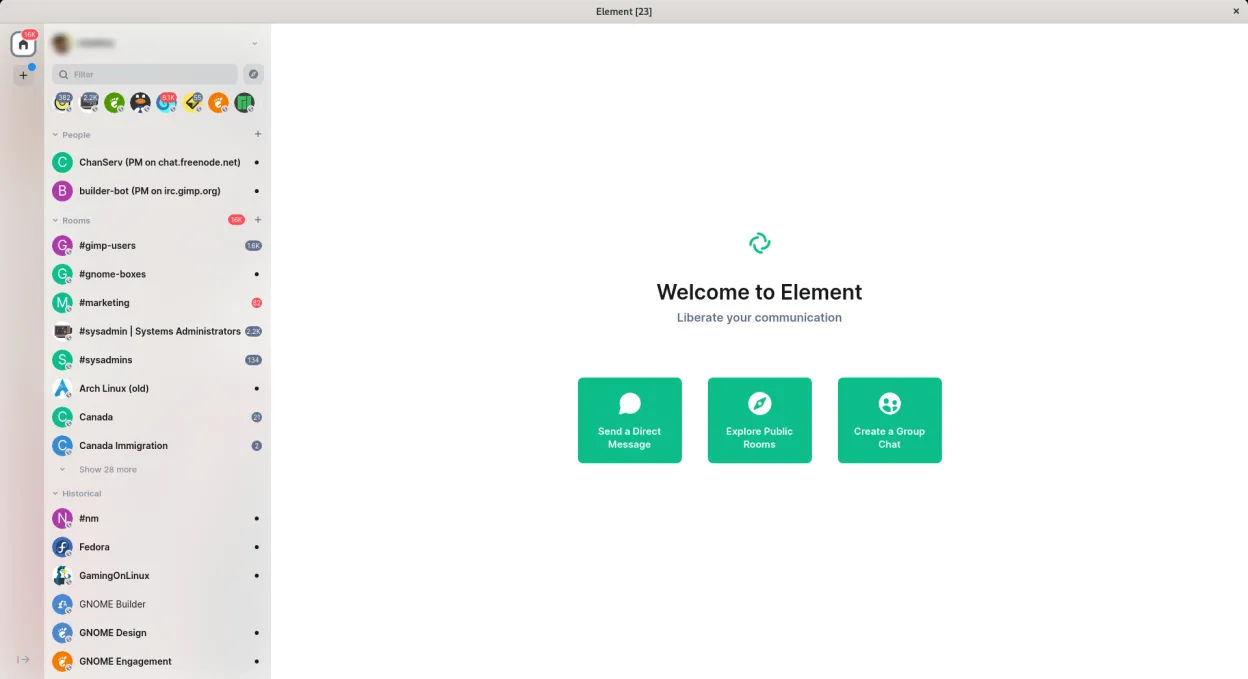
Element is a solid replacement for Microsoft Teams if your primary needs are secure messaging, voice/video calls, and persistent group chats. It excels in transparency, decentralization, and privacy via end-to-end encryption. However, it lacks deep integration with Office 365 and real-time document collaboration like Teams + SharePoint. Organizations relying heavily on Microsoft workflows will face friction. Element works best for teams prioritizing open protocols, self-hosting, and cross-domain communication over tight Microsoft ecosystem integration.
- Licence
- AGPL-3.0-only OR GPL-3.0-only
- Prix
- Gratuit
- Dernière version
- 1.12.32 (16 octobre 2026)
- Note
- —
Ce qui fonctionne pareil
- Both support persistent group and direct messaging with full history
- Voice and video calls with screen sharing using WebRTC
- Cross-platform sync across desktop, web, and mobile clients
- File sharing within chats and support for encryption
- Support for large teams with mentions, replies, and read receipts
Ce qui change
- Element has no native integration with Microsoft Office or real-time co-editing of documents
- No calendar or email integration like Outlook/Exchange within Element
- Microsoft Teams offers deeper enterprise management tools and policies
- Element supports end-to-end encryption by default; Teams only offers it selectively
- Teams has broader device support (e.g., Teams Rooms, phones), which Element lacks
Ouvrir vos fichiers Microsoft Teams (full desktop calling support)
Element does not support opening Microsoft Teams-specific files or chat exports directly. Shared documents in Element are standard files (PDF, DOCX, etc.) but lack conversion or import from Teams-native formats like OneNote or SharePoint-linked files. If documents were exported from Teams to generic formats, they can be viewed and shared in Element like any file. There is no automated migration path for chat logs or meeting history between the platforms.
Passer de Microsoft Teams (full desktop calling support) à Element, étape par étape
- Install Element via Flathub or official package for your distro
- Create a new workspace or join an existing Matrix server
- Invite team members using their Matrix IDs or email if supported
- Set up rooms per project or team and configure notification rules
- Integrate bots or bridges (e.g., to Slack or IRC) as needed
- Migrate files manually by uploading to relevant rooms
Fonctionnalités clés de Element
- Chiffrement de bout en bout pour toutes les discussions individuelles et de groupe
- Salles de discussion persistantes avec historique complet des messages
- Appels vocaux et vidéo via WebRTC avec support de PipeWire
- Notifications personnalisées et alertes par mots-clés
- Intégrations de bots et de passerelles (ex. : IRC, Slack, Discord)
- Support des serveurs Matrix auto-hébergés
- Mentions, réponses et accusés de lecture
- Partage de fichiers avec chiffrement
Installer Element sous Linux
flatpak install flathub im.riot.RiotQuestions fréquentes
Can Element do screen sharing on Linux?
Yes, Element supports screen sharing on Linux using PipeWire, required for capturing displays under Wayland. Ensure your system has PipeWire running and the browser permission prompt is allowed.
Does Element support calling from mobile and desktop simultaneously?
Yes, Element synchronizes active calls across devices, but only one device can join a call at a time, similar to Teams. Notifications and call setup sync reliably across platforms.
Can I use Element with people outside my organization?
Yes, Matrix is federated—like email—so you can communicate with users on other Matrix servers without extra setup, unlike Teams which requires guest access configuration.
5 autres alternatives à Microsoft Teams (full desktop calling support)
 Jitsi MeetJitsi Meet est un client de vidéoconférence open-source qui se connecte à n’importe quel serveur Jitsi pour…Open sourceGratuitFlatpakJitsi Meet ou Microsoft Teams (full desktop calling support)
 ElementElement est un client de messagerie et de visioconférence basé sur Matrix, open source, pour Linux.Open sourceGratuitFlatpakElement ou Microsoft Teams (full desktop calling support)
 ZoomZoom est une application propriétaire de visioconférence pour les réunions en ligne, les webinaires et le…FlatpakZoom ou Microsoft Teams (full desktop calling support)
 MattermostMattermost est une plateforme de collaboration open source et auto-hébergée, conçue pour les équipes de…Open sourceGratuitFlatpakMattermost ou Microsoft Teams (full desktop calling support)LinphoneLinphone est un client SIP gratuit et open source pour les appels vocaux et vidéo, prenant en charge les…Open sourceGratuitLinphone ou Microsoft Teams (full desktop calling support)
Toutes les alternatives à Microsoft Teams (full desktop calling support)