
 AnkiLinux
vs
AnkiWindows
Anki como alternativa Linux ao Anki
Atualizado em
Nossa avaliação
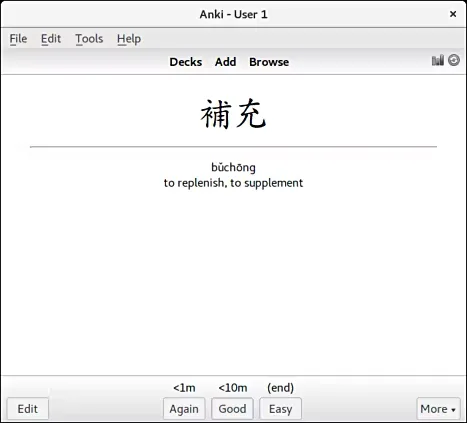
Anki on Linux is the same application as the Windows version, not just a replacement. It is the official cross-platform client, so you get identical features, algorithms, and sync capabilities. If you are moving from Windows to Linux, you are not switching tools; you are just changing the operating system. The only real difference is the interface styling, which follows Linux desktop conventions. For anyone relying on Anki for medical, language, or technical study, this is a direct 1:1 swap with no learning curve or feature loss.
- Licença
- AGPL-3.0+
- Preço
- Grátis
- Versão mais recente
- 26.09.4 (4 de novembro de 2026)
- Avaliação
- —
O que funciona igual
- Identical spaced repetition algorithm (FSRS/SM-2)
- Same add-on ecosystem and compatibility
- Support for text, images, audio, video, and LaTeX
- Cross-platform sync via AnkiWeb
- Customizable card templates and note types
O que muda
- Interface styling follows Linux desktop themes rather than Windows aesthetics
- Installation via package manager or Flathub instead of Windows installer
- Native Linux file integration and keyboard shortcuts
- LaTeX support may require installing the TeX Live Flatpak extension
Abrindo seus arquivos do Anki
File compatibility is perfect because it is the same software. You can open .apkg deck files directly without conversion. Anki handles .txt imports and exports natively. Since the core data structure is identical across platforms, any deck created on Windows will open on Linux with all media, tags, and scheduling data intact. There are no format translation steps required.
Trocando o Anki pelo Anki, passo a passo
- Install Anki via your distribution's package manager or Flathub
- Launch Anki and log in to your AnkiWeb account to sync existing decks
- If syncing is not possible, copy .apkg files from Windows to your Linux machine
- Import the .apkg files via File > Import
- Install any required add-ons from the Anki add-on browser
- Verify that media files (images/audio) are present in the deck folder if using local files
Principais recursos do Anki
- Algoritmo de repetição espaçada
- Suporte para texto, imagens, áudio, vídeo, LaTeX
- Modelos de cartão personalizáveis
- Ecossistema de add-ons
- Sincronização via AnkiWeb
- Exportação/importação em .apkg e .txt
- Interface com forte uso de teclado
- Disponibilidade multiplataforma
Como instalar o Anki no Linux
flatpak install flathub net.ankiweb.Ankisudo apt install ankisudo pacman -S ankiPerguntas frequentes
Will my existing decks sync automatically?
Yes. Log in to AnkiWeb on the Linux client, and your decks, notes, and media will sync exactly as they do on Windows.
Does the Linux version support LaTeX?
Yes, but you may need to install the TeX Live Flatpak extension if using the Flatpak version. Native package installations usually handle this via system dependencies.
Are add-ons compatible?
Yes. The add-on ecosystem is shared across all platforms. Any add-on you use on Windows will work on Linux without modification.