
 blueMarineLinux
vs
 Adobe Photoshop LightroomWindows
blueMarine como alternativa Linux ao Adobe Photoshop Lightroom
Atualizado em
Nossa avaliação
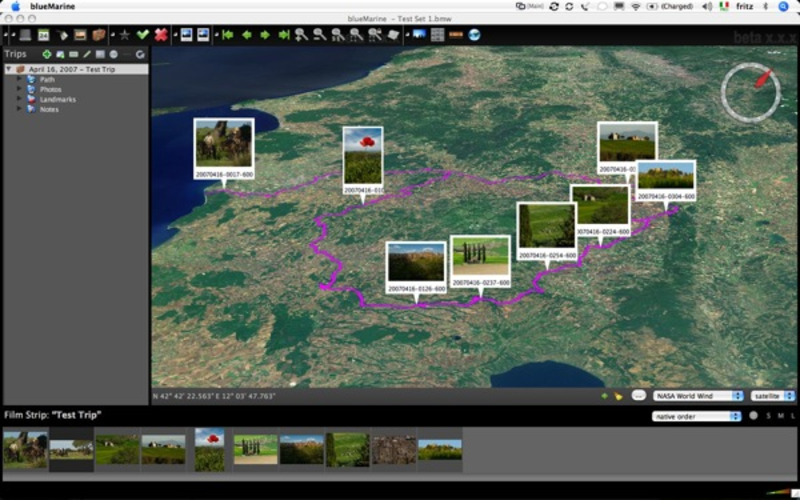
blueMarine is a discontinued, basic tool that covers only the absolute basics of photo management. It is not a good replacement for Adobe Lightroom for serious photographers. It lacks advanced non-destructive editing, sophisticated color tools, and robust metadata search. If you only need to convert a few RAW files to JPEG and do minor exposure tweaks, it might suffice. However, for organizing large libraries or professional workflows, it is too limited. You are better off using Darktable or RawTherapee, which are active, feature-rich, and genuinely comparable to Lightroom.
- Licença
- GPL-3.0
- Preço
- Grátis
- Versão mais recente
- —
- Avaliação
- —
O que funciona igual
- Imports and catalogs RAW image files
- Performs basic color and exposure adjustments
- Supports batch processing for multiple images
- Exports to standard formats like JPEG and TIFF
- Allows basic metadata editing
O que muda
- Discontinued and no longer maintained, unlike Lightroom
- Lacks advanced non-destructive editing tools like local adjustments
- No sophisticated color correction or HSL sliders
- Weak metadata tagging and keyword search capabilities
- No integration with external editors or plugins
Abrindo seus arquivos do Adobe Photoshop Lightroom
blueMarine uses its own catalog format, so it cannot directly open Adobe Lightroom catalogs (.lrcat). You will need to export your photos from Lightroom as DNG or keep your original RAW files and re-import them into blueMarine. Since blueMarine is discontinued, long-term compatibility with newer RAW formats is not guaranteed.
Trocando o Adobe Photoshop Lightroom pelo blueMarine, passo a passo
- Export your photo library from Lightroom as DNG files or keep original RAWs
- Install blueMarine on your Linux system
- Create a new catalog in blueMarine
- Import the exported DNG or original RAW files into the catalog
- Re-apply any necessary basic adjustments manually
Principais recursos do blueMarine
- Importação e catalogação de imagens RAW
- Correção de cor básica e ajustes de exposição
- Processamento em lote de imagens
- Edição de metadados
- Exportação para formatos comuns (JPEG, TIFF)
- Interface de usuário simples
- Suporte a formatos RAW padrão
Perguntas frequentes
Is blueMarine still being updated?
No, blueMarine is discontinued. You should look for active alternatives like Darktable or RawTherapee.
Can blueMarine handle large photo libraries?
It is not designed for large libraries. Its performance and organization tools are basic compared to Lightroom.
Does blueMarine support non-destructive editing?
It performs basic adjustments, but it lacks the comprehensive non-destructive workflow and history stack of Lightroom.
