
 CherryTreeLinux
vs
ObsidianWindows
CherryTreeLinux
vs
ObsidianWindows
CherryTree como alternativa Linux ao Obsidian
Atualizado em
Nossa avaliação
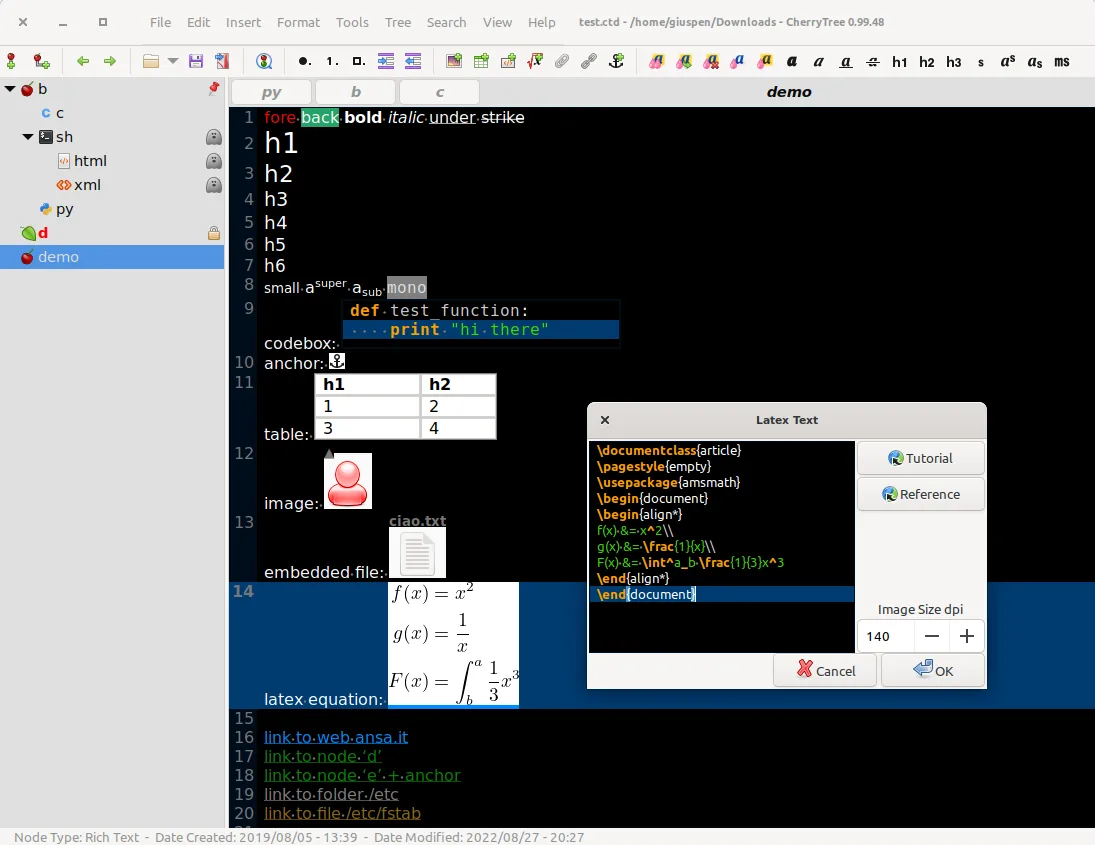
CherryTree is a decent replacement for Obsidian if you prioritize rich text formatting, local storage, and hierarchical organization over bidirectional linking and graph-based knowledge mapping. It stores notes locally and supports fast search, export, and customization, but lacks Markdown-first editing and true bidirectional links. It suits users who want a single encrypted document for notes, code snippets, and embedded media, especially if they don’t rely on link graphs or plain-text Markdown workflows. Not ideal for Obsidian users focused on networked thought or publishing.
- Licença
- GPL-3.0+
- Preço
- Grátis
- Versão mais recente
- b'1.7.2' (11 de novembro de 2011)
- Avaliação
- —
O que funciona igual
- Stores all notes locally in a single file (XML or SQLite)
- Supports fast search, find/replace, and spell check
- Allows embedding images, tables, code blocks with syntax highlighting
- Offers export to PDF, HTML, and plain text
- Works offline with no forced cloud sync
O que muda
- No native Markdown editing — uses rich text instead of plain text files
- No bidirectional links or graph view of note connections
- Hierarchy is tree-based, not tag- or link-driven like Obsidian
- No plugin system or community themes
- Interface is desktop-focused, not cross-platform with mobile sync
Abrindo seus arquivos do Obsidian
CherryTree cannot directly open Obsidian's Markdown files, especially those relying on bidirectional links or YAML frontmatter. While you can import plain text or HTML from Obsidian exports, formatting and links won't carry over automatically. Exporting from Obsidian to HTML and then importing into CherryTree may preserve basic content, but structure and linking will be lost. There’s no built-in tool to convert Obsidian vaults to CherryTree format.
Trocando o Obsidian pelo CherryTree, passo a passo
- Export your Obsidian notes to HTML or plain text using Obsidian or a plugin
- Open CherryTree and create a new document
- Manually import or copy-paste converted notes into nodes
- Rebuild hierarchy using CherryTree’s tree structure
- Use Find/Replace to fix links or formatting inconsistencies
Principais recursos do CherryTree
- Anotações hierárquicas em estrutura de árvore
- Texto formatado com imagens, tabelas e listas
- Destaque de sintaxe para blocos de código
- Proteção por senha em nós
- Exportação para PDF, HTML e texto puro
- Importação de outros aplicativos de anotações
- Verificação ortográfica e ferramentas de localizar/substituir
- Armazenamento de dados em XML ou SQLite
Como instalar o CherryTree no Linux
flatpak install flathub net.giuspen.cherrytreesudo apt install cherrytreesudo apt install cherrytreesudo pacman -S cherrytreesudo zypper install cherrytreePerguntas frequentes
Can CherryTree display a graph view like Obsidian?
No, CherryTree does not have a graph or network view of note connections. Relationships between notes must be managed manually through hyperlinks or hierarchy.
Does CherryTree support Markdown files?
No, CherryTree uses rich text formatting and stores content in XML or SQLite. It does not natively edit or save Markdown files.
Can I sync CherryTree notes across devices?
You can sync the single CherryTree file (e.g., .ctb) using any file sync tool like Syncthing or Dropbox, but there’s no built-in sync or mobile app support.
Outras 5 alternativas ao Obsidian
 JoplinJoplin é um aplicativo de anotações e tarefas de código aberto e multiplataforma que armazena dados em…Código abertoGrátisFlatpakJoplin vs Obsidian
 ZettlrZettlr é um editor Markdown rápido e de código aberto, com suporte a Zettelkasten e citações.Código abertoGrátisFlatpakZettlr vs Obsidian
 LogseqLogseq é uma ferramenta local-first para base de conhecimento não linear que armazena anotações como arquivos…Código abertoGrátisFlatpakLogseq vs Obsidian
 Standard NotesO Standard Notes é um aplicativo de anotações com criptografia de ponta a ponta que funciona em várias…Código abertoGrátisFlatpakStandard Notes vs Obsidian
 QOwnNotesQOwnNotes é um editor de Markdown de texto simples com suporte a lista de tarefas que pode sincronizar com…Código abertoGrátisFlatpakQOwnNotes vs Obsidian