
Windows · Ferramentas do Sistema
Melhores alternativas Linux ao EaseUS Partition Master
EaseUS Partition Master lets Windows users resize, merge, and format disk partitions, often for system maintenance or storage expansion.
Atualizado em
Resposta rápida
A melhor alternativa Linux ao EaseUS Partition Master é o GParted. Outras boas opções: parted.
2 alternativas Linux ao EaseUS Partition Master
-
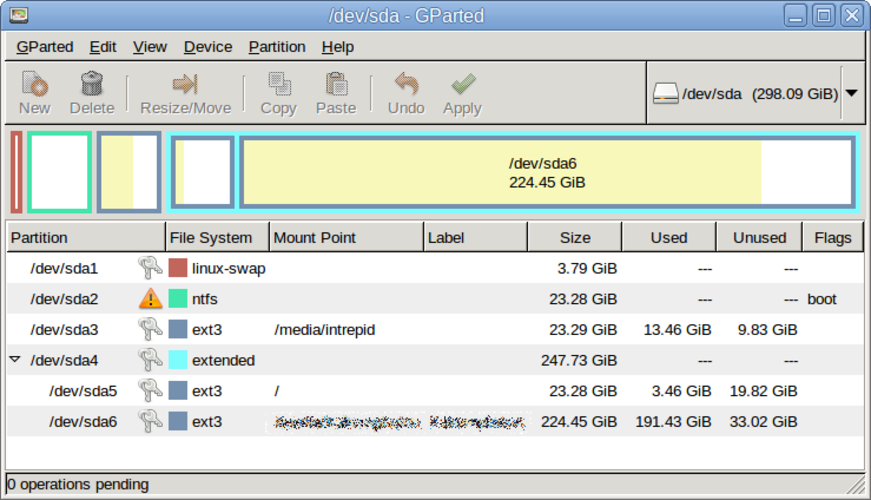
O GParted é um editor gráfico de partições gratuito e de código aberto para criar, redimensionar, mover e copiar partições de disco e sistemas de arquivos.
GParted is a solid replacement for EaseUS Partition Master for most Linux users who need to create, delete, extend, and shrink partitions and work with FAT, NTFS, and exFAT file systems. It offers a free, open‑source GUI and live‑USB support, making it suitable for system maintenance and storage…
Cobertura de recursos85% -
O Parted é uma ferramenta de linha de comando para criar, redimensionar e gerenciar partições de disco no Linux.
Parted can replace EaseUS Partition Master for users who are comfortable with a command‑line or curses interface and who need basic partition manipulation on Linux. It supports creating, deleting, resizing, and moving partitions, converting FAT/NTFS/exFAT, and can back up data before changes if the…
Cobertura de recursos70%

O que é o EaseUS Partition Master?
EaseUS Partition Master is a Windows utility that lets you create, delete, extend, shrink, and convert disk partitions without losing data. Users range from home PC owners who need to reorganise their hard drive to IT professionals managing multiple servers. The tool is sold as a commercial product with a free trial; the full version requires a license.
The program is popular because it offers a graphical interface for tasks that are otherwise command‑line heavy in Windows. It supports FAT, NTFS, and exFAT, and can convert between them.
Linux users look for an equivalent because the native tools can be less intuitive, and they want a single application that handles all partition tasks safely without resorting to multiple command‑line utilities.
O que um substituto do EaseUS Partition Master precisa fazer
- Create, delete, extend, and shrink partitions
- Convert between FAT, NTFS, and exFAT file systems
- Backup partition data before changes
- Support for multiple disks and partitions
- User‑friendly GUI
Dá para usar o EaseUS Partition Master no Linux?
There is no native Linux version of EaseUS Partition Master. Users can run the Windows binary under Wine, but stability is mixed and some features may not work. No official web or Proton version exists.
Qual alternativa escolher?
For beginners who prefer a simple GUI, GParted is the best choice; it handles all standard partition operations and runs natively on Linux. Parted is a command‑line tool suited to advanced users who want scripting or integration into larger workflows.
Levando seus arquivos e hábitos do EaseUS Partition Master
Both GParted and Parted use the same underlying libfdisk and libparted libraries, so the partition tables they produce are compatible with Windows. You can export a partition layout to a script or use GParted’s backup feature, then import it on another system.
Comparação lado a lado
EaseUS Partition Master: perguntas frequentes
Does GParted support NTFS partition resizing?
Yes, GParted can resize NTFS partitions, but the operation may be slower and requires the ntfs-3g driver to be installed.
Can I convert a FAT32 partition to exFAT with GParted?
GParted can format a partition as exFAT if the exfat-fuse or exfat-utils package is installed, but it does not convert in place; you need to back up data first.
Is Parted safe for beginners?
Parted is a command‑line tool; it is powerful but has a higher risk of accidental data loss if commands are typed incorrectly.
Do I need a backup before resizing?
Always back up important data before resizing partitions, regardless of the tool you use.
Qual a importância do EaseUS Partition Master para você?
Conhece uma alternativa melhor? Sugerir uma alternativa