
 FranzLinux
vs
Microsoft Teams (consumer version)Windows
FranzLinux
vs
Microsoft Teams (consumer version)Windows
Franz como alternativa Linux ao Microsoft Teams (consumer version)
Atualizado em
Nossa avaliação
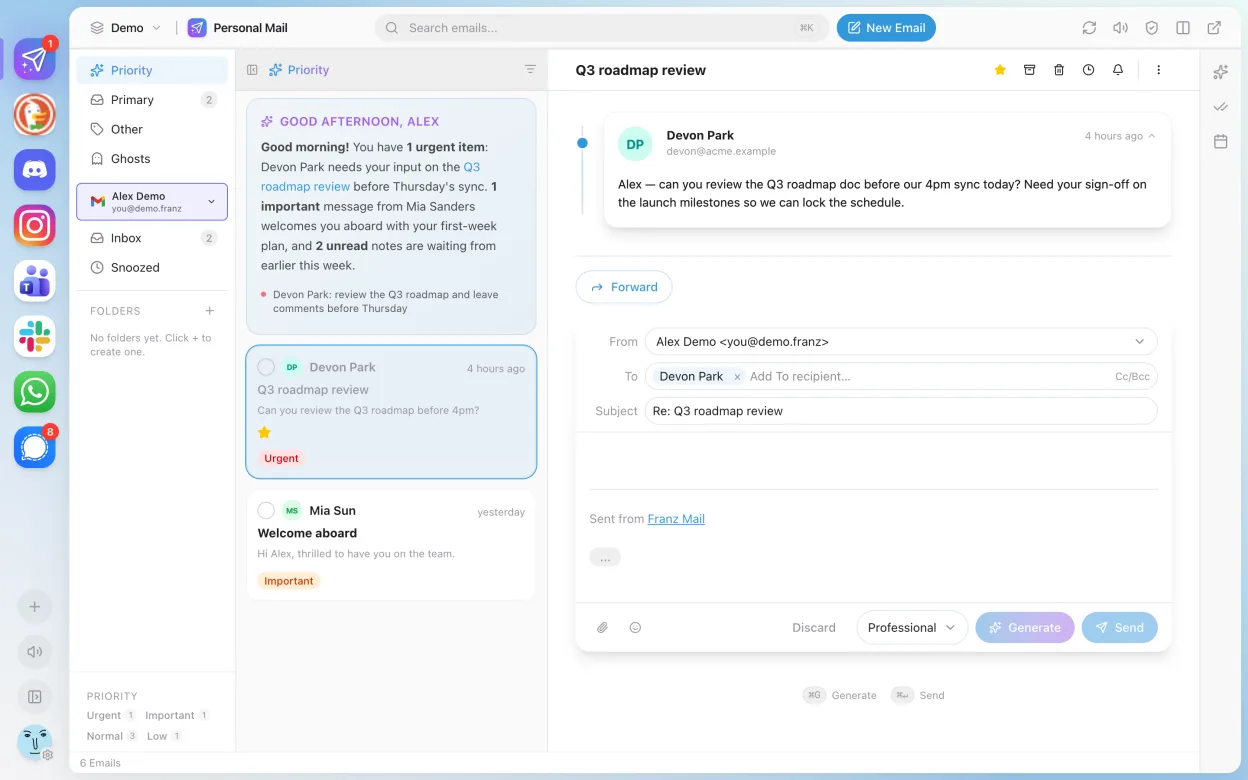
Franz is not a direct replacement for Microsoft Teams (consumer version). It aggregates messaging services like WhatsApp, Telegram, and Slack, but does not natively support Microsoft Teams as a service. If you're relying on Teams for chat, calls, or meetings, Franz won't provide that functionality out of the box. It may suit users who want one app for multiple messengers but already have Teams access separately. For Teams-dependent workflows—especially voice/video calls, screen sharing, and file collaboration—Franz alone is insufficient.
- Licença
- Apache-2.0
- Preço
- Grátis
- Versão mais recente
- 6.3.1 (12 de junho de 2026)
- Avaliação
- —
O que funciona igual
- Both support group chat with message history
- Available on Linux, Windows, and macOS
- Offer notification badges and system tray integration
- Support dark mode and theme customization
- Enable cross-platform sync for accounts added
O que muda
- Franz does not include built-in voice or video calling for Microsoft Teams
- No native screen sharing or meeting functionality
- Lacks integrated file storage and sharing within Teams context
- Franz aggregates third-party services but doesn't host its own
- No calendar or task integration specific to Teams
Abrindo seus arquivos do Microsoft Teams (consumer version)
Franz does not handle Microsoft Teams file formats or exports. If you share files via Teams, you must download and manage them separately. Franz only relays messages from supported services and doesn't support importing Teams chat logs, exported data, or meeting recordings. File compatibility depends on the individual service connected to Franz, not Teams itself.
Trocando o Microsoft Teams (consumer version) pelo Franz, passo a passo
- Install Franz via Flathub: flatpak install com.meetfranz.Franz
- Open Franz and add supported services like Slack or WhatsApp
- Use web version of Microsoft Teams in a separate browser or container
- Bookmark your Teams workspace for quick access
- Manually manage notifications across apps
- Keep Teams open in background if frequent use is needed
Principais recursos do Franz
- Supports WhatsApp, Slack, Telegram, Facebook Messenger, and others
- Groups multiple services in one window with tabbed sidebar
- Customizable themes and dark mode
- Notification badges and system tray integration
- Basic message sending and receiving across services
- Available as Flatpak via Flathub for Linux
- Cross-platform: also runs on Windows and macOS
Como instalar o Franz no Linux
flatpak install flathub com.meetfranz.FranzPerguntas frequentes
Can Franz log in to Microsoft Teams directly?
No, Franz does not support Microsoft Teams as a built-in service. You cannot log into Teams through Franz.
Is there a way to use Teams inside Franz?
Not officially. Some users add Teams as a custom service using Franz's 'unofficial' plugin, but calling and screen sharing often break.
Does Franz support video meetings like Teams?
No. Franz only handles text-based messaging from supported services. It lacks built-in video or voice call support for Teams.
Outras 4 alternativas ao Microsoft Teams (consumer version)
 JamiJami é um cliente de chat e videochamada peer‑to‑peer gratuito que funciona sem servidores centrais.Código abertoGrátisFlatpakJami vs Microsoft Teams (consumer version)
 ElementO Element é um cliente de chat e videoconferência baseado em matriz, de código aberto, para Linux.Código abertoGrátisFlatpakElement vs Microsoft Teams (consumer version)
 Delta ChatO Delta Chat é um mensageiro instantâneo descentralizado baseado em e-mail, com criptografia de ponta a ponta…Código abertoGrátisFlatpakDelta Chat vs Microsoft Teams (consumer version)
 Signal DesktopO Signal Desktop é um mensageiro privado gratuito e de código aberto para Linux, que sincroniza mensagens e…Código abertoGrátisFlatpakSignal Desktop vs Microsoft Teams (consumer version)