
 GDevelopLinux
vs
Unreal EngineWindows
GDevelopLinux
vs
Unreal EngineWindows
GDevelop como alternativa Linux ao Unreal Engine
Atualizado em
Nossa avaliação
GDevelop is not a replacement for Unreal Engine. Unreal is a high-end 3D engine for complex, real-time interactive media, while GDevelop is a no-code 2D engine. If you need 3D scene editing, advanced physics, or AAA-quality rendering, GDevelop fails. It is only suitable if your 'Unreal' project was actually a simple 2D game and you want to drop the C++/Blueprints complexity for a faster, event-based workflow on Linux.
- Licença
- MIT
- Preço
- Grátis
- Versão mais recente
- 5.6.285 (21 de outubro de 2026)
- Avaliação
- —
O que funciona igual
- Both are cross-platform game engines with native Linux support.
- Both support exporting to Windows, macOS, Linux, iOS, Android, and Web.
- Both offer visual logic systems (Blueprints vs. Events).
- Both include built-in physics and collision detection.
O que muda
- GDevelop is strictly 2D; Unreal Engine is a full 3D suite.
- Unreal uses C++ and Blueprints; GDevelop uses a no-code event system with optional JavaScript.
- Unreal features high-end real-time lighting and advanced materials; GDevelop uses sprite-based rendering.
- Unreal supports complex multiplayer networking; GDevelop has limited or no robust multiplayer support.
- GDevelop is free and open-source (MIT); Unreal Engine has a royalty-based commercial license.
Abrindo seus arquivos do Unreal Engine
There is no direct file compatibility. You cannot open Unreal Engine .umap or .uasset files in GDevelop. You must rebuild your game logic, import 2D assets (if converting from 3D), and recreate the scene structure manually. Exporting from Unreal to GDevelop is not supported.
Trocando o Unreal Engine pelo GDevelop, passo a passo
- Identify which aspects of your Unreal project are 2D and feasible in GDevelop.
- Export or recreate your 2D sprites and tilemaps from Unreal assets.
- Map your Unreal Blueprints to GDevelop events.
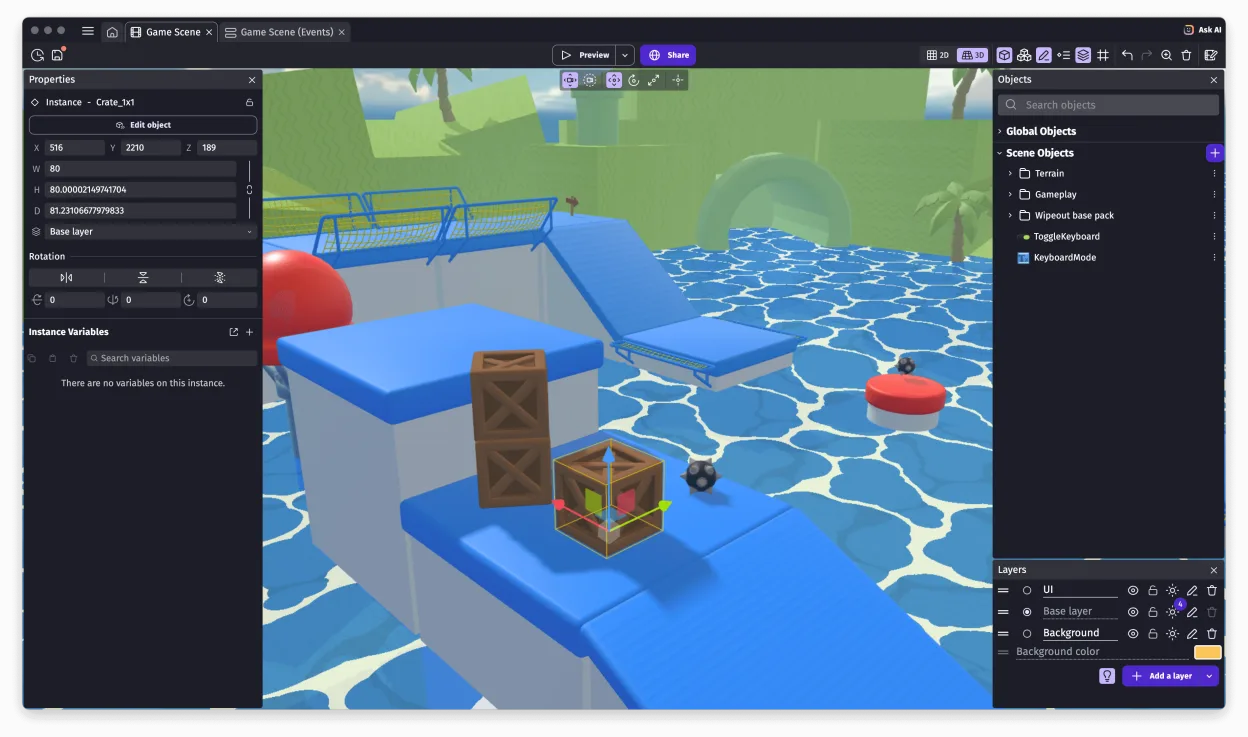
- Rebuild the scene layout using GDevelop's scene editor.
- Test physics and collision behaviors in GDevelop.
- Package and export the final game for your target platforms.
Principais recursos do GDevelop
- Sistema de lógica baseado em eventos sem código
- Exportação para Windows, macOS, Linux, iOS, Android e Web
- Física e detecção de colisão integradas
- Suporte a sprites, tilemaps e partículas
- Extensível com extensões JavaScript
- Gratuito e de código aberto com grande biblioteca de assets
- Empacotamento com um clique para distribuição
- Editor multiplataforma disponível no Linux via Flathub
Como instalar o GDevelop no Linux
flatpak install flathub io.gdevelop.idePerguntas frequentes
Can I use GDevelop for 3D games?
No. GDevelop is a 2D engine. It does not support 3D models, 3D lighting, or 3D navigation.
Does GDevelop support multiplayer?
GDevelop has limited support for simple multiplayer features, but it lacks the robust, scalable networking infrastructure found in Unreal Engine.
Is GDevelop harder to learn than Unreal?
For 2D games, GDevelop is generally easier due to its no-code event system. Unreal Engine has a steeper learning curve due to 3D complexity and C++/Blueprints.
Outras 2 alternativas ao Unreal Engine
 Godot EngineUm motor de jogos 2D e 3D gratuito e de código aberto, com uma interface unificada para criar jogos em várias…Código abertoGrátisFlatpakGodot Engine vs Unreal Engine
 BlenderBlender é uma suíte de criação 3D gratuita e de código aberto que cobre modelagem, animação, renderização e…Código abertoGrátisFlatpakBlender vs Unreal Engine