
 HarunaLinux
vs
VLCWindows
HarunaLinux
vs
VLCWindows
Haruna como alternativa Linux ao VLC
Atualizado em
Nossa avaliação
Haruna can replace VLC for users who mainly play local files and want a lightweight player with custom keyboard shortcuts and online video support. It lacks many of VLC’s advanced features such as full streaming protocol support, transcoding, and extensive subtitle management, so it is best suited for casual users who do not need those capabilities.
- Licença
- GPL-3.0-or-later
- Preço
- Grátis
- Versão mais recente
- 1.8.1 (19 de maio de 2026)
- Avaliação
- —
O que funciona igual
- Both are free, open‑source media players available on Linux
- Both support playing local video and audio files
- Both allow keyboard shortcut customization
- Both receive regular updates
- Both can be installed via Flatpak and native package managers
O que muda
- Haruna does not support the full range of streaming protocols that VLC does (e.g., RTSP, MMS, HTTP live streaming)
- Haruna lacks built‑in transcoding and advanced audio/video filters
- Haruna’s subtitle handling is limited; it does not support external subtitle files as robustly as VLC
- Haruna does not provide a comprehensive playlist editor or advanced playback features like repeat or shuffle
- Haruna’s interface is minimal and may not expose all media information that VLC shows
Abrindo seus arquivos do VLC
Haruna opens standard media files (MP4, MKV, MP3, etc.) without needing extra codecs, similar to VLC. It does not import or export VLC‑specific playlist or configuration files, so users cannot directly migrate playlists or settings from VLC to Haruna.
Trocando o VLC pelo Haruna, passo a passo
- 1. Install Haruna via your distribution’s package manager or Flatpak.
- 2. Export any VLC playlists you need (File → Save Playlist to File).
- 3. Open the exported playlist in Haruna or rebuild it manually.
- 4. Recreate any custom keyboard shortcuts in Haruna’s settings.
- 5. Test playback of your media library to confirm compatibility.
Principais recursos do Haruna
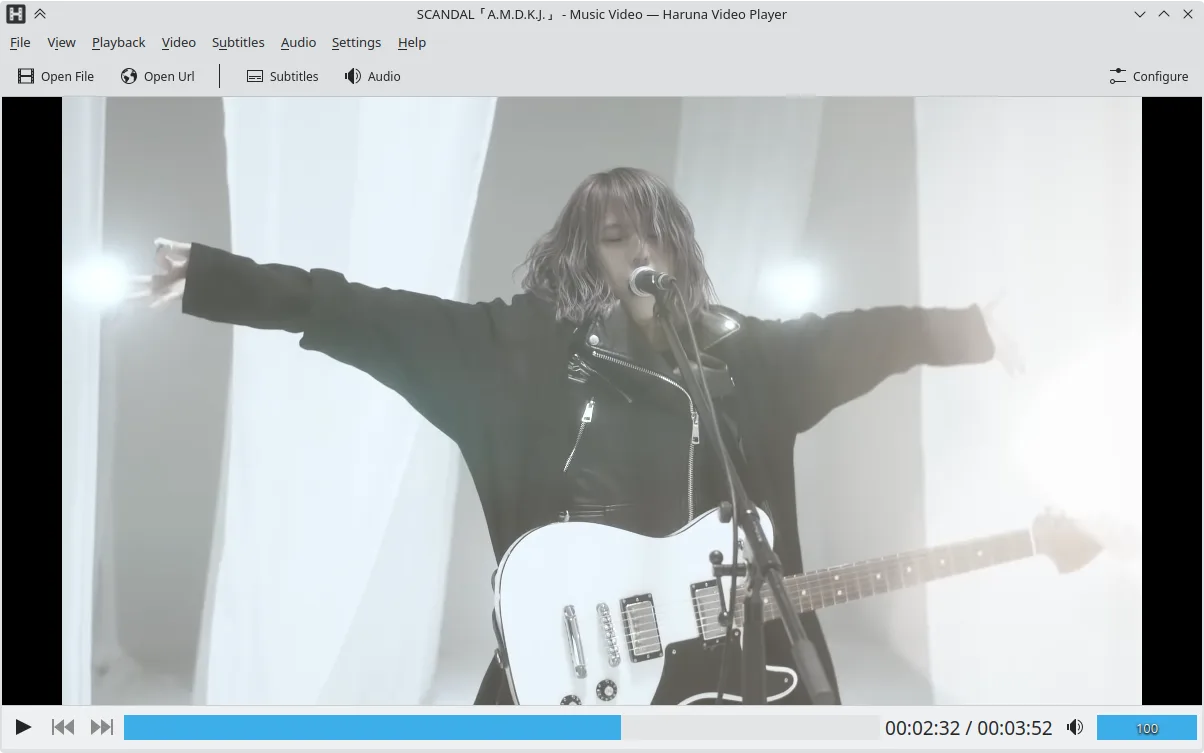
- Reproduz vídeos locais e online, incluindo YouTube via youtube‑dl
- Suporta playlists do YouTube e pula automaticamente capítulos contendo palavras específicas
- Alternância de playlist ao passar o mouse e sobreposição no vídeo
- Atalhos e botões de mouse configuráveis
- Pulo rápido para o próximo capítulo com clique do meio na barra de progresso
- Código aberto, licença GPL‑3.0‑ou‑posterior
- Disponível como Flatpak, Arch, Debian, Fedora, openSUSE, Ubuntu
Como instalar o Haruna no Linux
flatpak install flathub org.kde.harunasudo apt install harunasudo apt install harunasudo dnf install harunasudo pacman -S harunasudo zypper install harunaPerguntas frequentes
Does Haruna support online streaming from services like YouTube?
Yes, Haruna uses youtube‑dl to play YouTube videos and playlists, and it can auto‑skip chapters containing specified words.
Can I use Haruna to transcode videos?
No, Haruna does not provide transcoding or format conversion features; it only plays media.
Will Haruna display subtitles from external .srt files?
Haruna can load external subtitle files, but its subtitle support is more limited compared to VLC’s extensive subtitle handling.
Outras 4 alternativas ao VLC
 mpvmpv é um reprodutor de mídia gratuito, de código aberto e multiplataforma que reproduz quase qualquer formato…Código abertoGrátisFlatpakmpv vs VLC
 CelluloidCelluloid é um reprodutor de mídia leve para Linux que usa o mecanismo mpv e GTK para uma interface limpa no…Código abertoGrátisFlatpakCelluloid vs VLC
 SMPlayerO SMPlayer é um player de mídia gratuito e de código aberto, com codecs embutidos que lida com quase todos os…Código abertoGrátisFlatpakSMPlayer vs VLC
 TotemTotem (GNOME Vídeos) é o player de vídeo padrão do GNOME baseado no GStreamer.Código abertoGrátisTotem vs VLC