

Linux · Others
Clam AntiVirus
ClamAV is a free, open-source antimalware toolkit primarily used for server-side email scanning on Unix-like systems.
- Licença
- GPL-2.0
- Versão mais recente
- —
O que é o Clam AntiVirus?
ClamAV is a cross-platform antimalware toolkit developed for Unix that detects various types of malware. It has been around for decades and is a staple in enterprise environments. Unlike consumer antivirus, it focuses on scanning files rather than real-time system protection, making it highly efficient for batch processing and server workloads.
It is best suited for sysadmins, developers, and users who need to scan downloaded files or email attachments on Linux servers. If you are a desktop user looking for a full-featured real-time antivirus like Norton or Kaspersky, ClamAV is not the right tool. It works best as a command-line utility or integrated into mail servers and file gateways.
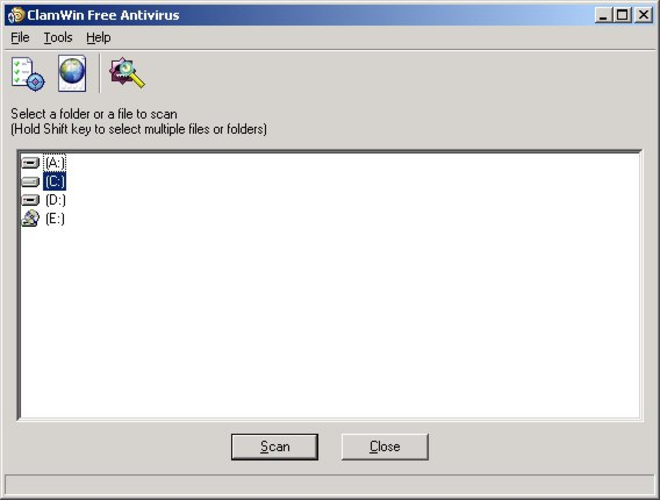
Compared to Windows tools like Avast or ESET, ClamAV lacks a graphical interface and real-time monitoring capabilities. It feels more like a specialized utility than a comprehensive security suite. You will not find pop-up alerts or automatic quarantine folders; instead, you run scans manually or via scripts, which offers more control but requires more technical knowledge to set up effectively.
Ideal para: Server administrators and power users who need to scan files or email attachments for known malware signatures on Unix-like systems.
Principais recursos do Clam AntiVirus
- Command-line interface for scanning specific files or directories
- Server-side email virus scanning for mail gateways
- Cross-platform support including Linux, BSD, macOS, and Windows
- Regular virus signature database updates
- Integration with mail servers like Postfix and Sendmail
- Support for scanning archives and compressed files
- Lightweight resource usage compared to real-time antivirus
- Open-source codebase allowing for custom modifications
Prós
- Completely free and open-source with no hidden costs
- Lightweight and efficient for server environments
- Highly reliable for detecting known malware signatures
- No telemetry or data collection
- Widely supported and maintained by a large community
Contras
- Lacks real-time protection and system monitoring
- No graphical user interface for desktop users
- Not designed for protecting against zero-day exploits
- Requires manual configuration for automated scanning
Programas do Windows que o Clam AntiVirus substitui
 ESET NOD32 Antivirus
 Panda Antivirus
Dicas para quem vem do Windows
If you are coming from Windows antivirus, expect a significant shift in workflow. There is no system tray icon or background scanning. You will likely use the clamscan command in a terminal to check specific files or directories. For email servers, you will integrate ClamAV with your mail transfer agent. Do not expect it to protect your desktop from real-time threats; use it to verify downloaded files or scan archives before opening them. Keep your virus definitions updated using freshclam.
Clam AntiVirus: perguntas frequentes
Can ClamAV replace Windows antivirus on a Linux desktop?
No, ClamAV is not designed for real-time desktop protection. It is a scanner, not a resident antivirus. For desktop security, rely on Linux's permission model and use ClamAV to manually scan suspicious files.
How do I update ClamAV virus definitions?
Use the freshclam command to download the latest virus signature database. You can automate this with a cron job to run daily or weekly to ensure you have the latest detections.
Does ClamAV scan emails automatically?
ClamAV itself does not handle email traffic. It provides the scanning engine that mail servers like Postfix or SpamAssassin use to inspect attachments. You must configure your mail server to call ClamAV for scanning.
Is ClamAV safe to run on my personal Linux machine?
Yes, it is safe. It is a standard open-source tool. However, it will not protect you from real-time threats like keyloggers or ransomware. Use it as an additional layer to verify files you download from the internet.
Atualizado em