

Linux · Internet
Google Chrome (unstable)
Google Chrome (unstable) is the development channel of Google's Chromium-based web browser, available via Flathub for Linux.
- Licença
- LicenseRef-proprietary
- Versão mais recente
- 160.0.8157.0-1 (13 de novembro de 2026)
- Desenvolvedor
- Instalações
- 4,716 (Flathub, 30 dias)


O que é o Google Chrome (unstable)?
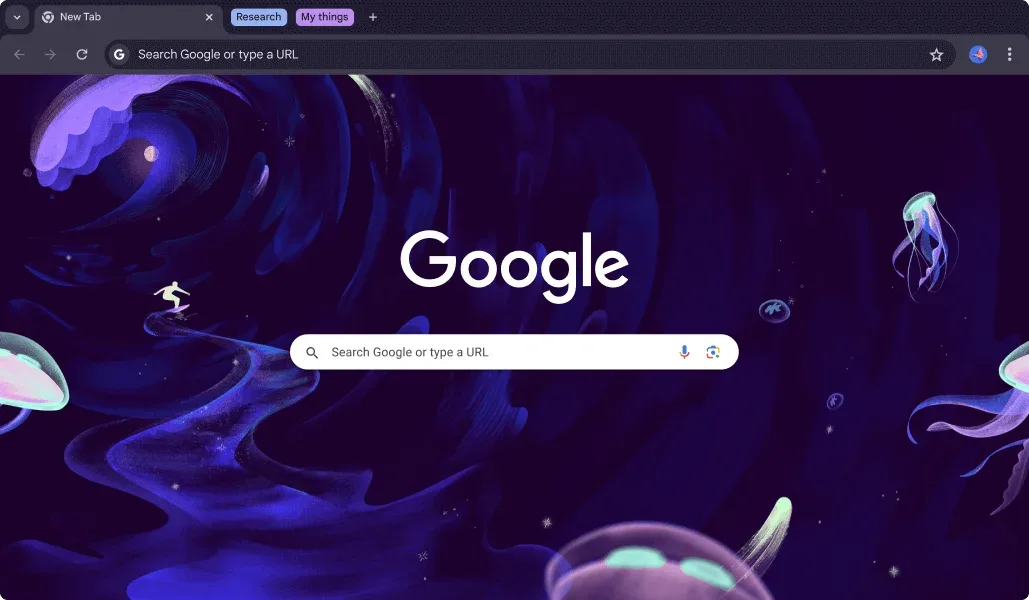
Google Chrome is a widely used web browser that prioritizes speed, security, and a minimalist interface. It is built on the open-source Chromium project but includes Google's proprietary components for media codecs and automatic updates. The 'unstable' channel provides the latest features before they reach the stable release, making it ideal for testing new web standards and browser capabilities.
This version targets developers, testers, and users who want early access to new features. It is not recommended for daily primary browsing due to potential instability, but it is essential for web developers ensuring their sites work with the latest Chrome engine. It serves as a direct alternative to Microsoft Edge Dev, offering a similar experience of cutting-edge web technology.
Compared to Edge Dev, Chrome Unstable offers a more streamlined interface with fewer built-in productivity tools like Copilot or sidebar widgets. The performance is generally comparable, as both are Chromium-based, but Chrome tends to be lighter on resources. The extension ecosystem is vast, and the sync experience across devices is seamless if you use a Google account, which is a key advantage over Edge's Microsoft-centric integration.
Ideal para: Web developers and tech enthusiasts who need the latest Chrome features and are comfortable with potential instability.
Principais recursos do Google Chrome (unstable)
- Chromium-based rendering engine
- Automatic background updates
- Extensive extension support
- Integrated Google account sync
- Developer tools for web debugging
- Hardware-accelerated video playback
- Minimalist user interface
- Early access to new web standards
Prós
- Frequent updates with the latest features
- Large and active extension ecosystem
- Consistent performance across platforms
- Strong integration with Google services
Contras
- Proprietary software with limited transparency
- Higher memory usage compared to some lightweight browsers
- Unstable version may contain bugs
- Requires a Google account for full sync features
Programas do Windows que o Google Chrome (unstable) substitui
Como instalar o Google Chrome (unstable) no Linux
flatpak install flathub com.google.ChromeDevDicas para quem vem do Windows
Coming from Edge Dev, you will notice the absence of built-in AI assistants and sidebar tools in Chrome. Your saved passwords, bookmarks, and history can be imported via the browser's settings menu during initial setup. Keyboard shortcuts are largely similar, but you may need to adjust if you relied on Edge-specific commands. Note that Chrome does not support some proprietary media codecs out of the box, though the Flathub version often includes them.
Versões recentes
- 160.0.8157.0-1 —
- 159.0.8144.0-1 —
- 159.0.8130.0-1 —
- 158.0.8117.2-1 —
Google Chrome (unstable): perguntas frequentes
Is Chrome Unstable safe for daily use?
It is generally stable enough for most tasks, but you may encounter bugs that are fixed in later releases. It is best used as a secondary browser or for development work.
How do I update Chrome on Linux?
The Flathub version updates automatically through the Flathub backend. You can also manually check for updates in your system's software center or flatpak manager.
Does Chrome Unstable support extensions from the Chrome Web Store?
Yes, it supports all extensions available in the Chrome Web Store, including those designed for the stable version.
Why is Chrome not open source?
While the core is based on open-source Chromium, Google adds proprietary components for media codecs and update mechanisms, making the final product proprietary.
Atualizado em