

Linux · Escritório
Kst
Kst is a KDE application for visualizing and analyzing scientific data sets, offering a lightweight alternative to heavy BI tools.
- Licença
- GPL-3.0
- Versão mais recente
- 3.0.0 (9 de fevereiro de 2026)
- Desenvolvedor
- KDE
- Instalações
- 92 (Flathub, 30 dias)
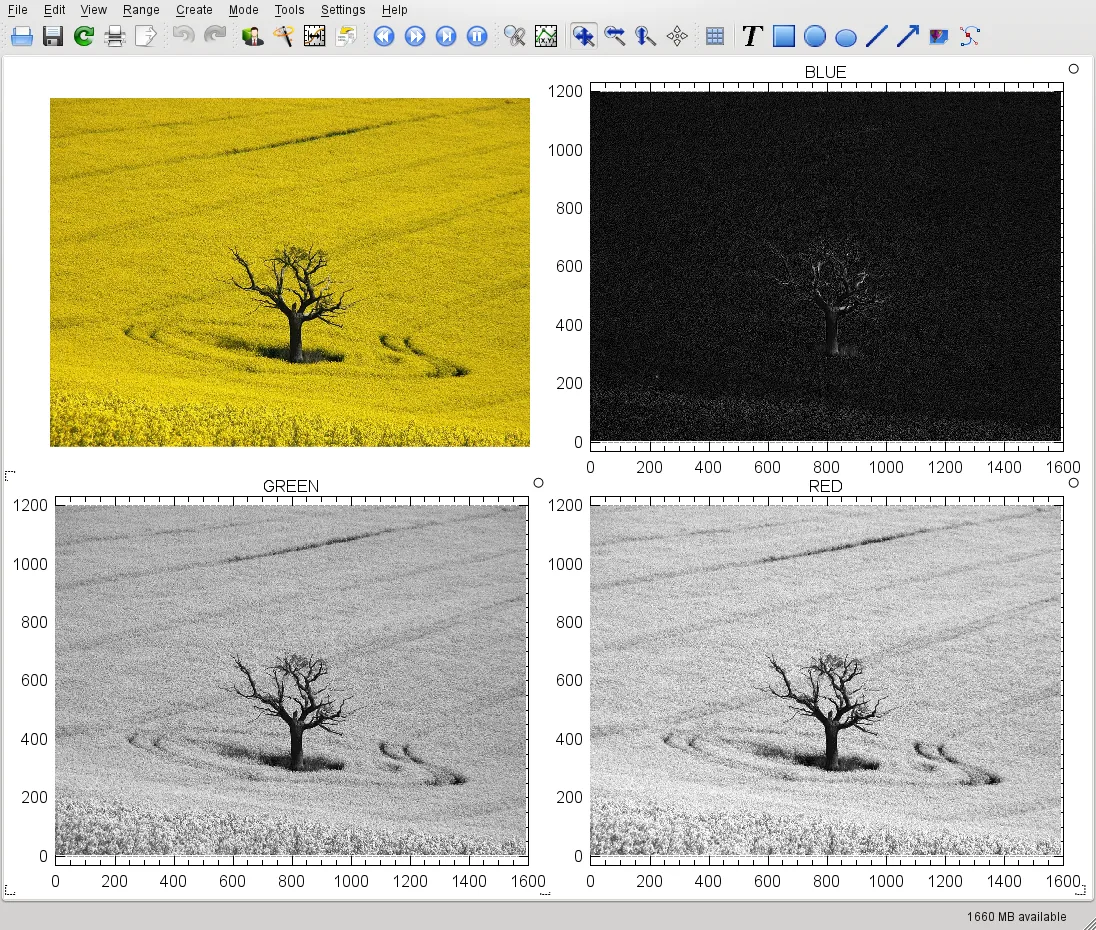

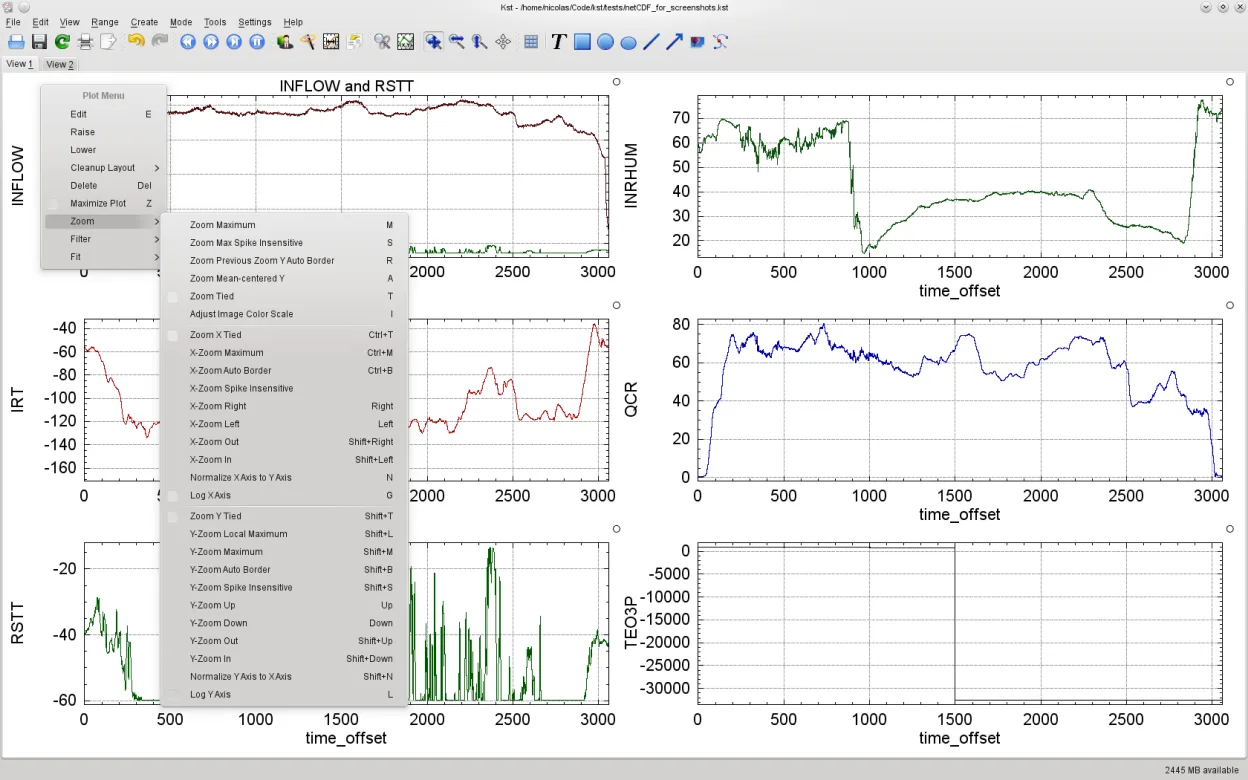
O que é o Kst?
Kst has been part of the KDE ecosystem for many years, serving as a dedicated tool for plotting and exploring scientific data. It is not a general-purpose business intelligence suite but a focused viewer for numerical and time-series data. The project remains under active maintenance, with recent releases ensuring compatibility with modern Linux distributions like Fedora and Ubuntu.
This tool is best suited for researchers, students, and engineers who need to inspect sensor logs, simulation outputs, or experimental results. It is not designed for corporate dashboarding or complex relational database queries. If your primary need is creating polished, interactive reports for stakeholders, you might find it too technical or limited in styling options.
Compared to Tableau, Kst feels much more utilitarian. It lacks the drag-and-drop flair and extensive charting library of commercial BI tools. However, it is significantly lighter on system resources and integrates well with other KDE applications. You trade visual polish for direct access to data manipulation and precise control over plot parameters.
Ideal para: Scientists and engineers who need to quickly visualize and analyze raw numerical data files on a Linux desktop.
Principais recursos do Kst
- Supports multiple data file formats including CSV, TSV, and HDF5
- Real-time data plotting and streaming visualization
- Interactive zooming and panning on 2D and 3D plots
- Built-in data filtering and transformation scripts
- Export plots to SVG, PNG, and PDF
- Scripting support for automated analysis
- Integration with KDE desktop environment
Prós
- Low resource footprint compared to Java-based BI tools
- Native support for various scientific data formats
- Stable and mature codebase with long history
- Fully open-source with no licensing costs
Contras
- Limited chart types compared to Tableau or Power BI
- Steep learning curve for non-technical users
- UI may feel dated to users accustomed to modern web apps
- Not designed for complex data modeling or ETL
Programas do Windows que o Kst substitui
Como instalar o Kst no Linux
flatpak install flathub org.kde.kstsudo apt install kstsudo apt install kstsudo dnf install kstsudo pacman -S kstsudo zypper install kstDicas para quem vem do Windows
Coming from Tableau, expect a different workflow. Kst does not connect to live databases in the same way; instead, you typically load flat files (CSV, TSV) directly. There are no 'sheets' or 'data sources' in the Tableau sense. Use the 'File' menu to open your data, then drag columns to the plot area. For complex transformations, you may need to use the built-in scripting console or preprocess data in a spreadsheet. Keyboard shortcuts are minimal; most actions are via menus or right-click context menus.
Versões recentes
- 3.0.0 —
- 2.1.x —
- 2.0.8 —
Kst: perguntas frequentes
Can Kst open Excel files?
Kst primarily supports standard text-based formats like CSV and TSV. For Excel files, it is best to export them to CSV first using LibreOffice or another tool.
Is Kst suitable for real-time data monitoring?
Yes, Kst supports real-time data streaming, making it useful for monitoring sensor data or system logs as they are generated.
How do I install Kst on Ubuntu?
You can install it via the package manager using 'sudo apt install kst' or download the Flatpak from Flathub for the latest version.
Does Kst support 3D plotting?
Yes, Kst includes support for 3D surface and scatter plots, allowing you to visualize multi-dimensional data sets.
Atualizado em