
Windows · Ferramentas do Sistema
Melhores alternativas Linux ao WinCDEmu
WinCDEmu mounts ISO and other disc images as virtual drives on Windows, a task handled natively by Linux file systems.
Atualizado em
Resposta rápida
A melhor alternativa Linux ao WinCDEmu é o AcetoneISO. Outras boas opções: CDemu, Furius ISO Mount.
3 alternativas Linux ao WinCDEmu
-
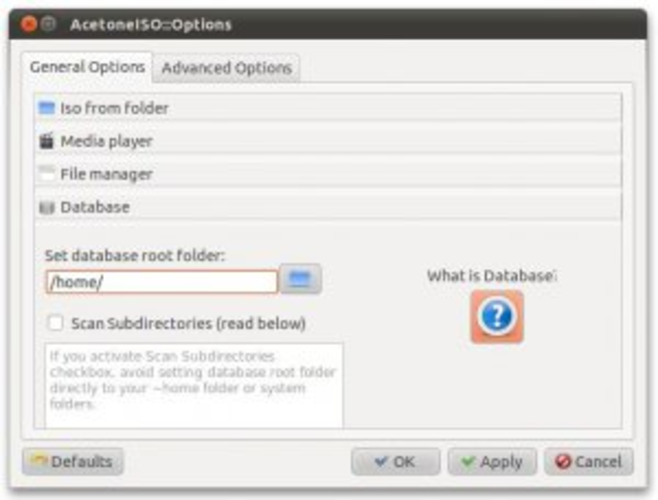
AcetoneISO é uma ferramenta Linux gratuita e de código aberto para montar e gerenciar arquivos de imagem CD/DVD.
AcetoneISO is a solid replacement for WinCDEmu if you need a graphical interface for managing virtual drives. It handles the core task of mounting ISO, BIN, and NRG files as block devices, which is all WinCDEmu does. However, it is not the only option; many modern Linux distributions handle ISO…
Cobertura de recursos90% -
CDEmu is a free, open‑source daemon that mounts disc images as virtual optical drives on Linux.
CDemu is a solid Linux replacement for WinCDEmu for users who are comfortable with command‑line tools or systemd services. It mounts the same image formats, supports multiple simultaneous drives, and integrates with file managers through automount scripts. Power users and sysadmins will appreciate…
Cobertura de recursos85% -
Furius ISO Mount is a lightweight GTK tool for mounting and unmounting ISO images on Linux.
Furius ISO Mount is a functional, if dated, replacement for WinCDEmu for basic ISO mounting tasks. It handles the core job of turning image files into accessible drives without requiring kernel modules. However, it is discontinued and lacks the modern polish of current Linux desktop integrations…
Cobertura de recursos65%


O que é o WinCDEmu?
WinCDEmu is a lightweight utility that mounts disk image files like ISO, CUE/BIN, and NRG as virtual CD/DVD drives. It is primarily used by users who need to install software from legacy media, test virtual machine images, or access data from archived discs without burning them to physical media. The interface is minimal, focusing entirely on the mounting process.
The software is open-source and free to use. It does not require a subscription or license key. Being a simple driver-based tool, it has no premium features or paid tiers. It is designed to be unobtrusive, sitting in the system tray until you need to mount an image.
People seek Linux alternatives because Windows-specific drivers do not work on Linux. However, the underlying need—accessing disc images as block devices—is a core feature of the Linux kernel. Most Linux distributions handle this natively, making the search for a replacement less about finding a new app and more about understanding how the OS manages these files.
O que um substituto do WinCDEmu precisa fazer
- Mounting ISO files as block devices
- Support for CUE/BIN and NRG formats
- Automatic mounting via file manager
- Manual mounting/unmounting controls
- Compatibility with standard Linux file systems
- No additional driver installation required
Dá para usar o WinCDEmu no Linux?
WinCDEmu is a Windows-only application that relies on a specific Windows device driver. It does not run natively on Linux. Running it via Wine is technically possible but pointless and unstable, as the driver cannot interface with the Linux kernel. You do not need to run WinCDEmu on Linux because the operating system provides native support for mounting these images without third-party software.
Qual alternativa escolher?
For most users, you do not need to install any of the listed third-party applications. The default file managers in GNOME (Nautilus) and KDE (Dolphin) handle ISO mounting automatically when you double-click the file. If you prefer a dedicated interface or need to manage multiple images at once, CDemu is a solid, lightweight option. AcetoneISO is better if you also need to create or modify disc images, as it includes burning and conversion tools. Furius ISO Mount is less common now but serves a similar basic function.
Levando seus arquivos e hábitos do WinCDEmu
There is no data migration required. WinCDEmu does not store user data; it only mounts files. Your ISO, CUE, and NRG files remain exactly where they are on your disk. On Linux, you simply point your file manager to the same directory. If you were using WinCDEmu to access specific files on a mounted image, you will access the same files on Linux, likely via a mount point in /media or /run/media. No conversion is needed for the image files themselves.
Comparação lado a lado
| Aplicativo | Licença | Flatpak | Versão mais recente | Cobertura de recursos | Avaliação |
|---|---|---|---|---|---|
| AcetoneISO | GPL-3.0 | — | 2.4_7 | 90% | 5/5 |
| CDemu | GPL-2.0 | — | — | 85% | — |
| Furius ISO Mount | GPL-2.0-or-later | — | — | 65% | — |
WinCDEmu: perguntas frequentes
Do I need to install CDemu to open an ISO file?
No. Most modern Linux distributions mount ISO files automatically when you click them in the file manager. You only need a tool like CDemu if you prefer a dedicated application interface.
Can Linux mount CUE/BIN files?
Yes, but it is less automatic than ISO. You may need to use a tool like CDemu or AcetoneISO to handle the CUE sheet and associated BIN file correctly, as the file manager might not recognize the pair immediately.
Is WinCDEmu safer than Linux native mounting?
No. Linux native mounting is a core kernel feature and is generally more stable and secure than a third-party Windows driver. There is no security advantage to using a Windows emulator on Linux.
What happens to my mounted images when I restart?
Like on Windows, mounted images are temporary. They will unmount when you reboot or log out. You will need to mount them again to access the contents, unless you add them to your system’s auto-mount configuration.
Qual a importância do WinCDEmu para você?
Conhece uma alternativa melhor? Sugerir uma alternativa