

Windows · Internet
Melhores alternativas Linux ao Windows Live Messenger (MSN)
Windows Live Messenger was Microsoft's instant‑messaging client, discontinued in 2013.
Atualizado em
Resposta rápida
A melhor alternativa Linux ao Windows Live Messenger (MSN) é o Pidgin. Outras boas opções: Kopete, Empathy, aMSN.
4 alternativas Linux ao Windows Live Messenger (MSN)
-
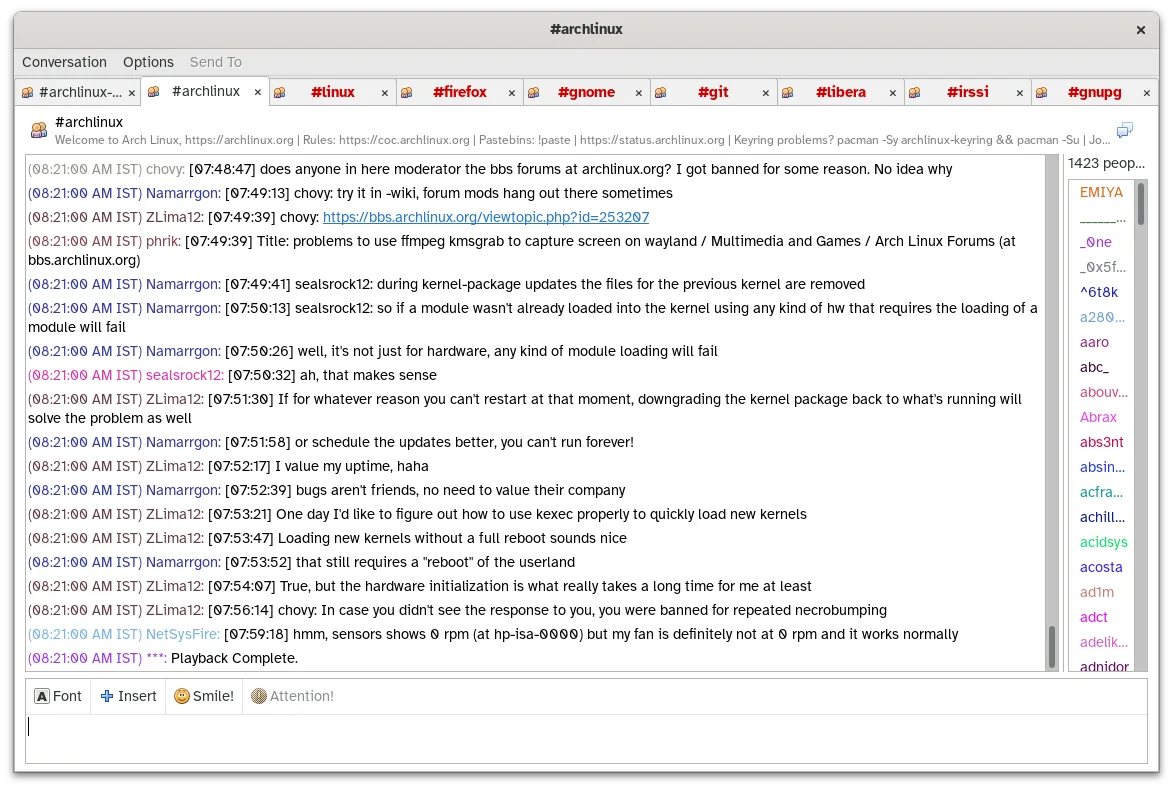
O Pidgin é um cliente de mensagens instantâneas gratuito e multi‑protocolo para Linux, Windows e macOS.
Pidgin is a solid replacement for Windows Live Messenger if you need a lightweight, cross‑platform IM client that supports multiple protocols. It works well for users who still use MSN or other legacy services via the libpurple plugin, and for anyone who wants to keep all their chats in one place…
Cobertura de recursos80% -

Kopete é um cliente de mensagens instantâneas multi-protocolo descontinuado, projetado para o ambiente de desktop KDE.
Kopete can replace Windows Live Messenger for users who need a KDE‑centric, multi‑protocol chat client. It supports the same core functions—text chat, group rooms, file transfer, status, and desktop notifications—across many networks, including MSN’s legacy protocol. However, it is no longer…
Cobertura de recursos70% -

Empathy was GNOME’s default IM and VoIP client supporting multiple protocols.
Empathy is a direct, native Linux replacement for Windows Live Messenger, sharing its multi-protocol heritage. It handles text, voice, video, and file transfers well. However, both are discontinued. Empathy is a solid choice if you are already in the GNOME ecosystem and use protocols still…
Cobertura de recursos85% -

aMSN is a discontinued open‑source client that mimicked Windows Live Messenger on Linux.
aMSN is a reasonable replacement for Windows Live Messenger if you're on Linux and want a familiar interface, but it's discontinued and no longer maintained. It worked well for basic chat, file transfer, and contact management during its time. However, due to its outdated status, it may not connect…
Cobertura de recursos80%



O que é o Windows Live Messenger (MSN)?
Windows Live Messenger (formerly MSN Messenger) was a desktop instant‑messaging client used by millions for personal chats, group conversations and occasional file transfers. It ran on Windows and required a free Microsoft account, with the software itself provided at no cost. When Microsoft shut the service down, many users needed a way to keep chatting on Linux without relying on a discontinued Windows program.
The original client was proprietary and closed‑source, distributed for free but only for Windows. Its feature set included text chat, emoticons, voice calls, file sharing and integration with other services like Yahoo and Facebook. Because the service no longer exists, the client is effectively obsolete, prompting users to look for modern, supported alternatives on Linux.
Linux users typically want a native client that respects their privacy, supports multiple networks, and integrates with the desktop environment. Open‑source options give control over updates and security, and they avoid the hassle of running Windows software under compatibility layers.
O que um substituto do Windows Live Messenger (MSN) precisa fazer
- Instant text chat with contacts
- Support for multiple messaging protocols
- Emoticon and status handling
- File transfer capability
- Group chat support
- Desktop notifications
- Integration with address book
Dá para usar o Windows Live Messenger (MSN) no Linux?
There is no native Linux version of Windows Live Messenger. The service itself is shut down, so even if you run the Windows client under Wine or a similar layer, it will not connect. The practical way forward is to use a Linux instant‑messaging client that supports the same protocols or modern services.
Qual alternativa escolher?
If you prefer a classic multi‑protocol client with a traditional UI, Pidgin or aMSN are good choices; aMSN mimics the old MSN look. For a more integrated experience with GNOME, use Empathy. Kopete works well in KDE environments and offers similar features.
Levando seus arquivos e hábitos do Windows Live Messenger (MSN)
Since the MSN service is no longer active, there is no official way to export chat histories. Some clients (e.g., Pidgin) can import logs from older MSN log files if you still have them, but you will need to start fresh with a new service.
Comparação lado a lado
Windows Live Messenger (MSN): perguntas frequentes
Can I still use my old MSN contacts?
Only if they have moved to a supported network; the original MSN service is offline.
Is there a web version of Windows Live Messenger?
No official web client exists after the service shutdown.
Will Wine run the Windows client?
Even if Wine launches the program, it cannot connect because the backend service is discontinued.
Do any of the Linux alternatives support video calls?
Pidgin and Empathy can handle video via plugins or underlying protocols, but aMSN focuses on text and basic file sharing.
Qual a importância do Windows Live Messenger (MSN) para você?
Conhece uma alternativa melhor? Sugerir uma alternativa