
 AcetoneISOLinux
vs
AcetoneISOLinux
vs
 Alcohol 120%Windows
AcetoneISO als Linux-Alternative zu Alcohol 120%
Aktualisiert am
Unser Fazit
AcetoneISO is a solid replacement for Alcohol 120% if you're focused on mounting, creating, and converting disc images without copy protection emulation. It covers core tasks like ISO creation from discs or folders, burning images, and GUI-based virtual drive management. The tool integrates well with desktop environments and supports command-line use. However, it won't handle protected media or emulate advanced copy protection schemes — a key limitation for users reliant on that feature. Linux users wanting straightforward image management will find it reliable; those needing Alcohol's full feature set, especially protection bypass, will need alternatives.
- Lizenz
- GPL-3.0
- Preis
- Kostenlos
- Aktuelle Version
- 2.4_7
- Bewertung
- 5/5 (1)
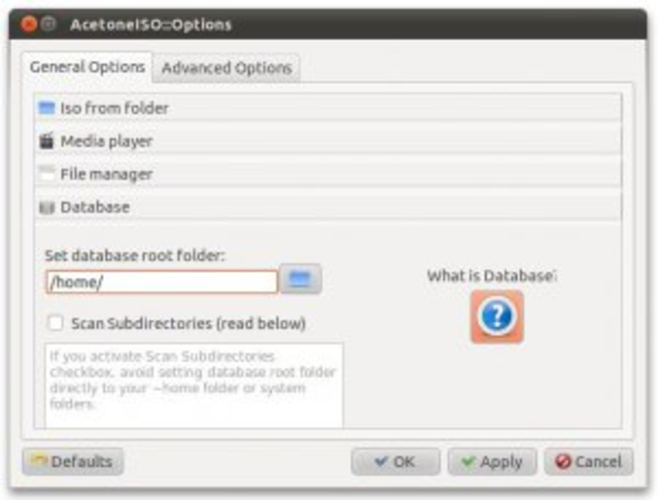
Was gleich funktioniert
- Mounts ISO, BIN, IMG, MDF, and NRG image files
- Creates disc images from physical media and folders
- Burns images to CD, DVD, and Blu-ray
- Offers both GUI and command-line interfaces
- Integrates with file manager context menus
Was anders ist
- Does not emulate copy protection — a core Alcohol 120% feature
- No support for SCSI or IDE virtual drive emulation layers
- Limited to optical disc formats; no disc-at-once or track-at-once advanced writing modes
- Fewer automation and scripting options compared to Alcohol
- No built-in disc copying with custom sector settings
Ihre Alcohol 120%-Dateien öffnen
AcetoneISO can open most common image formats used by Alcohol 120%, including MDF/MDS, ISO, and IMG. However, if Alcohol 120% created images with copy protection or used proprietary encryption, AcetoneISO won't process those, as it ignores protection schemes. Standard data images convert and mount fine. Exporting to Alcohol-compatible formats isn't directly supported, but saving as ISO or MDF allows interoperability where protection isn't enforced.
Von Alcohol 120% zu AcetoneISO wechseln – Schritt für Schritt
- Install AcetoneISO via your package manager (e.g., 'sudo apt install acetoneiso')
- Run it from the application menu or with 'acetoneiso'
- Use 'Add' to mount existing image files or 'Create' to make ISOs from discs or folders
- Burn images using the 'Burn' tab
- Enable file manager integration from Settings if desired
- Use 'acetoneiso-cli' in scripts or terminal for automation
Wichtige Funktionen von AcetoneISO
- Einbinden von ISO-, BIN-, IMG-, MDF-, NRG- und anderen Image-Formaten
- Erstellen von ISO-Images aus Ordnern oder physischen Datenträgern
- Konvertierung zwischen unterstützten Image-Formaten
- Beschreiben von Images auf CD/DVD/BD-Medien
- Verwalten virtueller Laufwerke (hinzufügen/entfernen) über die GUI
- Extrahieren von Dateien aus Images ohne Einbinden
- Unterstützung der Befehlszeile über acetoneiso-cli
- Integration in Kontextmenüs des Dateimanagers
AcetoneISO unter Linux installieren
sudo apt install acetoneisosudo apt install acetoneisoHäufige Fragen
Can AcetoneISO mount Alcohol 120% MDF files?
Yes, AcetoneISO supports MDF/MDS files, including those created by Alcohol 120%, as long as they don't use copy protection.
Does AcetoneISO work without root privileges?
Mounting and basic operations usually require no root, but burning discs and setting up loop devices may need sudo or group membership (e.g., 'cdrom' group).
Why can't I mount some Alcohol-created images?
AcetoneISO skips copy protection checks. If the image uses emulation not supported by Linux, it won't mount — this is intentional and a limitation of the tool's design.
3 weitere Alternativen zu Alcohol 120%
 CDemuCDEmu ist ein kostenloser, quelloffener Daemon, der Disk-Images als virtuelle optische Laufwerke unter Linux…Open SourceKostenlosEingestelltCDemu vs. Alcohol 120%
 Furius ISO MountFurius ISO Mount ist ein leichtgewichtiges GTK-Tool zum Ein- und Aushängen von ISO-Images unter Linux.Open SourceKostenlosEingestelltFurius ISO Mount vs. Alcohol 120%
 Gmount-isoGmount-iso ist ein leichtgewichtiges GUI-Tool zum Einhängen von ISO-Images unter Linux.Open SourceKostenlosEingestelltGmount-iso vs. Alcohol 120%